
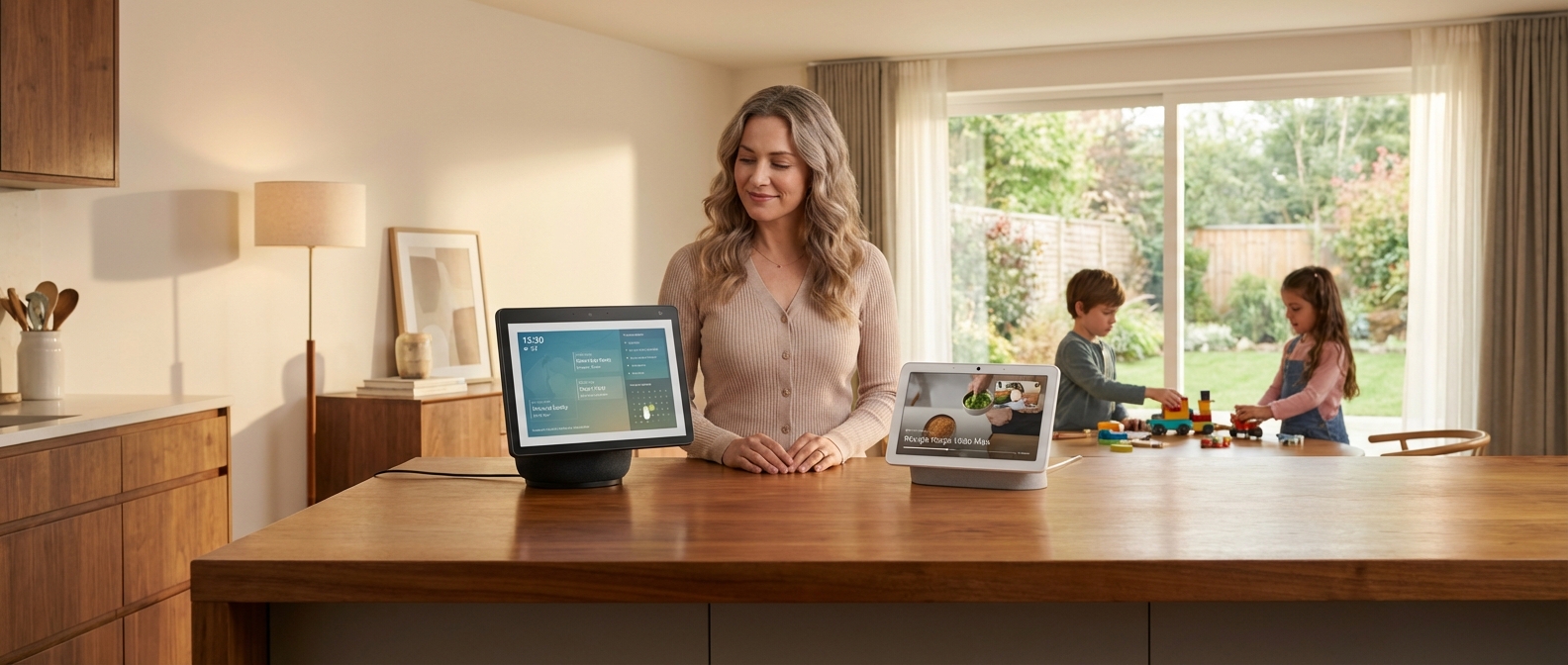
Introduction: The Smart Home Dilemma in 2026
Introduction: The Smart Home Dilemma in 2026
The mental load of parenting never sleeps, and neither should your home’s operating system. In 2026, the best smart speaker for families 2026 isn't just a gadget that plays music or sets timers—it is a proactive, proactive partner in managing your household's invisible labor. We aren't looking for raw technical specifications; we are looking for sanity, streamlined logistics, and a digital extra pair of hands.
The landscape has shifted dramatically since the simple voice commands of the early 2020s. The integration of advanced Generative AI—specifically Google's deep integration of Gemini and Amazon's overhaul with its proprietary Large Language Model (LLM)—has transformed these devices from reactive tools into conversational AI family assistants. They now understand context, manage complex multi-step schedules, and even anticipate needs before you voice them.
This comparison ignores the audiophile jargon to focus on what matters: survival. We tested these ecosystems to see which smart home for parents actually reduces stress. Whether you are trying to automate bedtime or streamline morning chaos (see our guide on 21 Best Smart Home Routines for Moms in 2026), the choice between Alexa and Google Home now hinges on which AI brain better suits your parenting style.
To help you orient yourself in this new era of AI assistance, here is the fundamental split between the two giants this year:
| Feature | Amazon Alexa (2026 LLM) | Google Home (Gemini Era) |
|---|---|---|
| Core AI Philosophy | Action-Oriented: Focuses on executing tasks, shopping, and controlling third-party devices seamlessly. | Information-Oriented: Focuses on conversation, complex reasoning, and deep integration with Calendar/Gmail. |
| Family Strengths | Superior at routine management, "Drop In" intercom features, and intuitive shopping lists. | Superior at answering endless toddler questions and managing complex family calendars. |
| Smart Home Compatibility | Widest range of compatible devices (Zigbee/Matter/Sidewalk). | Deepest integration with Android phones and Nest security products. |
| Best For... | The busy parent who needs a "Doer" to manage logistics and purchases. | The multitasking parent who needs a "Thinker" to organize information and schedules. |
Key factors defining the 2026 battleground:
- Generative Conversation: You no longer need to memorize specific trigger phrases. Both assistants now understand natural, conversational language.
- Proactive Intelligence: Devices now suggest routines based on your habits (e.g., suggesting a heating adjustment during a cold snap).
- Privacy Controls: Enhanced on-device processing keeps more voice data within the home, a critical update for privacy-conscious families.
At a Glance: The 2026 Comparison Table
At a Glance: The 2026 Comparison Table
For parents demanding immediate answers, this Alexa vs Google Home comparison chart breaks down the critical differences between the two ecosystems as they stand in early 2026. We analyzed performance based on real-world family usage, from toddler tantrums to high school history projects.
| Feature | Google Nest (Gemini Powered) | Amazon Alexa (Echo Series) | The Mom Verdict |
|---|---|---|---|
| Voice Recognition (Kids) | Superior context handling. Understands stuttering, mumbled speech, and follow-up questions without repeating the "Hey Google" wake word. | Excellent rigid command recognition. Great for toddlers learning specific phrases but struggles with conversational nuance. | |
| Parental Controls | Managed via Family Link. Powerful but granular; requires significant setup time to filter content effectively. | Amazon Kids+ dashboard remains the gold standard. "Set it and forget it" content filters and hard time limits are intuitive. | Alexa |
| Homework Help (AI) | Now powered by Gemini. capable of explaining complex concepts, translating languages in real-time, and citing sources. | Good for quick facts (spelling, basic math, unit conversions). Lacks the deep conversational reasoning required for essays. | |
| Ecosystem Cost | Hardware remains premium priced. Budget "Mini" options are less frequent. | Aggressive pricing strategies continue. Equipping an entire home with Echo Dots is significantly cheaper. | Alexa |
| Privacy & Safety | Processes more voice data on-device (Pixel/Nest chips). Offers guest mode and easy voice deletion commands. | Physical camera shutters are standard. Data is heavily used for retail targeting, though the "Kids Edition" adds layers of protection. | Tie |
TL;DR: Which Smart Speaker Wins?
If you need a quick summary, the decision comes down to the age of your children and your patience for setup.
Choose Google Nest if you have school-aged children. The Gemini AI integration makes it a superior tutor for homework, and the voice recognition is forgiving enough for kids who don't speak in perfect commands. It functions less as a controller and more as a family assistant.
Choose Amazon Alexa if you have toddlers or prioritize strict boundaries. The parental controls are unmatched for ease of use, and the hardware is affordable enough to place in every room without guilt. Alexa is also the superior choice for automation, specifically if you plan to implement the 21 Best Smart Home Routines for Moms in 2026 to automate bedtime and morning chaos.
Round 1: Kid-Friendliness & Comprehension
Round 1: Kid-Friendliness & Comprehension
For most families, the winner of this round depends on whether you prioritize content depth or speech accuracy. In 2026, Amazon Alexa remains the undisputed king of children's entertainment and curated libraries, while Google Home leverages superior AI to actually understand what your child is saying. If you want a storyteller, choose Alexa; if you want a reliable listener for a toddler with a lisp, choose Google.
Voice Recognition: The "Toddler Talk" Test
This is where the technological divide is most apparent. Voice recognition for toddlers has historically been a pain point for smart speakers, but Google’s 2026 updates have shifted the landscape.
- Google Home: Powered by Gemini-based conversational AI, Google Assistant is frighteningly good at deciphering imperfect speech. It understands context, stuttering, and mispronunciations ("Pway Baby Shark" vs. "Play Baby Shark") significantly better than Amazon.
- Amazon Alexa: While Alexa has improved, it still relies heavily on specific syntax. If a child mumbles or gets the command order wrong, Alexa often defaults to "I don't know that one," leading to frustration.
If you are setting up a nursery or playroom, reliability is key. You don't want a device that requires you to repeat your child's command three times. This reliability is why we often rank Google hardware highly in our guide to the 17 Best Smart Home Devices for Toddlers in 2026 (Safety & Sleep Guide).
The Fun Factor: Content Ecosystems
While Google wins on ears, Amazon wins on personality. Amazon Kids+ is a juggernaut. It is not just a feature; it is a full content platform.
Amazon offers:
- Character Voices: Kids can interact with official voices from Disney, Marvel, and Nickelodeon.
- Dedicated Hardware: The Echo Dot Kids Edition comes with "worry-free" breakage guarantees and fun designs (Owl, Dragon) that appeal immediately to children.
- Reading Sidekick: Alexa can take turns reading pages of a book with your child, actively correcting pronunciation.
Google Assistant for kids features are catching up but remain more utilitarian. Google focuses on educational facts, "Animal of the Day," and family bells. It lacks the immersive, licensed entertainment library that keeps children engaged for hours.
Feature Comparison: Alexa vs. Google (Kids Mode)
| Feature | Amazon Alexa (2026) | Google Nest / Assistant (2026) |
|---|---|---|
| Speech Comprehension | Moderate. Requires clear enunciation. | Superior. Handles stuttering/slang well. |
| Content Library | Massive. Amazon Kids+ (Books, Games). | Limited. Mostly YouTube Kids integration. |
| Parental Controls | Granular. Filter explicit songs by lyrics. | Broad. Managed via Family Link app. |
| Interaction Style | Gamified & Personality-driven. | Informational & Conversational. |
| Hardware | Kid-specific designs available. | Standard aesthetic only. |
Parental Controls & Routines
Both ecosystems allow you to set "Downtime" (shutting off access at bedtime) and filter explicit lyrics. However, Amazon’s Parent Dashboard provides a more detailed breakdown of what your child actually did—how many hours they listened to books versus playing trivia games.
Google’s strength lies in routine integration. Because it understands natural language better, it is easier for a child to trigger their own morning routine without parental intervention. Teaching your kids to manage their own schedules is a core part of the 21 Best Smart Home Routines for Moms in 2026 [The Ultimate Sanity Saver].
Verdict: If your child is under 5 and still developing speech, Google Home prevents tantrums. If your child is school-aged and wants entertainment, Amazon Alexa is the superior playmate.
The 'Magic Word' Factor
The 'Magic Word' Factor
Amazon holds a distinct linguistic advantage in the nursery. "Alexa" is a personified, three-syllable name that toddlers grasp significantly faster than the abstract, two-part command "Hey Google." For parents prioritizing independent use for young children, the Echo ecosystem remains the superior choice because it requires less cognitive effort to activate.
The Linguistics of Smart Control
Speech development experts note that names are easier for children to retain than branded phrases. "Alexa" flows naturally. "Hey Google" requires a pause and distinct articulation that often frustrates toddlers, leading to shouted commands and unrecognized requests.
However, the 2026 landscape has shifted. Both ecosystems now offer enhanced customization, though Amazon still leads in flexibility.
Key Differences in Wake Word Performance:
| Feature | Amazon Alexa (2026) | Google Nest (2026) |
|---|---|---|
| Default Complexity | Low. Single word ("Alexa"). | Medium. Two-word phrase ("Hey Google"). |
| Kid-Friendliness | High. Mimics calling a person. | Moderate. Mimics a utility command. |
| Customization | Advanced. Options include "Ziggy," "Echo," "Amazon," or new custom user-recorded triggers. | Improved. "Quick Phrases" allow skipping the wake word for specific tasks (e.g., "Stop alarm"). |
| Sensitivity Control | Granular sliders per device. | Standard sensitivity settings only. |
Customization and Sensitivity
While Google has introduced "Quick Phrases" to reduce repetition, Amazon allows for a complete identity overhaul. Changing Alexa name settings is vital if you have a family member named Alex or Alexis, or simply want to reduce false positives. You can now toggle between standard options or record a custom wake word on the latest Echo Hubs—a feature Google still lacks in its standard Nest Audio line.
Wake word sensitivity is another critical factor for chaotic homes.
- Alexa: Allows you to adjust the sensitivity slider in the app. If your household is noisy, you can lower it to prevent accidental triggers.
- Google: Offers sensitivity adjustments, but users often report it struggles to differentiate between background TV noise and a quiet child's voice.
If your primary goal is empowering your little ones to control their own environment—like turning on night lights or playing white noise—Amazon wins this round. For specific product recommendations that work well with these voice commands, read our guide on 17 Best Smart Home Devices for Toddlers in 2026.
Content Libraries: Amazon Kids+ vs. Google Family Link
Content Libraries: Amazon Kids+ vs. Google Family Link
Amazon Kids+ remains the superior choice for curated, ad-free entertainment, offering a massive library of books, games, and video content for a single monthly fee. In contrast, Google Family Link functions primarily as a parental control gatekeeper rather than a content provider, relying on disparate sources like YouTube Kids and individual app approvals, which often leads to fragmented costs and ad exposure.
Amazon Kids+: The All-Inclusive Buffet
In 2026, Amazon Kids+ (formerly FreeTime Unlimited) continues to dominate the paid subscription market because it solves the "curation fatigue" problem. You aren't just paying for controls; you are paying for immediate access to over 30,000 titles.
For toddlers and elementary-aged children, the library is exhaustive. Amazon has maintained aggressive licensing deals, ensuring high-demand Disney content—from Bluey interactives to Frozen read-alongs—is available instantly. The integration with Echo devices is where this service truly shines. Parents can initiate audiobooks for kids via voice command without purchasing individual titles from Audible, creating a seamless bedtime workflow.
- The Hardware Synergy: The subscription is baked into the hardware. If you are using 17 Best Smart Home Devices for Toddlers in 2026 (Safety & Sleep Guide), specifically the Echo Dot Kids Edition, the included one-year subscription makes the hardware essentially free.
Google Family Link: The Gatekeeper
Google takes a fundamentally different approach. Family Link is not a content library; it is a management dashboard. It allows you to approve or block apps from the Play Store and view screen time stats, but it does not provide the content itself.
To replicate the Amazon experience on a Google Nest or Android tablet, you must cobble together several services:
- YouTube Kids: Requires a YouTube Premium subscription to be truly ad-free.
- Google Play Pass: A separate subscription for apps and games to avoid in-app purchases.
- Google Play Books: Individual purchases for reading material.
While Family Link offers superior granular control over an Android device's system settings, it fails to offer a unified entertainment hub. You are the curator, which means more work for you.
Feature Comparison: Amazon vs. Google
| Feature | Amazon Kids+ | Google Ecosystem (Family Link) |
|---|---|---|
| Primary Function | Content Library & Sandbox | Device Management & Restrictions |
| Content Model | "All-you-can-eat" Subscription | À la carte (Play Store) or Ad-supported |
| Ad Policy | 100% Ad-Free | Ads present (unless Premium is purchased) |
| Top Media Brands | Disney, Nickelodeon, PBS Kids | YouTube Creators, PBS Kids |
| Audiobooks | Included (thousands of titles) | Purchase individually via Play Books |
| Parental Effort | Low (Pre-curated by age) | High (Manual approval required) |
The Verdict on Subscription Costs
When analyzing subscription costs in 2026, Amazon offers better value for pure entertainment.
- Amazon Kids+: Roughly $5.99/month for Prime members (bundled family plans available).
- Google Approach: Family Link is free, but YouTube Premium Family plans have hiked to nearly $24/month this year.
If your goal is strictly managing screen time limits and locking down a phone, Google Family Link is the industry standard. However, if you need a safe ecosystem to keep a child entertained while you manage the household, Amazon Kids+ justifies the monthly fee.
For moms trying to streamline their day, integrating these content libraries into automated schedules is key. You can learn more about automating screen time limits in our guide on 21 Best Smart Home Routines for Moms in 2026 [The Ultimate Sanity Saver].
Round 2: Parental Controls & Digital Wellbeing
Round 2: Parental Controls & Digital Wellbeing
For most families in 2026, the winner of the parental controls smart speaker battle depends on whether you prioritize granular content filtering or hard device limits. Amazon Alexa (via Amazon Kids+) currently offers superior control over specific media and explicit lyrics, making it the better choice for younger children. However, Google Home’s integration with Family Link remains the gold standard for managing total screen time limits across tablets, phones, and speakers simultaneously.
The Dashboard Duel: Ease of Access
You do not have time to navigate through ten sub-menus just to turn off a microphone.
Amazon Alexa utilizes the Parent Dashboard. It is incredibly detailed. You can see exactly which books your child read, how many minutes they played educational games, and manually add content. However, the UI can feel cluttered. It often requires you to jump between the Alexa app and the specific Amazon Kids+ settings, which is frustrating when you are trying to manage settings quickly.
Google Home relies on the Family Link app. It is cleaner, faster, and more intuitive for the non-tech mom. If you want to lock every device in the house for dinner instantly, Google makes that a one-tap process. The trade-off is depth; you cannot granularly approve specific songs or skills as easily as you can on Alexa.
If you are setting up a nursery or a toddler's room, simplicity matters. For specific hardware recommendations that integrate with these controls, see our guide on 17 Best Smart Home Devices for Toddlers in 2026.
Blocking the Noise: Explicit Lyrics & Media
Blocking explicit music is usually the first line of defense for parents.
- Alexa: Amazon handles this brilliantly. The explicit filter applies to Amazon Music, Apple Music, and Spotify (if linked properly). It rarely misses. Furthermore, voice recognition in 2026 is sharp; if Alexa hears a child's voice, she automatically defaults to the "Kids" profile, restricting explicit content even if you forgot to toggle a setting.
- Google: While effective on YouTube Music, Google Assistant still occasionally struggles with third-party apps like Spotify. You might set a filter, but a clever 10-year-old can sometimes bypass it by casting from a different device.
Downtime vs. Bedtime Routines
How you end the day defines your sanity.
Google utilizes a feature called Downtime. It is a hard lock. When Downtime starts, the speaker refuses to answer questions, play music, or react to commands other than alarms. It is effectively a brick until 7:00 AM. This is perfect for older kids who try to sneak in late-night chats with the Assistant.
Alexa focuses on Bedtime Routines. Instead of a hard lock, Alexa shifts gears. It allows sleep sounds, reads bedtime stories, and dims the lights, but blocks stimulating games or loud music. It guides the child to sleep rather than just shutting off.
If you want to create a seamless evening flow rather than just a digital lockout, check out our breakdown of the 21 Best Smart Home Routines for Moms in 2026.
Feature Comparison: Alexa vs. Google Home
| Feature | Amazon Alexa (Amazon Kids) | Google Home (Family Link) |
|---|---|---|
| Ease of Setup | Moderate (Requires separate dashboard) | High (Integrated app) |
| Explicit Filter | Excellent (Strict, works across most services) | Good (Best on YouTube Music) |
| Screen Time Limits | Good (Focuses on Amazon devices) | Best in Class (System-wide across Android) |
| Night Mode | Bedtime Routines (Soft limits, sleep sounds) | Downtime (Hard lock, disables interaction) |
| Voice Recognition | Auto-switches profile based on voice ID | Matches voice to Google account permissions |
| Content Approval | Granular (Approve specific skills/books) | Broad (Age-based ratings) |
Round 3: Homework Help & General Knowledge (The AI Update)
Round 3: Homework Help & General Knowledge (The AI Update)
Google Home takes the crown for academic rigor, utilizing Gemini to tackle complex logic and multi-step math problems essential for older students. However, Alexa retains the title for younger children, offering superior interactive storytelling and gamified learning. For a smart speaker for homework, Google is the tool; for engagement, Alexa is the toy.
The 2026 Landscape: Google Gemini vs Alexa
In 2026, the gap between "smart" and "conversational" has widened. The Google Gemini vs Alexa debate is no longer just about who can set a timer faster; it is about who can tutor your child.
Google’s integration of Gemini has transformed its Nest Audio devices into capable study partners. If your 5th grader asks, "Hey Google, how do I calculate the area of a trapezoid?", the device doesn't just read a definition. It walks the student through the formula ($A = \frac{a+b}{2}h$) and asks follow-up questions to ensure understanding. It handles context superbly. You can ask, "Who was the president during the Civil War?" followed immediately by "When did he die?" without restating the subject.
Conversely, Alexa still struggles with conversational context but thrives on specialized educational features and third-party skills. Alexa is the superior platform for routine-based learning, such as spelling drills or "Simon Says" style games that keep a preschooler occupied while you cook dinner.
Feature Breakdown: The Academic vs. The Entertainer
Here is how the two giants stack up for educational needs in 2026:
| Feature | Google Home (Gemini) | Amazon Alexa (Next-Gen) |
|---|---|---|
| Complex Math | Excellent. Solves equations and explains steps. | Basic. Good for arithmetic; struggles with algebra. |
| Contextual History/Science | Superior. Handles "Why" and "How" questions deeply. | Average. Often reads generic Wikipedia snippets. |
| Third-Party Games | Limited. Focus is on information retrieval. | Dominant. Thousands of skills like Math Six and Lemonade Stand. |
| Tone & Delivery | Natural, conversational, and adult-oriented. | Enthusiastic, character voices available (Disney, etc.). |
| Subscription Cost | Free (Basic), Gemini Advanced for tutoring. | Amazon Kids+ required for premium content. |
The Verdict for Moms
Choose Google Home if: You have children aged 10 and up. The homework load in 2026 requires an assistant that understands nuance. Google acts as a genuine encyclopedia. It can summarize current events for a social studies project or explain the water cycle without sounding robotic. If you are trying to establish strict study hours, you might pair this with one of the 21 Best Smart Home Routines for Moms in 2026 to automate "Focus Mode" lighting during homework time.
Choose Alexa if: Your house is ruled by toddlers or early elementary students. Alexa’s "Blueprints" allow you to create custom quizzes, and the Amazon Kids+ subscription offers endless interactive stories that Google simply cannot match. For parents specifically looking to equip a nursery or playroom, Alexa remains a staple. For a deeper dive into safety and entertainment for the little ones, check our guide on 17 Best Smart Home Devices for Toddlers in 2026.
Ultimately, Google helps them pass the test; Alexa makes sure they have fun learning the material.
Round 4: Managing the Household Chaos
Round 4: Managing the Household Chaos
Google Nest captures the title for scheduling logistics, leveraging native integration with the world's most popular calendar system to manage complex family itineraries seamlessly. However, Alexa remains the undisputed champion of household communication and procurement, offering superior two-way intercom capabilities and direct-to-cart purchasing power. If your chaos stems from scheduling, choose Google; if it stems from shouting between floors, choose Alexa.
The Dinner Bell: Broadcast vs. Drop-In
When you need to summon the family for dinner without shouting, the broadcast feature is your primary weapon. Both ecosystems handle this, but the execution differs significantly.
- Alexa (Drop In): This is a true intercom system. You can instantly connect to a specific Echo device in a kid’s room with two-way audio. It is faster and more direct. For parents of younger children, this doubles as an audio monitor. If you are setting up a nursery, this feature pairs perfectly with the 17 Best Smart Home Devices for Toddlers in 2026 (Safety & Sleep Guide).
- Google (Broadcast): Google takes a "PA system" approach. You send a message ("Dinner is ready"), and it plays across all speakers. While family members can reply, it lacks the immediate, open-channel feel of Alexa's Drop In.
Mastering the Schedule: Family Calendar Sync
For the Household CEO, the ability to visualize and audit the week is non-negotiable.
Google Nest leverages its home-field advantage here. If your family uses Gmail, Google Classroom, or Android phones, the family calendar sync is practically zero-touch.
- Contextual Awareness: Google Assistant understands complex queries like "When is the next soccer game?" better than Alexa, pulling details directly from school emails or shared Google Calendars.
- Visual Snapshot: On Nest Hub displays, the "Your Morning" dashboard provides a superior visual breakdown of the day's events compared to the Echo Show.
Alexa supports Google, iCloud, and Outlook calendars, but it acts as a third-party viewer. Syncing can occasionally lag, and the voice interaction feels more rigid. However, if your workplace runs entirely on Microsoft Outlook, Alexa's integration there is robust and reliable.
The Never-Ending Grocery List
When the milk runs dry, you need frictionless shopping list integration.
- Alexa: Amazon wants you to buy things. Consequently, Alexa’s shopping list is seamless. You say "Add milk," and it’s in your Amazon Fresh cart or a designated list immediately. The "Scan-to-add" feature on Echo Show devices (holding a barcode up to the camera) is a game-changer for pantry management.
- Google: Historically, Google struggled here, bouncing between Google Express, Keep, and Shopping List. In 2026, Google Keep is the standard backend. It works well for shared lists on phones (iOS and Android), but it lacks the direct purchasing power of the Amazon ecosystem.
Feature Breakdown: The Household CEO Toolkit
| Feature | Alexa (Amazon Echo) | Google Home (Nest) |
|---|---|---|
| Intercom Style | Drop In: Instant, two-way audio. Best for distinct conversations. | Broadcast: One-way announcement to all devices (with reply option). |
| Calendar Native | Outlook / Amazon Calendar. | Google Calendar. |
| School Integration | Requires manual calendar linking. | Superior integration with Google Classroom/Gmail data. |
| Shopping | Direct link to Amazon Cart & Whole Foods. | Syncs to Google Keep; easy phone access but harder to purchase. |
| Voice Recognition | Good; identifies users to switch profiles. | Excellent; Voice Match proactively serves personal schedule data. |
To streamline your evening workflow further, you can automate these announcements. For example, triggering a "Homework Time" lighting scene alongside a broadcast is a strategy we detail in our guide to 21 Best Smart Home Routines for Moms in 2026 [The Ultimate Sanity Saver].
Routines: The Secret Weapon for Bedtime
Routines: The Secret Weapon for Bedtime
Automating your home's evening transition is the single most effective way to reduce parental mental load. Bedtime routines allow you to trigger a complex sequence of events—dimming lights, locking doors, and starting sleep sounds—with a single phrase or scheduled time, ensuring the house is secure and calm without you manually checking every room.
In 2026, a truly helpful routine does the heavy lifting for you. Here is what a standard "Toddler Bedtime" automation looks like in a smart home ecosystem:
- Lighting Control: The living room lights fade to 50% warm white, signaling the end of play.
- Audio Cues: The smart speaker in the nursery automatically stops playing music and switches to brown noise or a heartbeat sound.
- Climate: The thermostat adjusts to 68°F for optimal sleep.
- Security: Exterior doors lock automatically (visual confirmation sent to your phone).
While evening calmness is the goal, these platforms handle morning routine automation just as effectively. Imagine lights slowly brightening to simulate a sunrise ten minutes before the kids need to wake up, replacing a jarring alarm clock. For more creative ideas on structuring your day, read our guide on the 21 Best Smart Home Routines for Moms in 2026.
App Showdown: Ease of Setup
Both platforms handle basic "If This, Then That" logic, but their approaches differ significantly when you need to customize specifics.
| Feature | Amazon Alexa App | Google Home App |
|---|---|---|
| Setup Location | "More" Tab > Routines (Very intuitive) | "Automations" Tab (Clean, visual flow) |
| Custom Commands | Superior. You can type a command as if you were speaking it (e.g., "Tell Roomba to clean the kitchen"). | Good. Requires specific action blocks; slightly less flexible for third-party skills. |
| "Wait" Actions | Easy to add pauses (e.g., "Turn off light, wait 10 mins, play music"). | Available, but burying the "Delay" function can be frustrating in the UI. |
| Trigger Options | Voice, Time, Location, Sound Detection (Baby Crying), Sensor motion. | Voice, Time, Sunrise/Sunset, Presence Sensing. |
The Alexa Advantage Alexa remains the reigning champion for parents who want granular control without learning to code. The "Custom Action" block is a standout feature. It allows you to type anything you would normally say to Alexa as a step in the routine. If you have a specific lullaby playlist on Spotify that is hard to find, you simply type "Play Sleepy Time Playlist on Spotify" as a routine step, and it works flawlessly.
The Google Perspective Google Home has vastly improved its "Automations" tab this year. The interface is cleaner and visually easier to parse than Alexa's list view. However, Google often relies on you knowing exactly which smart device capability you are looking for within a menu tree. For parents who just want to set it and forget it, Google is reliable, but Alexa offers that extra layer of customization that complex families often require.
If you are specifically setting up a room for a new arrival, the precision of Alexa's sound detection triggers (reacting to a baby crying) gives it a distinct edge. You can see how this integrates with hardware in our breakdown of the 17 Best Smart Home Devices for Toddlers in 2026.
Hardware Options: Screens vs. Speakers
Hardware Options: Screens vs. Speakers
Amazon wins the volume game in 2026. Their hardware lineup is exhaustive, offering a device for every specific corner of a busy home. Google, conversely, maintains a curated, minimalist aesthetic that prioritizes audio quality and visual blend. Your choice depends heavily on whether you need a dedicated digital bulletin board or a high-fidelity speaker system that disappears into your bookshelf.
The Battle for the Nightstand: Kids Editions vs. Aesthetic Minis
For families, the most distinct divergence happens in the bedroom. The Echo Dot Kids vs Nest Mini debate isn't about specs; it's about engagement. Amazon understands that children want a companion, not just an assistant. The 2026 Echo Dot Kids Edition continues to feature playful designs (dragons, owls) and comes with a two-year worry-free guarantee. If a toddler smashes it, Amazon replaces it. That specific focus on durability and "oops-proof" hardware makes it a staple for playrooms.
Google’s Nest Mini and Nest Audio take a sophisticated approach. They look like high-end fabric swatches. While they sound significantly better than the basic Echo Dot, they lack the dedicated kids' hardware interface. You can set parental controls, but the physical device doesn't scream "fun."
If you are outfitting a nursery or a young child's room, the Echo ecosystem is superior. For a deeper dive into safe tech for the little ones, read our guide on 17 Best Smart Home Devices for Toddlers in 2026 (Safety & Sleep Guide).
The Kitchen Command Center
The kitchen is where the Echo Show 15 family organizer truly shines. This device effectively killed the refrigerator sticky note. Its 15.6-inch screen is wall-mountable and utilizes widgets to display shared calendars, shopping lists, and chore charts simultaneously. It uses Visual ID to recognize who is standing in front of it, pulling up that specific family member's reminders. It feels like a dedicated smart home dashboard.
The Google Nest Hub Max remains a strong contender, but for different reasons. It excels as a communication device. The wide-angle camera with auto-framing makes video calls with grandparents effortless while you cook. However, its interface remains "card-based," meaning you swipe through information rather than seeing a full dashboard view. It functions better as a stellar digital photo frame that occasionally controls your lights, rather than a mission control center.
Quick Comparison: Family Hardware
| Feature | Amazon Echo Ecosystem | Google Nest Ecosystem |
|---|---|---|
| Best Kids Device | Echo Dot Kids Edition (Playful designs, 2-year guarantee) | Nest Mini (Adult aesthetic, standard warranty) |
| Family Organizer | Echo Show 15 (Widgets, wall-mountable dashboard) | Nest Hub Max (Great photo frame, swipe interface) |
| Video Calling | Good (Drop In feature is excellent for intercom) | Superior (Google Meet/Duo integration, auto-framing camera) |
| Durability | High (Specifically on Kids Editions) | Moderate (Fabric covers can stain) |
| Audio Quality | Good (Echo Studio is powerful) | Excellent (Nest Audio pairs for stereo sound) |
Choosing Based on "The Mom Factor"
If your primary goal is organization—keeping track of soccer practice, meal plans, and chores—the Echo Show 15 is the only hardware that truly serves as a digital whiteboard. If your priority is keeping the home looking like a magazine while filling it with high-quality music, Google’s hardware blends in seamlessly.
- Choose Echo if you need rugged devices for kids and a central hub to manage chaos.
- Choose Google if you want devices that look like decor and prioritize video chat quality over dashboard widgets.
Privacy Concerns: Who Listens Less?
Privacy Concerns: Who Listens Less?
In the battle of smart speaker privacy for 2026, Google Nest holds a slight edge over Amazon Alexa regarding default data minimization. Google’s processing occurs largely on-device with the latest Tensor chips, reducing the need for cloud transmission. However, Amazon offers more granular parental dashboards for managing kids data safety. Both platforms now mandate physical mute switches, but Google’s "Guest Mode" remains the quickest way to stop recording history temporarily.
The 2026 Privacy Landscape: Local is Better
The days of every command traveling to a remote server are ending. This year, both Amazon and Google have shifted significantly toward "Edge AI." This means the smart speaker processes your request to turn on the lights or set a timer directly inside the device. The audio never leaves your kitchen.
However, complex queries still require the cloud. Here is how the two giants compare on handling that data:
| Privacy Feature | Amazon Alexa (Echo Gen 6+) | Google Nest (Audio V2+) |
|---|---|---|
| Default Recording | Saves recordings until you delete them (Opt-out available). | Does not save audio recordings by default. |
| Physical Mute | Electrically disconnects the microphone (Red Ring). | Hardware switch physically cuts microphone power. |
| "Guest Mode" | No direct equivalent. | Yes ("Hey Google, turn on Guest Mode"). |
| Voice Deletion | "Alexa, delete what I just said." | "Hey Google, delete everything I said today." |
| Kids Privacy | Verified parental consent required for Kids+ features. | Managed via Google Family Link app. |
Manual Mute Switches and Hard Disconnects
Trust requires verification. In 2026, software toggles aren't enough for privacy-conscious parents. Both ecosystems now feature hardware-level mute switches. When you slide the switch on a Google Nest or press the mute button on an Echo, the circuit connecting the microphone is physically broken. It is impossible for the device to listen, even if hacked.
Pro Tip: Use these switches during sensitive family discussions or when you simply want a digital break. This hardware-level control is a critical component of broader home safety. For a deeper dive into securing your environment, read about The Ultimate Peace of Mind: 9 Smart Home Security Benefits for Mothers.
Deleting Voice Recordings
You shouldn't need a law degree to erase your history. Both companies have streamlined deleting voice recordings, but their approaches differ:
- Google: Leverages auto-deletion. You can set your Google account to automatically wipe interaction data after 3, 18, or 36 months. Since 2024, the default setting for new users is to not retain audio recordings.
- Amazon: Still leans toward retention to "improve the model," but offers easy voice commands. You can say, "Alexa, delete everything I said today." You must actively go into the Alexa Privacy Hub to enable auto-deletion.
Kids Data Safety and COPPA Compliance
When placing devices in a playroom, kids data safety is the priority. Both companies adhere to the Children’s Online Privacy Protection Act (COPPA), but Amazon’s implementation is more robust for families heavily invested in the ecosystem.
- Amazon Kids+: When you convert an Echo Dot into "Kids Mode," Alexa stops sending voice recordings to the manual review queue (where humans might review snippets to improve AI). It creates a walled garden where explicit content is blocked, and data harvesting is minimized.
- Google Family Link: Google treats child accounts differently. Voice Match recognizes your child’s voice and limits responses to age-appropriate content. However, setting this up requires creating a specific Google account for your child managed via Family Link.
If you are setting up a nursery or playroom, the privacy settings are just as important as the hardware. Check out our specific recommendations in 17 Best Smart Home Devices for Toddlers in 2026 to ensure you choose devices that respect family boundaries.
Final Verdict: Which Ecosystem Wins for Your Family?
Final Verdict: Which Ecosystem Wins for Your Family?
The overall winner 2026 varies by household habits rather than hardware specs. Alexa remains the best choice for parents prioritizing entertainment, shopping convenience, and robust parental controls for younger children. Conversely, Google Home dominates for families requiring superior information retrieval, seamless Android integration, and complex calendar management. Your decision must align with the digital ecosystem you already inhabit.
To simplify this decision, match your household to the profiles below:
| Family Profile | The Winner | Why It Wins |
|---|---|---|
| The 'Amazon Prime' Family | Alexa | Seamless shopping, Prime Video integration, and free shipping notifications. |
| The 'Android' Family | Native integration with Pixel/Galaxy phones, Google Calendar, and Maps. | |
| The 'Young Kids' Family | Alexa | Superior content via Amazon Kids+, Disney partnerships, and durability. |
| The 'Inquisitive Kids' Family | Handles complex context and "Why?" questions far better than Alexa. |
1. The 'Amazon Prime' Family: Go Alexa
If your front porch sees a steady stream of Amazon boxes and your evenings are spent streaming on Fire TV, Alexa is the logical extension of your home. The friction-free ability to reorder household essentials—from detergent to diapers—by voice is a sanity saver.
Alexa devices, particularly the Echo Show 15, act as a central command center for the Prime-centric home. You get visual notifications for deliveries and effortless photo integration if you use Amazon Photos.
2. The 'Android/Google Workspace' Family: Go Google
For parents who live and die by their Google Calendar, this is not a contest. Google Home (Nest) devices distinguish between family members’ voices with uncanny accuracy, delivering personalized schedule updates instantly.
If you rely on Google Keep for grocery lists or Maps for commute times, the Assistant is proactive. It doesn't just react; it anticipates. To maximize this efficiency, pairing your system with the 21 Best Smart Home Routines for Moms in 2026 turns a chaotic morning into a synchronized departure.
3. The 'Young Kids' Family: Alexa Wins on Content
Amazon recognized early that parents pay for peace. Consequently, their ecosystem offers the most robust "walled garden" for toddlers and preschoolers. The Amazon Kids+ subscription (often included with "Kids Edition" hardware) provides ad-free books, games, and videos that are genuinely age-appropriate.
Google’s Family Link is functional, but Amazon’s dashboard gives you granular control over screen time and content filtering. For parents building a safe tech environment, pairing an Echo Dot Kids Edition with other safety-first gadgets is a smart move. You can find our top safety recommendations in our guide to the 17 Best Smart Home Devices for Toddlers in 2026.
4. The 'Inquisitive Kids' Family: Google Wins on Knowledge
Once children reach school age, their questions shift from "What does the cow say?" to "How far is Mars from the Sun in lightyears?" Here, Alexa often fumbles, reading generic Wikipedia snippets.
Google Assistant leverages the massive Knowledge Graph. It understands context, handles follow-up questions without repeating the subject, and provides direct, accurate answers essential for homework help. If you want a smart speaker that actually makes your kids smarter, Google is the superior tutor.
Frequently Asked Questions
Frequently Asked Questions
Can Alexa and Google Home work together?
Yes, Can Alexa and Google Home work together? Absolutely. Thanks to the universal Matter standard prevalent in 2026, both assistants can control the same smart lights, plugs, and thermostats simultaneously. While they cannot command each other directly, they happily coexist on the same Wi-Fi network, allowing you to use Alexa for kitchen timers and Google for living room queries without technical conflicts.
However, running a dual-ecosystem home requires strategic setup. You must link your Matter-compatible devices to both the Alexa app and the Google Home app independently.
Ecosystem Interoperability at a Glance:
| Feature | Compatibility Status | Notes |
|---|---|---|
| Smart Plugs/Lights | High | Requires Matter-certified devices. |
| Routines | None | An Alexa Routine cannot trigger a Google automation. |
| Music Groups | Low | You cannot group Echo and Nest speakers for multi-room audio. |
| Cameras | Moderate | Some cameras stream to both, but proprietary features often remain locked. |
For a deeper dive on configuring a dual-assistant household, read our tutorial on How to Build the Ultimate Smart Home for Moms: The 2026 Setup Guide.
Is Alexa better than Google for toddlers?
Is Alexa better than Google for toddlers? For pure entertainment and bedtime independence, yes. Amazon's Echo Dot Kids Edition combined with the Amazon Kids+ subscription provides a significantly deeper library of age-appropriate audiobooks, interactive games, and character voices than Google. However, Google Assistant is often superior at understanding the mispronounced words or stuttered speech common in developing toddlers.
If your primary goal is sleep training and screen-free entertainment, Alexa wins. If your goal is answering endless "Why is the sky blue?" questions, Google has the edge.
Key Feature Comparison for Moms:
- Alexa: "Magic Word" features encourage politeness; "Create with Alexa" builds stories.
- Google: Better integration with YouTube Kids for screen-based devices like the Nest Hub.
For specific product recommendations, check out our curated list of 17 Best Smart Home Devices for Toddlers in 2026 (Safety & Sleep Guide).
Which is safer for kids?
When determining Which is safer for kids?, both ecosystems offer robust privacy layers, but they prioritize different safety vectors. Amazon prioritizes hardware safety, offering devices with distinct, physical camera shutters and microphone-off buttons that are easy for parents to verify visually. Google focuses on software safety via Family Link, offering superior content filtering for web searches and YouTube access.
To ensure maximum safety on either platform, you must configure the settings immediately upon unboxing:
- Voice Purchasing: Disable this immediately or require a 4-digit PIN.
- Voice Match/ID: Set this up so the assistant recognizes a child's voice and automatically restricts explicit content.
- Drop-In (Alexa): Restrict this feature to specific household devices to prevent external contacts from listening in.
For a broader look at protecting your family, see The Smart Mom’s Guide to Family Home Security: Best Systems & Tips for 2026.
What are the "Switching Costs" if I change platforms later?
In 2026, the financial cost of switching hardware has decreased, but the "time tax" remains high. Because Matter allows most smart plugs and thermostats to work with either platform, you likely won't need to replace your peripheral devices. The true cost is the mental load of rebuilding your automation logic from scratch.
The Reality of Switching:
- Routine Recreation: You must manually rebuild every "Goodnight" and "School Morning" routine.
- Family Retraining: It takes weeks for family members to stop saying "Hey Google" and start saying "Alexa."
- Subscription Loss: Moving from Alexa means losing Amazon Kids+ history; moving from Google may impact YouTube Premium family sharing settings.
Before you switch, review the complexity of your current automations. If you have extensive schedules set up, the transition will be labor-intensive. See our guide on 21 Best Smart Home Routines for Moms in 2026 [The Ultimate Sanity Saver] to see what you might need to reprogram.