
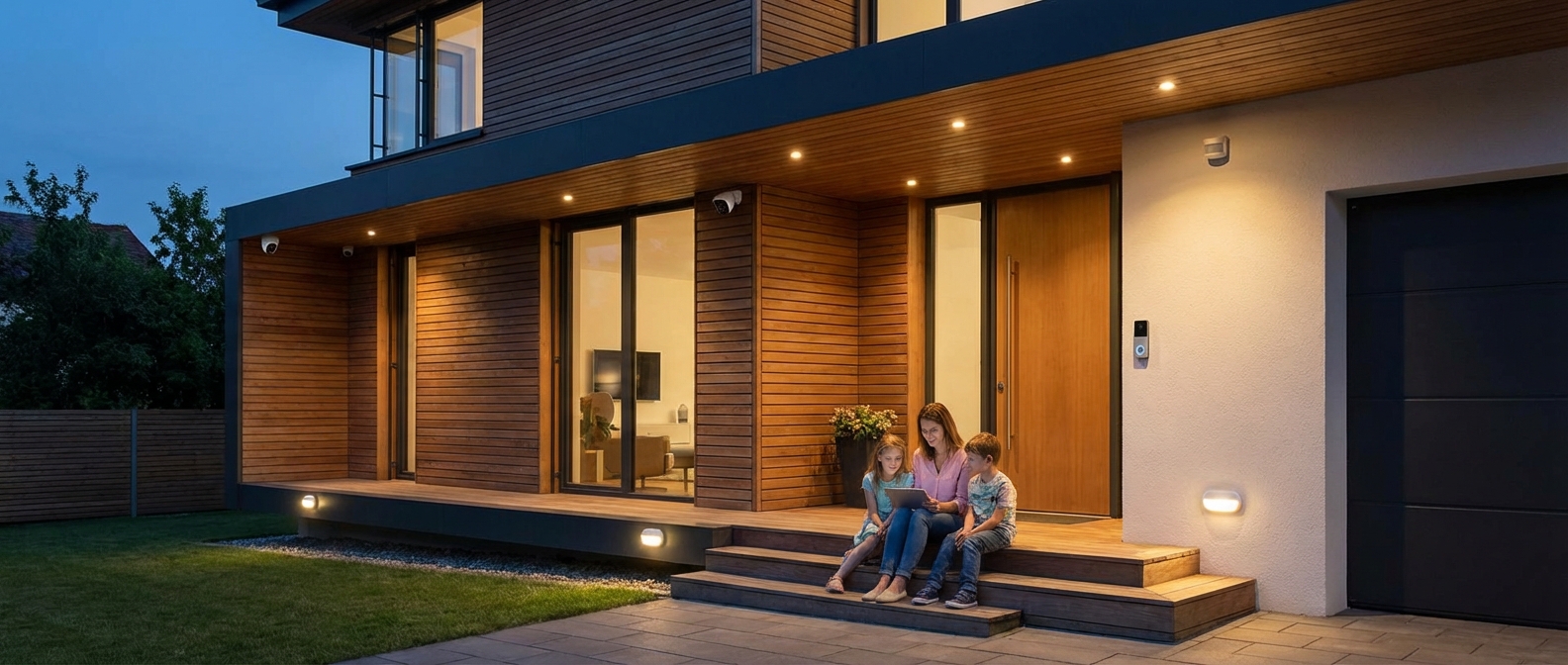
Introduction: Parenting in the Age of AI Security
Introduction: Parenting in the Age of AI Security
Modern smart home security for family management has evolved far beyond loud sirens and clunky keypads. In 2026, the primary goal isn't just preventing break-ins; it is cultivating genuine peace of mind. True security today means knowing your toddler is safe in the backyard and receiving a subtle notification that your teenager unlocked the front door before curfew, all without the need for constant hovering.
As we navigate the landscape of family safety 2026, two major technological shifts define the market: advanced AI and Matter compatibility.
- AI Precision: Cameras now distinguish between a stray cat, a delivery driver, and an unknown intruder with near-perfect accuracy, ending the era of "notification fatigue."
- Matter Compatibility: Your security system now plays nicely with the rest of your home, creating a unified ecosystem rather than a disjointed collection of apps.
Security is no longer a standalone silo; it is the foundation of a well-run home. When your alarm system communicates seamlessly with your lighting and locks, you create an environment that is responsive rather than reactive. For parents looking to extend this efficiency beyond safety, integrating essential connected devices for family organization can further streamline your daily routine, merging logistics with protection.
Our objective is simple. We are moving away from the concept of a "fortress" that feels isolating and toward a "smart sanctuary." This guide explores how to leverage the latest tools to protect your home while maintaining the warmth and accessibility a family needs.
Why Traditional Alarms Don't Cut It Anymore
Why Traditional Alarms Don't Cut It Anymore
Traditional alarms rely on reactive, localized sirens that fail to prevent incidents or provide context. In 2026, families require proactive systems offering remote monitoring and seamless integration. Modern security doesn't just make noise; it keeps you connected to your home’s status from anywhere, ensuring peace of mind that legacy keypads simply cannot match.
Beyond the "Beep-Beep" Keypad
For decades, home security was a beige box by the front door. It had one job: scream if a sensor tripped. While loud, these systems were dumb. They couldn't tell you what was happening, only that a circuit was broken.
Today, the "Smart Mom" advantage lies in visibility. You aren't just guarding against burglars; you are managing a household ecosystem. Smart home automation has bridged the gap between security and daily logistics. The outdated model of arming a system and hoping for the best has been replaced by active, intelligent engagement.
Consider the capabilities gap between the systems of the past and the solutions available in 2026:
| Feature | Traditional Alarm System | Smart Security Ecosystem (2026) |
|---|---|---|
| Monitoring | Passive; relies on a landline or cellular backup to call a center. | Remote monitoring via smartphone; live video feeds and 24/7 self-checks. |
| Notifications | Siren noise only. No context provided. | Real-time notifications with video clips and specific sensor data (e.g., "Back Window Opened"). |
| Access Control | Physical keys (risk of loss/duplication). | Smart locks with unique user codes and remote unlock capabilities. |
| Hazard Response | Smoke detector beeps locally. | HVAC system shuts down to stop smoke spread; doors unlock for fire exit. |
| System Health | You find out it's broken when it fails. | Proactive alerts for low batteries or offline cameras. |
Situational Awareness: The Parenting Superpower
The real value of modern systems isn't just about catching intruders—it's about the micro-moments of parenting relief. A wired keypad cannot tell you if your teenager made it home before the rain started. A smart ecosystem can.
- The Latchkey Verification: You receive a notification the moment the kids unlock the front door. No need for them to call; you know they are home safe.
- Remote Management: The house cleaner arrives while you are stuck in a conference call. Instead of hiding a key under the mat—a massive security risk—you verify their identity via the doorbell camera and unlock the door remotely.
- Perimeter Safety: It is 2:00 PM and you are at the office. A quick glance at your app confirms the backyard pool gate is latched and the sensor is active, ensuring safety even when you aren't there to supervise.
Security creates the framework for a smoother lifestyle. When your home acts as a partner rather than just a building, you reduce mental load. For more insight on leveraging tech for household management, read our guide on essential connected devices for perfect family organization.
Upgrading is no longer about fear; it is about control. By moving away from dumb alarms, you gain the ability to be everywhere at once without leaving your chair.
Must-Have Security Features for Families in 2026
Must-Have Security Features for Families in 2026
In 2026, essential family security moves beyond basic alarms to intelligent prevention and data sovereignty. Parents require systems featuring edge-based AI facial recognition to filter false alerts, hardware privacy shutters for indoor cameras, and local video storage to keep footage off the cloud. These features ensure protection without sacrificing privacy or flooding your phone with unnecessary notifications.
Intelligent Detection Over Basic Motion
Generic motion sensors are obsolete. Modern families need context, not just alerts. Top-tier systems now utilize AI facial recognition processed directly on the camera (Edge AI) rather than in the cloud.
- Why it matters for parents: You stop receiving panic-inducing alerts every time the dog jumps on the sofa or a tree branch sways. The system specifically notifies you: "Chloe has arrived home" or "Unrecognized person at the back door." This eliminates notification fatigue, ensuring you react only when genuine security risks arise.
Physical Privacy Barriers
Trusting a software "off" switch is no longer sufficient. The gold standard for 2026 is the integrated mechanical privacy shield.
- Why it matters for parents: Privacy shutters provide visual confirmation that your camera is blind. These physical covers snap shut automatically when the system is disarmed or when recognized family members enter the room. This guarantees that intimate family moments—from breastfeeding to movie nights—remain unrecorded.
Data Sovereignty and Reliability
As subscription costs rise and cloud breaches make headlines, the shift toward local video storage has accelerated. Look for systems that record to an encrypted standard base station or high-endurance SD cards.
- Why it matters for parents: It eliminates monthly fees and ensures your footage remains accessible even during an internet outage. More importantly, it keeps videos of your children inside your walls, not on a third-party server.
Seamless Smart Home Integration
Your security system acts as the central nervous system of a safe home. It must communicate flawlessly with smart locks, lighting, and environmental sensors. If the smoke alarm triggers, the system should automatically unlock doors for evacuation and turn on pathway lights. For a broader look at streamlining your household tech, explore our guide on essential connected devices for family organization.
2026 Feature Comparison: What to Look For
| Feature Category | The "Old School" Standard (Avoid) | The 2026 Family Standard (Buy) |
|---|---|---|
| Detection | Pixel-based motion detection (triggers on everything) | AI Facial Recognition & Person Detection |
| Privacy | Software-only "Sleep Mode" | Mechanical Privacy Shutters (audible click) |
| Storage | Cloud-only (Subscription required) | Encrypted Local Video Storage + Optional Backup |
| Connectivity | Wi-Fi only (goes down with the router) | Matter over Thread + Cellular Backup |
| Power | Wired or standard AA batteries | Solar-trickle charging & 1-year battery life |
Intelligent AI & Facial Recognition
Intelligent AI & Facial Recognition
Modern smart home security for family safety relies on edge computing and computer vision, not just simple motion sensors. By 2026, the best systems distinguish between a swaying tree branch, a neighbor’s dog, a delivery courier, and an unknown intruder with near-perfect accuracy, eliminating the "boy who cried wolf" fatigue caused by constant false alarms.
Context is King: Person vs. Pet vs. Package
Old security systems relied on pixel changes. If the sun went behind a cloud, the camera triggered. Today, neural processing units (NPUs) inside cameras analyze the geometry and movement of objects in milliseconds.
- Animal Detection: Ignores the stray cat crossing the porch but alerts you if a coyote enters the backyard.
- Vehicle Recognition: Distinguishes between a car driving past the house and one pulling into your driveway.
- Package Protection: specifically identifies cardboard boxes left on the porch and alerts you if someone approaches them.
"Familiar Face" Alerts: Peace of Mind, Automated
The most valuable feature for parents in 2026 is Facial Recognition. Systems like the Google Nest Cam (latest gen) or Eufy S380 use biometric data to map facial features against a database of known people you provide.
Instead of a panic-inducing "Motion Detected at Front Door" alert while you are at work, your phone simply pings: "Leo is home."
This granular detail changes how you manage your household. You know exactly when the teenager gets back from school or when the dog walker arrives, without needing to open the app and review footage.
Feature Tier Comparison
When selecting a camera system this year, understand that not all "AI" is created equal. Use this table to determine which level of intelligence fits your family's needs:
| Feature Level | Technology | What You See | Best For |
|---|---|---|---|
| Basic Motion | Pixel contrast changes | "Motion detected" | Low-traffic areas (basements, attics) |
| Smart Object AI | Shape & movement analysis | "Person/Vehicle/Pet detected" | Street-facing cameras, backyards |
| Facial Recognition | Biometric mapping | "Mom detected," "Unknown face detected" | Front doors, main entryways |
Privacy and Integration
For the privacy-conscious mom, look for systems that process this AI locally on the device rather than in the cloud. This ensures your family's biometric data stays within your home network. Furthermore, high-end recognition systems can now trigger specific automation routines. For example, recognizing a parent's face can disarm the alarm and unlock the door, acting as one of the indispensable connected devices for perfect family organization in a modern smart home.
Two-Way Talk & Noise Detection
Two-Way Talk & Noise Detection
Two-way talk and AI-driven noise detection transform standard cameras from passive observers into active tools for smart home security for family management. These features allow you to communicate in real-time through your security devices and alert you to specific auditory threats—such as shattering glass or smoke alarms—even when your system is disarmed or the camera’s view is obstructed.
The Power of Two-Way Audio
In 2026, high-fidelity audio is standard. Latency is near zero. This isn't just about shouting at a porch pirate; it is about daily household logistics.
- Porch Management: When a courier arrives, you don't just watch. You instruct. Tell the driver precisely which planter to hide the package behind to avoid theft.
- Remote Soothing: Modern indoor cameras serve as high-end baby monitors. If your infant stirs during a nap while you are in the backyard, you can speak softly through the camera to soothe them back to sleep without entering the room and risking a full wake-up.
- Latchkey Safety: For older children coming home from school, two-way talk provides an immediate checkpoint. You can verify they are inside and ask about their day while you wrap up work at the office.
Advanced Noise Detection
Visuals have limits; audio does not. A camera cannot see through walls, but it can hear through them. The best systems for 2026 utilize on-edge AI processing to identify specific sound frequencies that indicate danger.
Critical Audio Alerts:
- Glass Break Sensors: Burglars often break a window before triggering a door sensor. Intelligent cameras detect the specific high-frequency pitch of shattering glass and trigger the siren immediately.
- Smoke & CO Alarm Listening: If you have older, non-smart smoke detectors, your security camera acts as the bridge. It recognizes the industry-standard T-3 or T-4 alarm patterns and sends a critical alert to your phone, potentially saving your home from fire damage when no one is there to hear the beep.
Integrating these audio safeguards with other connected devices for perfect family organization creates a responsive home environment that reacts to emergencies faster than humanly possible.
Audio Feature Comparison: What to Look For
When selecting a system this year, ensure the hardware meets these 2026 performance standards.
| Feature | Standard Capability | 2026 Advanced Capability | Family Use Case |
|---|---|---|---|
| Microphone | Single mic, low range | Dual-array with noise cancellation | Hearing a child clearly over background TV noise. |
| Speaker | Low volume, crackly | High-decibel, clear voice projection | Scaring off an intruder or giving clear instructions to a delivery driver. |
| AI Detection | Loud noise (generic) | Specific classification (Glass, Baby, Alarm) | Filtering out a dropped toy vs. a smashed window. |
| Duplex Audio | Walkie-talkie style (one at a time) | Full Duplex (simultaneous talk) | Having a natural, interruption-free conversation with family members. |
Smart Locks & Keyless Entry
Smart Locks & Keyless Entry
Smart locks eliminate the vulnerability of lost physical keys by utilizing digital encryption, biometrics, or passcodes to strictly control access to your home. Integrating these devices into your smart home security for family ecosystem allows for remote monitoring, automated locking schedules, and real-time entry alerts, ensuring you never have to wonder if the front door is secure.
The End of the "Hidden Key" Era
Hiding a spare key under the doormat is a security breach waiting to happen. Modern smart locks allow you to issue unique, temporary access codes. This feature is indispensable for managing household help and visitors without compromising your primary security code.
- Babysitters & Nannies: Assign a code that only works during their scheduled shifts.
- Service Providers: Give the dog walker or contractor a one-time use code.
- Activity Logs: See exactly when a code was used, so you know when the kids got home from school or when the cleaner arrived.
The "Auto-Lock" Safety Net
Mornings are chaotic. In the rush to catch the school bus, kids often leave the front door unlocked. Smart locks solve this with auto-lock settings. You can configure the deadbolt to automatically engage after a specific period of inactivity (e.g., 30 seconds or 2 minutes) or when your phone leaves a geofenced area. This passive security layer ensures your home is protected even when your family is distracted.
Comparing Keyless Entry Technologies in 2026
Choosing the right lock depends on your family's specific traffic patterns and tech preferences.
| Technology Type | How It Works | Best For | Security Level |
|---|---|---|---|
| Biometric (Fingerprint) | Unlocks via fingerprint scan (3D capacitive). | Kids who forget codes; speed. | High (Unique biological marker) |
| Keypad / PIN | Unlocks via 4-8 digit numerical code. | Dog walkers, guests, extended family. | Medium-High (Change codes frequently) |
| Geofencing (Bluetooth/Wi-Fi) | Unlocks automatically when your phone approaches. | Carrying groceries; hands-free entry. | Medium (Dependent on phone battery/signal) |
| Retrofit Units | Fits over existing deadbolt thumb turn. | Renters; keeping existing exterior keys. | Variable (Depends on physical deadbolt strength) |
While security is paramount, these tools also streamline daily chaos. For a broader look at tech that helps manage your household routine, explore our guide on connected devices for family organization.
Essential Features for Family Safety
When selecting a unit this year, prioritize these specifications to ensure robust smart home security for family use:
- ANSI Grade 1 Rating: Ensure the hardware meets the highest standard for physical durability against forced entry.
- Battery Backup: Look for models with 9V jump-start terminals or physical key overrides so you are never locked out during a power failure.
- Decoy Codes: Some keypads allow you to enter random digits before or after your actual code to prevent fingerprint smudge patterns from revealing your PIN to potential intruders.
Best Smart Home Security Systems for Families (2026 Review)
Best Smart Home Security Systems for Families (2026 Review)
The best home security system 2026 has to offer is the one that balances proactive AI protection with ease of use for parents. For households deep in the Amazon ecosystem, Ring Alarm Pro remains the superior choice due to its built-in Eero Wi-Fi 7 router. Families preferring Google integration and heritage reliability should opt for ADT Self Setup, while SimpliSafe stands as the undisputed champion for renters requiring flexible DIY security systems without long-term contracts.
Quick Comparison: Top 3 Family Ecosystems
| System | Best For | Ecosystem | Monthly Monitoring (Est.) | AI Capabilities |
|---|---|---|---|---|
| Ring Alarm Pro | Amazon/Alexa Homes | Alexa | $25/mo | Package & Person Detection |
| ADT Self Setup | Google Users | Google Home | $35/mo | Facial Recognition (Nest) |
| SimpliSafe | Renters & Agnostics | Works with Both | $30/mo | Video Verification |
1. Ring Alarm Pro: The Connectivity Powerhouse
Ring continues to dominate the market by solving two problems at once: security and internet connectivity. The Gen 3 Pro station acts as both a security hub and a Wi-Fi 7 router, ensuring your cameras stay online even during network congestion.
Why Parents Love It:
- Local Processing: Video is processed locally on the device before hitting the cloud, speeding up notifications.
- The "All-in-One" App: You can control locks, lights, and cameras from a single dashboard.
- Drone Integration: Support for the Always Home Cam allows you to fly a camera to specific rooms to check if the stove was left on.
Pros & Cons:
- + Built-in internet backup keeps the system running during outages.
- + Massive array of compatible sensors (flood, freeze, smoke).
- - Advanced features are locked behind the Ring Protect Pro subscription.
- - Privacy concerns regarding Amazon’s data policies persist.
2. ADT Self Setup (feat. Google Nest): The Hybrid Heavyweight
ADT has successfully modernized its image by fully integrating Google Nest hardware. This system blends the ease of DIY security systems with the gold standard of ADT’s professional monitoring.
Why Parents Love It:
- Facial Recognition: The system distinguishes between strangers and family members, reducing false alarms when the kids come home from school.
- Smart Displays: You can view camera feeds directly on Nest Hubs. Integrating these hubs helps manage security and schedules simultaneously. If you are looking to streamline your household further, check our guide on essential connected devices for family organization.
- SMART Monitoring: If an alarm triggers, ADT agents can view camera footage (with permission) to verify a threat before dispatching police, reducing fines for false alarms.
Pros & Cons:
- + Best-in-class hardware design (Google Nest Cams).
- + Reliable 24/7 professional monitoring infrastructure.
- - Higher upfront equipment costs compared to competitors.
- - Heavy reliance on the Google Home app, which can feel cluttered.
3. SimpliSafe: The Flexible Defender
SimpliSafe ignores the "ecosystem wars" between Google and Amazon to focus purely on protection. It is the most straightforward system to install—peel, stick, and protect.
Why Parents Love It:
- Fast Protect™ Technology: This allows monitoring agents to speak directly through the camera to intruders, warning them that police are on the way.
- Portability: Perfect for families in transition. You can rip the sensors off the wall and move to a new house without scheduling a technician.
- Secret Alerts: Place a sensor on a liquor cabinet or medicine drawer to get a silent notification if it opens, without triggering the siren.
Pros & Cons:
- + No contracts and transparent pricing.
- + Hardware is durable and toddler-resistant.
- - Lacks the deep home automation features of Ring or ADT.
- - Cameras are functional but lack the 4K clarity of 2026 flagship competitors.
Best for Apple Users: HomeKit Secure Video Options
Best for Apple Users: HomeKit Secure Video Options
For iPhone-centric households, HomeKit Secure Video (HSV) stands as the gold standard in smart home security for family privacy and integration. Unlike systems that rely on manufacturer servers, HSV processes video locally on your Home Hub (Apple TV or HomePod) and stores encrypted footage directly in your existing iCloud+ account, ensuring that not even Apple can access your recordings.
Why iCloud Encryption Matters in 2026
Privacy remains the primary concern for parents installing cameras in living spaces. Standard IP cameras often route footage through third-party servers, creating potential vulnerabilities. HomeKit Secure Video eliminates this risk through end-to-end encryption.
The benefits for an Apple-based family include:
- Zero Third-Party Snooping: Analysis (person, pet, or vehicle detection) happens inside your home on your local hub.
- Cost Efficiency: If you already subscribe to iCloud+ (50GB or higher), you likely have camera storage included at no extra cost.
- Seamless Interface: Feeds appear directly in the Apple Home app on iOS, iPadOS, macOS, and tvOS.
- Facial Recognition: The system uses your Photos library to identify visitors, announcing "Grandma is at the front door" via your HomePod.
Top Hardware Recommendations: Eve and Aqara
While many cameras support HomeKit, few prioritize the ecosystem as effectively as Eve and Aqara. Eve is renowned for its "privacy-first" hardware which requires no cloud registration, while Aqara offers high-end features at a budget-friendly price point.
Comparison of Top 2026 HomeKit Cameras
| Feature | Eve Cam (Gen 3) | Aqara Camera Hub G3 |
|---|---|---|
| Primary Use | Strict Privacy / Nursery | Feature-Rich / Living Areas |
| Resolution | 1080p HDR | 2K (Records 1080p in HSV) |
| Field of View | 150° | 110° (360° Pan/Tilt) |
| Bridge Required | No (Native Wi-Fi/Thread) | No (Acts as a Hub) |
| AI Features | HomeKit Native Only | Gesture Control & Tracking |
| Price Point | Premium ($149+) | Value ($109+) |
The Eve Advantage
Eve Systems builds hardware specifically for HomeKit. There is no "Eve Cloud." You do not create an account. For a smart home security for family setup that demands absolute discretion—such as monitoring a nursery or playroom—Eve remains the safest bet. Their latest models utilize Thread networking, ensuring lightning-fast response times when pulling up a live feed on your iPhone.
The Aqara Alternative
Aqara offers versatility. The G3 isn't just a camera; it is a Zigbee 3.0 hub that connects sensors (door, window, motion) to your system. This allows for complex automations, such as turning on lights when a door opens. Integrating these cameras allows for broader automation, similar to other essential connected devices for family organization that streamline your daily routine.
Setting Up for Maximum Security
To ensure your HomeKit setup is impenetrable, follow these configuration steps:
- Update Home Hubs: Ensure your Apple TV or HomePod is running the latest tvOS/audioOS 19 to handle local processing efficiently.
- Restrict Recording: Configure the Home app to "Stream Only" when family members are home (detected via iPhone location) and "Stream & Record" only when everyone is away.
- Activity Zones: Define specific zones in the Home app to ignore high-traffic areas like a ceiling fan, reducing false notifications.
By leveraging HomeKit Secure Video, you transform your security cameras from potential privacy liabilities into fortified assets, keeping your data as safe as your home.
Best for Google/Android Families: Nest & Matter Integrations
Best for Google/Android Families: Nest & Matter Integrations
Google Nest combined with the Matter protocol offers the most cohesive smart home security for family protection in 2026, leveraging Gemini AI to filter noise and focus on genuine threats. This ecosystem excels by unifying third-party hardware under one intuitive interface, ensuring that Android users have total control over their home’s safety directly from the notification shade or Pixel lock screen.
The Gemini Advantage: Context-Aware Monitoring
In 2026, Google integrated its Gemini AI model directly into Nest Cam and Doorbell firmware. This upgrade moves beyond simple face detection. The system now understands context.
Standard motion sensors often trigger false alarms. Gemini analyzes the video feed to distinguish between a stray baseball hitting a window and a forced entry attempt. For busy parents, this reduction in "notification fatigue" is invaluable. You only receive alerts that actually matter.
Key Gemini-Powered Features:
- Natural Language Search: Instead of scrolling through hours of timeline footage, you can ask, "Hey Google, did the kids leave their bikes in the driveway?" and the system retrieves the specific clip.
- Proactive Safety Summaries: If you miss a notification, the Google Home app provides a text summary of the event (e.g., "Courier dropped package at 2:00 PM, retrieved by Sarah at 2:15 PM").
- Local Processing: Vital security processing happens on-device on the new Nest Hub Max (2nd Gen), ensuring privacy and speed even if the internet goes down.
Matter: Freedom of Hardware
The days of being locked into a single brand are over. Because Google acts as a primary Matter controller, you can integrate best-in-class sensors from other manufacturers seamlessly. You might prefer a Yale Assure Lock 2 or Eve Door & Window sensors; they all feed directly into the Google Home security panel.
This flexibility allows you to build a robust smart home security for family needs without paying premium prices for proprietary accessories.
| Feature | Google Nest (2026) | Standard Legacy Systems |
|---|---|---|
| AI Detection | Gemini (Context, Object, Face, Audio) | Simple Motion/Heat |
| Video Retrieval | Natural Language Query ("Show me the dog") | Manual Timeline Scroll |
| Device Compatibility | Matter (Open Ecosystem) | Proprietary/Closed |
| Subscription Model | Nest Aware (Covers all cameras) | Per-Camera Fees |
| Response Time | Local Processing (Milliseconds) | Cloud Dependent (Seconds) |
Seamless Family Management
The Google Nest Hub acts as more than just a security keypad; it is the central nervous system of the home. When you disarm the system upon entry, the Hub can automatically display the family calendar, chore lists, and meal plans.
While security is the priority, integrating these systems streamlines parenting logistics. For parents looking to optimize their household further, consider exploring other connected devices for perfect family organization to run your home like a well-oiled machine.
Why this wins for Android users:
- Pixel Integration: View camera feeds instantly from the "At a Glance" widget on your lock screen.
- Wear OS Control: Arm or disarm your system directly from your Galaxy Watch or Pixel Watch 4.
- Guest Access: Easily grant temporary digital keys to babysitters or relatives via Android’s built-in sharing menu.
Best Professional Monitoring: Ring vs. SimpliSafe
Best Professional Monitoring: Ring vs. SimpliSafe
SimpliSafe remains the superior choice for pure monitoring speed and emergency verification in 2026, while Ring offers better value for families deeply invested in the Amazon ecosystem. For smart home security for family safety, SimpliSafe’s "Live Guard Protection" now boasts the industry's fastest response time, verified by live agents who can speak through cameras to deter intruders instantly. Ring counters with comprehensive SOS features directly within its app, making it ideal for parents managing security on the go.
2026 Monitoring Comparison: At a Glance
| Feature | SimpliSafe (Fast Protect™) | Ring (Home Premium) |
|---|---|---|
| Monthly Cost | $29.99/mo | $20.00/mo |
| Avg. Response Time | ~7 Seconds | ~20 Seconds |
| Video Verification | Yes (Live Agent Intervention) | Yes (Passive Verification) |
| Panic Button | Physical Wearable & Keypad | In-App SOS & Keypad |
| Cellular Backup | Included (5G) | Included (LTE) |
| Contract | None | None |
Response Times & Live Verification
Speed saves lives. In 2026, SimpliSafe has refined its monitoring center operations to achieve single-digit response times. Their standout feature, Live Guard Protection, allows monitoring agents to view live footage the moment an alarm triggers. Agents can immediately verify a threat—distinguishing between a burglar and a teenager forgetting a code—and speak directly through the Smart Alarm Indoor Camera to warn intruders police are en route. This visual verification prioritizes your call with local law enforcement, often resulting in faster dispatch times.
Ring has improved significantly but operates differently. Their 2026 Alarm Pro system uses ONVIF-compatible verification, sending clips to agents rather than live feeds. While reliable, the extra step of reviewing a clip rather than interacting via live stream creates a slight latency compared to SimpliSafe. However, for families prioritizing broader automation, Ring integrates seamlessly with essential connected devices for family organization, allowing your security system to trigger lighting scenes or lock routines automatically during an event.
The 'Panic Button' Factor
For parents, the ability to trigger an alarm manually is non-negotiable.
- SimpliSafe: Offers a dedicated, physical Panic Button that can be mounted anywhere—next to the bed or under a kitchen counter. They also offer a wearable key fob. If a child or babysitter needs help, pressing this button bypasses the keypad code and alerts the monitoring center instantly. It is tactile, simple, and fail-safe.
- Ring: Relies heavily on the SOS button within the Ring App. While they sell a physical panic button accessory, their strength lies in the digital interface. The in-app SOS slider allows you to request police, fire, or medical help silently from your phone, even if you are in the backyard or hiding in a closet.
Verdict: Choose SimpliSafe if your priority is the absolute fastest police dispatch and physical fail-safes for children or elderly family members. Choose Ring if you want affordable, solid protection that merges with your existing smart home dashboard.
The Privacy Talk: Protecting Your Kids' Digital Footprint
The Privacy Talk: Protecting Your Kids' Digital Footprint
Protecting your children's digital footprint starts with locking down the hardware that watches them. You must implement two-factor authentication (2FA) immediately, enable end-to-end encryption on all video feeds, and segment your Wi-Fi network to isolate smart devices. These specific steps create a robust barrier against unauthorized access and ensure your private family moments remain strictly private.
The Reality of Camera Hacking Protection
The headline-grabbing horror stories of strangers speaking through nursery cams rarely involve sophisticated coding. In 2026, the vast majority of camera hacking protection failures stem from credential stuffing—hackers using passwords stolen from other websites to access your camera account. If you reuse the same password for your email and your security system, you are leaving the front door open.
Baby monitor privacy is not a luxury; it is a requirement. When you bring a connected device into your home, you are essentially inviting a server into your living room. You dictate the rules of engagement.
Essential Security Features Checklist
When selecting or auditing your current system, use this checklist to ensure the manufacturer prioritizes your data.
| Feature | Why It Is Non-Negotiable |
|---|---|
| End-to-End Encryption | Ensures video data is scrambled from the camera to your phone. Even if the server is hacked, the footage remains unreadable. |
| Two-Factor Authentication (2FA) | Requires a code sent to your phone to log in. This stops 99% of unauthorized access attempts. |
| Local Storage Option | Allows you to bypass the cloud entirely by saving footage to a microSD card or local hub. |
| Physical Privacy Shutter | A mechanical cover that physically blocks the lens. You can't hack physics. |
How to Secure Your Network Today
You do not need an IT degree to harden your home network. Follow this protocol to isolate your security system from potential threats:
- Create a Guest Network: Most modern routers allow you to create a secondary "Guest" Wi-Fi network. Connect all your smart cameras and IoT devices to this channel. If your laptop or phone is compromised, the attacker cannot easily jump over to your security cameras.
- Update Firmware Immediately: Hardware manufacturers patch security holes frequently. Set your system to auto-update. An outdated camera is a vulnerable camera.
- Audit User Access: Check the app settings to see who has access to the feed. Remove the babysitter or relative who no longer needs to view the live stream.
- Enable 2FA: Activate 2FA on every account linked to your home security. This is the single most effective step you can take.
Once your network is secure, you can confidently expand your ecosystem. Safe, locked-down devices are the backbone of a connected home for perfect family organization, allowing you to leverage technology without sacrificing privacy.
The "Creep" Factor: Eliminating Vulnerabilities
Smart moms know that end-to-end encryption is the gold standard. Without it, employees at the camera company or malicious actors intercepting the Wi-Fi signal could theoretically view your feed. Verify in your camera's settings that this feature is toggled ON. Some popular brands leave it off by default to improve load speeds. Do not trade milliseconds of speed for your child's privacy.
Finally, trust your gut. If a device behaves erratically—panning on its own or LED lights activating without cause—disconnect it immediately and reset your network credentials. Your peace of mind is the ultimate metric of success.
Local vs. Cloud Storage
Local vs. Cloud Storage
Local storage saves video footage directly to a physical device inside your home, such as a microSD card or Network Attached Storage (NAS), while cloud storage uploads clips to remote servers managed by the manufacturer. For parents prioritizing smart home security for family privacy, local storage is the superior choice as it eliminates monthly subscription fees and ensures sensitive footage never leaves your property.
When selecting a security ecosystem, you are fundamentally choosing where your family's private moments live. Cloud storage offers convenience—you can view clips from anywhere, and if a thief steals the camera, the footage survives online. However, this convenience comes at a premium. You surrender control of your data to third-party tech giants, and you become dependent on their cybersecurity protocols.
Local storage puts you in control. Modern systems in 2026 support high-capacity microSD cards and sophisticated NAS setups that act as a personal media vault. If your internet goes down, a local system keeps recording; a cloud-dependent camera becomes a paperweight.
Comparison: Local Drive vs. The Cloud
| Feature | Local Storage (SD/NAS) | Cloud Storage |
|---|---|---|
| Data Privacy | Maximum (You own the drive) | Variable (Subject to breaches) |
| Recurring Cost | $0 (One-time hardware buy) | $50 - $200 / year |
| Internet Dependency | None (Records offline) | Critical (Requires upload bandwidth) |
| Footage Quality | Original (4K/2K raw bitrate) | Often Compressed (To save bandwidth) |
Why We Recommend Local Storage for Families
Privacy is the new luxury. In an era where data breaches are common, keeping footage of your children offline is the safest policy. Local storage creates a "closed loop." A hacker cannot remotely access an SD card that isn't broadcasting to a server. Furthermore, integrating a central NAS unit can serve dual purposes: it secures your security footage and acts as a central hub for other essential connected devices for family organization, streamlining how you manage digital files across the household.
- Look for: Cameras with expandable storage slots (up to 512GB).
- Avoid: "Cloud-only" cameras that become useless bricks without a subscription.
- Pro Tip: Use a secure HomeBase or NVR (Network Video Recorder). These devices sit inside your home and wirelessly pull footage from all cameras, ensuring that even if a camera is smashed, the video evidence remains safe indoors.
Securing Your Wi-Fi Network
Securing Your Wi-Fi Network
Your router acts as the digital gatekeeper for smart home security for family safety, controlling access to every camera, lock, and tablet in your house. To secure this perimeter immediately, you must change default administrative credentials, enable WPA3 encryption, and isolate vulnerable IoT devices on a dedicated guest network to prevent lateral attacks on your personal banking data.
The Critical Importance of Network Segmentation
In 2026, the average family home houses over 20 connected devices. If a hacker compromises a smart light bulb, they shouldn't be able to jump to your laptop. The most effective defense is segmentation. Configure your router to broadcast two or three distinct networks.
Recommended Network Segmentation Strategy:
| Network Segment | Target Devices | Security Protocol | Why? |
|---|---|---|---|
| Primary Network | Smartphones, Laptops, Tablets | WPA3-Personal | Protects sensitive banking and personal data. |
| IoT / Guest Network | Smart Cameras, Thermostats, Fridges | WPA2/WPA3 Mixed | Isolates devices with weaker firmware vulnerabilities. |
| Legacy Network | Older Game Consoles, Printers | WPA2 | Keeps outdated tech from slowing down or exposing the main network. |
As you expand your ecosystem with helpful tools—like those detailed in our guide on 7 essential connected devices for family organization—you increase the potential attack surface. Keeping these organizational tools on a guest network ensures that if a device is compromised, your personal identity remains secure.
Essential Hardening Protocols
Beyond splitting your connections, apply these rigorous settings to lock down your digital perimeter:
- Change Default Credentials Immediately: Manufacturers print default passwords on stickers that are easily searchable online. Create a unique, complex administrative password for the router itself, not just the Wi-Fi connection.
- Automate Firmware Updates: Router manufacturers frequently patch security holes. Access your router’s admin portal (usually via an app in modern 2026 mesh systems) and toggle "Automatic Updates" to ON. Do not rely on manual checks.
- Disable UPnP (Universal Plug and Play): While convenient for gaming, UPnP allows devices to open ports through your firewall without your permission. Disable this to maintain strict control over traffic entering your home.
- Strengthen Your Passphrase: Forget "Password123." Use a passphrase consisting of four random words and special characters (e.g., Blue-Coffee-Jump-2026!). This creates a mathematical complexity that resists brute-force attacks.
By treating your Wi-Fi network as a tiered security system rather than a single access point, you build a robust foundation for smart home security for family peace of mind.
Room-by-Room Safety Strategy
Room-by-Room Safety Strategy
A robust family security plan requires layering distinct protocols—detection, deterrence, and monitoring—tailored specifically to the function of each space within the home. Effective protection in 2026 moves beyond a single alarm panel, utilizing zone-specific sensors and AI-driven hardware to create an airtight digital and physical perimeter without infringing on family privacy.
Zone 1: The Entryway & Front Porch
This is your primary filter. The goal here is visibility and access control. Front porch security has evolved from simple recording to active management. Install a video doorbell with 2026-era facial recognition to instantly distinguish between family members, delivery drivers, and unknown solicitors.
- Smart Locks: Opt for Grade 1 deadbolts with biometric scanners. Keypads are useful, but fingerprint access eliminates the risk of shared codes spreading.
- Package Protection: Utilize AI-enabled cameras that trigger specific alerts when a package is deposited or moved.
- Lighting: Motion-activated sconces should illuminate the face of anyone approaching the door, ensuring your camera captures clear footage even on moonless nights.
Zone 2: The Living Room & Common Areas
These high-traffic areas act as the central nervous system of your home. However, you do not need constant video surveillance here. Focus on motion and environmental sensors to maintain privacy while securing the space.
Use wide-angle motion detectors placed in corners to cover the maximum square footage. For homes with large sliding doors or picture windows, glass break sensors are superior to contact sensors, as they detect forced entry before the perimeter is breached.
Integrating these security hubs often overlaps with broader smart home management. For a deeper dive into streamlining your household ecosystem, review our insights on essential connected devices for family organization.
Zone 3: The Nursery & Kids’ Rooms
Security in children’s rooms demands the highest level of data privacy. When selecting a nursery camera, prioritize models that offer local storage (SD card) over cloud-only recording to prevent external feed hacking.
Modern monitors do more than stream video; they track vitals. Look for systems that monitor breathing patterns and room temperature without requiring wearable tech on the child. Secure cords immediately—keep all wiring at least three feet away from the crib to prevent strangulation hazards.
Zone 4: The Backyard & Perimeter
The rear of the house is often the most vulnerable due to lower visibility. Backyard safety relies on aggressive illumination and boundary setting.
- Floodlight Cameras: Replace standard porch lights with motion-activated floodlights equipped with 110-decibel sirens. The sudden light startles intruders, while the camera records the event.
- Pool Safety: If you have a pool, layer your defense. Install a four-sided isolation fence with a self-latching gate. Supplement this with a water immersion alarm that triggers if the surface is broken by a weight over 15 lbs.
- Shed/Garage: These areas house dangerous tools. Secure them with contact sensors tied to your main hub to alert you if a door is pried open at night.
Security Layering Matrix
Use this table to audit your current setup and identify gaps in your coverage.
| Zone | Primary Threat | Essential Hardware | 2026 Standard Feature |
|---|---|---|---|
| Front Porch | Unauthorized Access / Theft | Video Doorbell + Smart Lock | Facial Recognition & Package AI |
| Living Room | Forced Entry (Windows) | Glass Break Sensors | Matter/Thread Compatibility |
| Nursery | Health / Privacy Breach | Encrypted Monitor | Local Storage (No Cloud) |
| Backyard | Lurking / Pool Accidents | Floodlight Cam + Water Alarm | Person Detection vs. Animal |
| Garage | Tool Theft / Entry Point | Tilt Sensor + Smart Opener | Auto-Close Geofencing |
By treating each room as a unique zone, you build a system that is formidable to outsiders but seamless for the family living inside.
The Nursery & Kids' Rooms
The Nursery & Kids' Rooms
Securing a child's room requires a delicate balance between vigilant monitoring and absolute privacy. The most effective smart home security for family setups in 2026 prioritize indoor cameras featuring hardware-level privacy shutters and integrated environmental sensors. This combination ensures your child remains safe from physical risks and digital intrusions while maintaining an optimal sleeping environment, rendering standard security feeds obsolete for this sensitive zone.
The Privacy Standard: Hardware Shutters
In 2026, software-based "privacy modes" are no longer acceptable for interior family spaces. For the nursery, you need a mechanical privacy shutter. When you are playing with your kids or changing a diaper, you should be able to physically slide a cover over the lens that simultaneously cuts power to the microphone.
This "air-gapped" approach guarantees that even if your Wi-Fi network is compromised, the camera cannot record video or audio. Do not settle for cameras that only offer a digital off switch.
Environmental Intelligence
Modern security is not just about catching intruders; it is about wellness. The best nursery cameras now double as climate monitors. Look for devices that track:
- Ambient Temperature: Alerts you if the room gets too cold or overheated, which is critical for infant safety.
- Humidity Levels: Helps prevent dry skin or respiratory issues.
- Air Quality (VOCs): Detects pollutants or off-gassing from new furniture.
Integrating these sensors into your security system allows for automation. For example, if the camera detects high temperatures, it can trigger your smart thermostat to cool the room. To see how these automations fit into a broader parenting strategy, read our analysis on essential connected devices for perfect family organization.
Top Nursery Security Cameras (2026 Models)
Below are the top-rated indoor cameras that meet strict privacy and sensor requirements this year.
| Model | Privacy Mechanism | Environmental Sensors | AI Features |
|---|---|---|---|
| Nanit Pro 4 (2026 Ed.) | Physical Lens Cap (Magnetic) | Temp, Humidity, Breathing Motion | Sleep tracking, Cry detection, Growth analysis |
| Eufy Indoor Cam S350 | Motorized Shutter (Rotates inward) | Temp & Noise Level | Local AI tracking (No cloud fee), Pet detection |
| Ring Indoor Cam Gen 3 | Manual Swivel Cover | Temp only | Integration with Ring Alarm, Pre-roll video |
| Aqara Hub G5 | Physical Gesture Shutter | Temp, Humidity, VOCs | Local facial recognition, HomeKit Secure Video |
Implementation Tips for Parents
- Avoid Hidden Cameras: Never use "spy" cams or hidden lenses in a nursery. Visible cameras act as a deterrent to bad actors and are easier to secure and update.
- Two-Way Audio is Standard: ensure the audio is crisp. You need to be able to soothe a toddler or communicate with a nanny instantly without latency.
- Local Storage: Whenever possible, choose cameras that support SD card storage or local hubs. Keeping footage off the cloud reduces the risk of data leaks significantly.
Entryways & Porch
Secure your perimeter effectively. The front porch remains the most vulnerable entry point, with nearly 34% of illicit entries occurring through the front door. For any comprehensive smart home security for family plan, a high-definition video doorbell is no longer optional—it is the digital gatekeeper that allows you to screen visitors, deter porch pirates, and monitor latchkey kids without ever unlocking the deadbolt.
The First Line of Defense: Video Doorbells
In 2026, video doorbells have evolved beyond simple motion alerts. Modern units utilize local AI processing to distinguish between a stray cat, a delivery driver, and an unknown intruder. This distinction reduces notification fatigue, ensuring you only react when necessary.
For mothers managing a household, the ability to answer the door remotely is vital. Whether you are at the office or putting a baby to sleep, two-way audio allows you to communicate with visitors through your smartphone. Pro tip: Use the "voice changer" feature found in newer models to mask your voice, making it sound like a male is home, which adds an extra layer of deterrence when you are alone.
Combating Package Theft
With online shopping remaining the primary source of household goods this year, package theft is a significant concern. Advanced video doorbells now feature specific "Package Detection" zones. These systems alert you the moment a box is placed on your mat and, crucially, if it is moved.
Some premium systems integrate with smart locks to allow verified delivery drivers temporary, one-time access to a vestibule or garage. While this requires a high level of trust, it eliminates the risk of theft entirely.
2026 Doorbell Feature Benchmarks
When selecting a device this year, do not settle for outdated specs. Use this table to compare essential features against the current market standards.
| Feature | Function | 2026 Standard | Why Mom Needs It |
|---|---|---|---|
| Field of View | Determines how much of the porch you see. | 180° Head-to-Toe | Ensures you see packages left on the ground, not just the visitor's face. |
| Resolution | Image clarity for identification. | 2K HDR or 4K | grainy footage is useless for police reports; you need crisp details. |
| AI Processing | Identifies objects and threats. | On-Device (Edge AI) | Faster alerts without cloud lag; protects privacy by keeping data local. |
| Power Source | Reliability of the connection. | Hardwired / Hybrid | No battery anxiety during long vacations or cold snaps. |
Integration for Streamlined Living
Security should not complicate your life. Your entryway camera should feed directly to your smart displays (like an Echo Show or Google Nest Hub). When the doorbell rings, the video feed should automatically appear on the screen in your kitchen.
This level of automation turns a security tool into a management asset. In fact, integrating security sensors with central hubs is considered one of the essential connected devices for family organization, helping you manage the flow of the household while keeping everyone safe.
Key Takeaways for Entryways:
- Install at the right height: Mount doorbells 48 inches from the ground for optimal face and package visibility.
- Lighting matters: Pair your camera with motion-activated smart bulbs. Color night vision requires ambient light to function correctly.
- Network stability: Ensure your Wi-Fi router reaches the front porch. A weak signal causes recording delays, missing the critical moment of an incident.
Backyard & Pool Areas
Backyard & Pool Areas
Securing your backyard and pool area requires a layered approach combining physical barriers with intelligent monitoring to prevent accidents and unauthorized access. For the most effective smart home security for family safety, install weatherproof contact sensors on all perimeter gates and deploy motion-activated floodlights to eliminate blind spots immediately. This combination ensures you are alerted the moment a child wanders near the water or an intruder steps onto the property.
The Pool: Zero-Tolerance Monitoring
If you have a pool, water safety is your highest priority. In 2026, standard pool covers are not enough. You need redundancy.
- Gate Contact Sensors: Every gate leading to the pool area must have a contact sensor. If a gate opens, your hub should chime immediately, and your phone should receive a "Critical Alert" (bypassing Do Not Disturb modes).
- AI-Powered Cameras: Position a camera with specific "zone detection" aimed at the water. Modern AI can distinguish between a stray ball and a human shape, reducing false alarms while providing instant notification of unauthorized swimming.
- Immersion Alarms: While perimeter sensors prevent access, immersion alarms detect if something actually falls into the water. These are the last line of defense.
Perimeter Defense and Lighting
Darkness is a security gap. You must control the lighting in your yard to deter threats before they reach the house.
Floodlights with motion detection are non-negotiable. However, avoid old-school lights that trigger when a raccoon runs past. Opt for smart floodlights that utilize computer vision. These distinguish people from animals, ensuring that when the yard lights up, it warrants your attention.
Sync these lights with your indoor smart speakers. If the backyard floodlight triggers at 2:00 AM, your bedroom smart display should automatically show the live feed.
2026 Outdoor Security Equipment Comparison
Choosing the right hardware is essential for a robust exterior defense.
| Device Type | Key Function | 2026 Smart Feature | Priority Level |
|---|---|---|---|
| Smart Gate Sensor | Detects open/close status | Long-range LoRaWAN connectivity (works far from Wi-Fi) | Critical |
| AI Floodlight Cam | Illuminates & records | Facial recognition & auto-siren for unknown faces | High |
| Pool Immersion Alarm | Detects water disturbance | Direct integration with smart home hubs for instant shut-off | Critical (if pool owners) |
| Smart Padlock | Secures sheds/storage | Fingerprint access & tamper alerts sent to mobile | Medium |
Integrating Outdoor Tech with Family Routine
Your outdoor security shouldn't operate in a vacuum. It needs to fit the flow of your daily life. For instance, you can program your system to automatically disarm the back gate sensor on Saturdays between 2 PM and 4 PM for gardening, then re-arm automatically.
Managing these schedules can get complex. To better streamline your household systems, consider reviewing our list of essential connected devices for family organization, which covers how to synchronize your security hardware with broader family management tools. A truly smart home protects your family without complicating your day.
Smart Automations for Busy Parents
Smart Automations for Busy Parents
Smart home automation transforms reactive security systems into proactive assistants, significantly reducing the mental load for parents. By linking disparate devices—like locks, lights, and sensors—you create invisible safety nets that operate without manual input, ensuring your home reacts intelligently to emergencies and daily routines while you focus on the family.
Security in 2026 is no longer just about alarms; it is about lifestyle integration. Implementing advanced home automation ideas allows your system to manage the mundane while safeguarding the critical. For a broader look at how technology streamlines household management, consider reviewing our guide on connected devices for family organization.
The Difference: Standard vs. Smart
To understand the value of automation, compare a standard setup against a fully integrated smart home ecosystem.
| Scenario | Standard Security Reaction | Smart Automation Reaction |
|---|---|---|
| Fire Alarm | Siren sounds. Monitoring center calls you. | Siren sounds. HVAC cuts power to stop spreading smoke. Lights turn on 100% for visibility. Smart locks unlock for easy exit. |
| Leaving Home | You manually arm the keypad. You worry if you locked the back door. | Geofencing detects your phone leaving. System arms automatically. Garage door closes. Doors lock. |
| Vacation | House sits dark and silent, signaling emptiness. | Vacation mode activates. Lights toggle randomly to mimic presence. Shades lower at sunset. |
3 Essential Automation 'Recipes' for Parents
These specific configurations (often called routines or applets) leverage IFTTT (If This Then That) logic to maximize safety and convenience.
1. The "Emergency Escape" Protocol
Panic causes confusion. This automation removes barriers when seconds count.
- IF: Smoke or Carbon Monoxide detector triggers.
- THEN:
- Turn on all hue/smart bulbs to "Bright White" (100% brightness).
- Unlock all exterior smart locks.
- Shut off the HVAC system (prevents smoke circulation).
- Why it works: This utilizes smart lighting security principles to cut through smoke and ensures firefighters can enter—and your children can exit—without fumbling for keys.
2. The "Latchkey" Peace of Mind
Perfect for working parents with school-aged children coming home alone.
- IF: Front door smart lock is unlocked using [Child's specific PIN code].
- THEN:
- Disarm security sensors.
- Send a push notification to Parent’s phone: "Sophie is home."
- Lock the door automatically after 3 minutes.
- Why it works: You get verification they arrived safely, and the auto-lock feature ensures they don't accidentally leave the house vulnerable while doing homework.
3. The "Ghost House" Deterrent
Burglars look for inactivity. Make your home look occupied even when you are halfway across the world.
- IF: Security system is armed in "Away" mode for more than 24 hours.
- THEN:
- Activate vacation mode lighting schedule (randomized on/off times for living room and kitchen lights between 7 PM and 11 PM).
- Lower smart blinds/shades at sunset.
- Play a "talk radio" station on a smart speaker at low volume for 30 minutes randomly.
- Why it works: Static timers are predictable. Randomized automation creates the illusion of genuine human activity, acting as a powerful psychological deterrent.
Conclusion: Choosing the Right Setup for Your Home
Conclusion: Choosing the Right Setup for Your Home
Selecting the ideal smart home security for family protection comes down to usability, not just raw feature counts. A complex, expensive system that remains unarmed because it is too difficult for your partner or children to manage offers zero protection, whereas a simple, consistently used setup provides genuine peace of mind.
Do not feel pressured to transform your house into a fortress overnight. The most effective strategy for 2026 is modularity. Start with the "gateway" devices that offer immediate utility. A high-resolution video doorbell covers your most vulnerable entry point and lets you screen visitors from your phone. Once you are comfortable with the interface, you can gradually expand your ecosystem to include window sensors, smart locks, and interior cameras.
Scalability: From Starter to Pro
Understanding where to begin helps manage the budget. Here is a breakdown of how to scale your security based on current needs:
| Phase | Recommended Devices | Best For | Estimated Setup Time |
|---|---|---|---|
| Phase 1: Entry | Video Doorbell, Smart Lock | Apartment dwellers, tight budgets | < 1 Hour |
| Phase 2: Perimeter | Window Sensors, Outdoor Cams, Hub | Single-family homes, active yards | 2-4 Hours |
| Phase 3: Total | Pro Monitoring, Glass Break, CO/Flood | Large estates, frequent travelers | Professional Install |
Security is just one piece of the puzzle. Modern systems act as the central nervous system for your household. When your security sensors talk to your lights, thermostats, and calendars, you achieve a truly synchronized home that works for you, not against you. If you are looking to streamline your daily routine further, consider integrating connected devices for perfect family organization alongside your security sensors.
Final considerations before you buy:
- Check Compatibility: Ensure your cameras play nice with your existing voice assistant (Alexa, Google Home, or Siri).
- Review Subscriptions: Factor in the monthly cost of cloud storage and professional monitoring, not just the hardware price.
- Prioritize Habits: The best system is the one you actually turn on. If the app is clunky, you won't use it.
Your home should be a sanctuary. By choosing a system that fits your specific lifestyle—and expanding it at your own pace—you ensure safety without sacrificing convenience.