
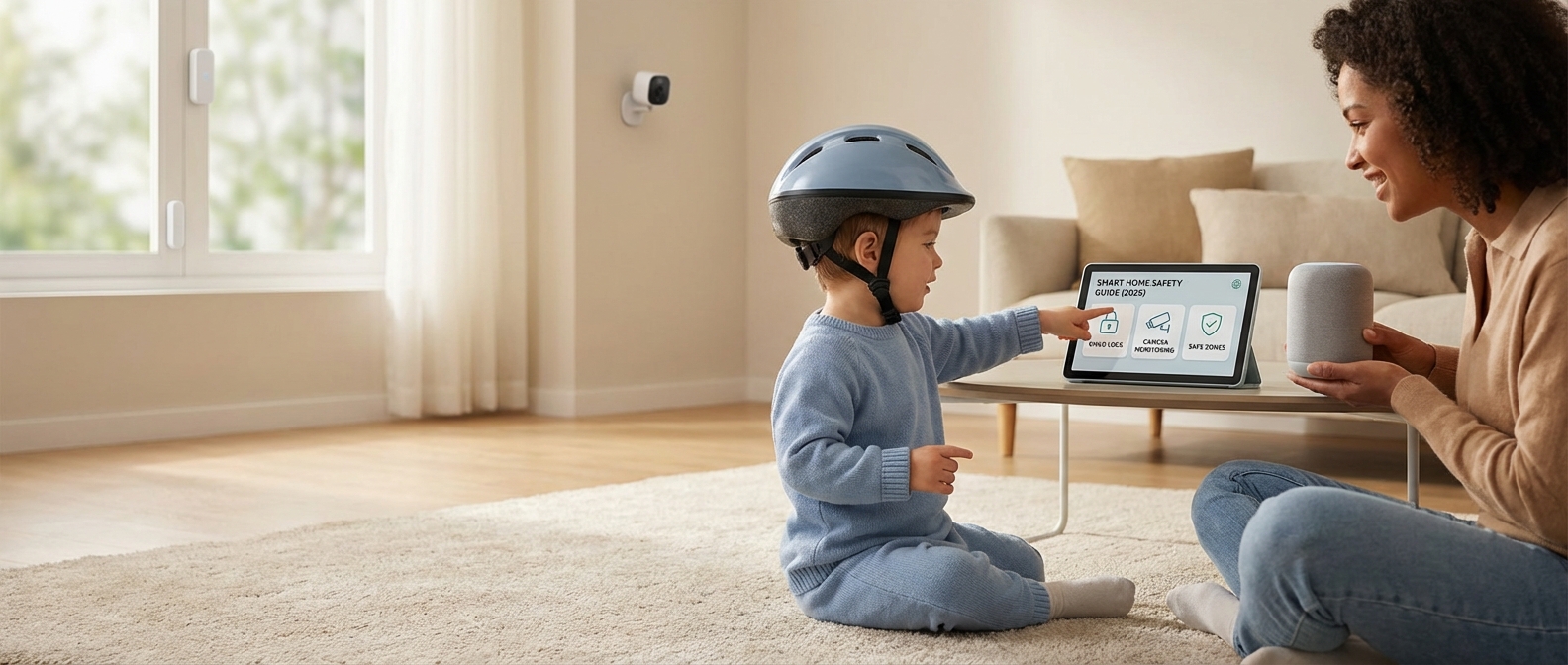
Introduction: Parenting in the Age of the Smart Home
Introduction: Parenting in the Age of the Smart Home
You rely on automation to manage the chaos of modern motherhood, yet a lingering question often remains: Is my connected home actually safer for my children?
In 2026, Smart Safety is defined not by individual gadgets, but by a unified, intelligent ecosystem that proactively protects your family. It moves beyond the passive observation of traditional baby monitors into a realm where the Matter protocol allows devices to talk to one another, and on-device AI predicts hazards before they happen. This isn't just about surveillance; it is about creating a responsive environment that adapts to your child's curiosity.
The technology landscape has shifted dramatically. We have moved from simple motion detection to sophisticated context awareness. Childproofing with technology now means your home knows the difference between the family dog and a toddler heading toward an open pool door.
The Evolution of Home Safety
To understand the scope of protection available this year, consider how safety protocols have upgraded from reactive measures to predictive systems.
| Feature | Traditional Childproofing | Smart Safety Ecosystem (2026) |
|---|---|---|
| Monitoring | Passive audio/video feed (Reactive) | AI-driven alerts for specific dangers (Proactive) |
| Access Control | Plastic gates and latches | Biometric locks and geofenced perimeters |
| Integration | Standalone devices (siloed) | Matter Protocol (unified communication) |
| Response | Parent must physically intervene | Automated shutdowns (e.g., stove, water) |
Moving Beyond Gadgets
Installing a camera is easy. Building a cohesive safety net is complex. This guide cuts through the marketing noise to help you configure a secure environment that respects privacy while maximizing protection.
We aren't just looking at hardware. We are examining how these tools integrate to provide peace of mind. Whether you are looking for The Invisible Village: 9 Life-Changing Benefits of a Smart Assistant for Moms or setting up robust perimeter security, the goal is the same: reducing anxiety so you can focus on parenting.
Effective smart home safety for kids in 2026 relies on three core pillars:
- Interoperability: Ensuring your security sensors talk to your lighting and locks via Matter.
- Local Processing: Keeping sensitive footage of your children off the cloud to ensure privacy.
- Automated Intervention: Systems that act on your behalf, such as cutting power to outlets when a nursery is in "Sleep Mode."
For those specifically managing younger children, you might want to review our curated list of 17 Best Smart Home Devices for Toddlers in 2026 to see which specific hardware integrates best with these safety protocols.
This guide will walk you through securing the digital and physical perimeter of your home, ensuring that your smart home remains an asset, not a vulnerability.
The Foundation: Securing Your Network First
The Foundation: Securing Your Network First
A secure smart home network acts as the invisible shield protecting your family's privacy and physical safety. To effectively prevent baby monitor hacking and block unauthorized access, you must harden your router's defenses immediately. This requires enabling WPA3 encryption, isolating IoT devices on a separate guest network, and eradicating all default passwords before a device ever goes online.
Encryption and Authentication Standards
In 2026, WPA2 is no longer sufficient. You must configure your router to use WPA3 encryption. This protocol provides robust protection against brute-force attacks, making it significantly harder for intruders to crack your Wi-Fi password. If your current router does not support WPA3, it is an outdated vulnerability that needs replacement.
The Strategy of Network Segmentation
Never place your nursery cameras or smart locks on the same network tier as your personal computers and phones. A compromised smart bulb should not give a hacker a pathway to your banking data. The most effective tactic is IoT security through segmentation.
Create a dedicated "Guest Network" specifically for your smart home gadgets. This isolates vulnerable devices from your primary data stream.
| Network Tier | Purpose | Devices to Connect | Security Benefit |
|---|---|---|---|
| Primary Network | High Security / Personal Data | Laptops, Smartphones, Tablets, NAS Drives | Protects financial data and personal photos from IoT breaches. |
| IoT / Guest Network | Device Functionality | Smart Plugs, Light Bulbs, Robot Vacuums, Thermostats | Contains potential hacks. If a bulb is breached, the attacker is trapped here. |
Elimination of Default Credentials
The moment you unbox a device, change the password. Manufacturers often ship products with identical default credentials that are publicly indexed by hacker communities. Leaving these unchanged is akin to leaving your front door wide open. For a step-by-step walkthrough on configuring these initial settings, refer to our guide on How to Build the Ultimate Smart Home for Moms: The 2026 Setup Guide.
Prioritize 'Matter' for Local Privacy
Cloud dependency creates vulnerability. Whenever possible, purchase devices that support the Matter standard. Matter allows devices to communicate locally on your network without sending data to an external cloud server. This drastically reduces the "attack surface" available to cybercriminals. By keeping control local, you ensure that your home security remains active even if the internet goes down, a crucial aspect covered in The Smart Mom’s Guide to Family Home Security: Best Systems & Tips for 2026.
Nursery & Toddler Years: Beyond the Standard Monitor
Nursery & Toddler Years: Beyond the Standard Monitor
Modern nursery safety has transcended simple audio-video transmission. In 2026, the primary shift involves moving away from intrusive wearables toward "invisible" sensing. Parents no longer need to strap sensors onto a newborn's foot. Instead, advanced computer vision and mmWave radar technologies now analyze a child’s well-being from a distance, distinguishing between a peaceful slumber and a potential safety event with clinical precision.
The Rise of Contact-Free AI Monitoring
The defining characteristic of AI baby monitors 2026 is the elimination of physical contact. Current flagship devices utilize proprietary algorithms to track respiration rates by detecting micromovements in the chest, pixel by pixel. This technology solves the "false alarm fatigue" that plagued parents in the early 2020s.
Key capabilities of this new generation include:
- Face Covering Detection: Using depth perception and geometric mapping, cameras instantly alert parents if a blanket or stuffed animal obscures the nose and mouth, a critical feature for SIDS prevention in the 0-12 month range.
- Roll-Over Alerts: For infants not yet strong enough to roll back, the system identifies prone positioning immediately.
- Cough & Cry Analysis: Audio AI distinguishes between a fussing whimper, a hunger cry, and a distress scream, filtering out background noise like white noise machines.
Smart Nursery Ideas: Environmental Intelligence
Safety extends beyond the crib rails. Integrating environmental sensors creates a holistic safety net. A smart nursery monitors air quality (VOCs), humidity, and temperature, automatically adjusting the thermostat or humidifier to maintain optimal conditions.
If you are managing the climate in a drafty room, proper automation is essential. See our guide on 12 Winter Smart Home Heating Tips to Slash Bills & Stay Cozy (2026 Guide) for specific protocols.
Comparison: Legacy Video vs. AI Sensing
The gap between a standard 4K video monitor and an AI-driven safety system is substantial.
| Feature | Standard Video Monitor | AI Safety System (2026) |
|---|---|---|
| Breathing Tracking | None (requires separate wearable) | Contact-Free (Radar/Vision) |
| Alert Type | Motion/Sound only | Context-Aware (Face covered, Rollover) |
| Data History | None or simple video playback | Sleep quality & health trend analysis |
| Connectivity | Local RF or Basic Wi-Fi | Wi-Fi 7 + Matter Thread Border Router |
| Night Vision | Grainy IR | Color Night Vision (Low-Light Sensors) |
Toddler Containment and Exit Alerts
Once a child transitions from a crib to a toddler bed (usually between ages 2 and 3), the safety perimeter expands. The risk shifts from breathing obstruction to wandering.
Smart nursery ideas for this stage must focus on containment without locking children in.
- Door Contact Sensors: Install Matter-compatible contact sensors on the nursery door. Instead of an alarm, program them to trigger a soft light in the parents' room or a gentle notification on a smartwatch if the door opens between 8:00 PM and 6:00 AM.
- Virtual Fencing: High-end cameras allow you to draw "danger zones" in the room view (e.g., near outlets or heavy furniture). If the toddler enters that zone, you receive an immediate alert.
For parents navigating the "escape artist" phase, we have compiled a deeper dive into the 17 Best Smart Home Devices for Toddlers in 2026 (Safety & Sleep Guide) to help secure the rest of the home.
AI-Powered Video Monitoring
AI-Powered Video Monitoring
Modern nursery cameras have evolved beyond simple video feeds; they now act as proactive safety analysts. By 2026, the standard for top-tier monitoring is Edge AI, where the camera processes video and audio data directly on the device rather than sending it to a remote server. This shift drastically reduces latency and ensures that sensitive footage of your child never leaves your home network.
The Privacy Shift: Local Storage vs. Cloud Security breaches in previous years forced a massive industry pivot. Parents should no longer accept cameras that mandate cloud uploads for smart features. The most secure 2026 models utilize high-capacity local storage—typically encrypted microSD cards or direct-to-HomeBase recording. This ensures that even if your internet connection is severed, the camera continues to record and analyze events, syncing to your app only when you are on the local Wi-Fi.
Advanced Audio Analytics Standard sound alerts are obsolete. A loud truck passing by should not trigger the same alert as a distressed infant. 2026 cameras utilize advanced audio algorithms capable of distinct cry detection. These systems analyze the pitch, interval, and frequency of sounds to distinguish between:
- True Distress: High-pitched crying or screaming.
- Environmental Noise: Sirens, dropped toys, or thunder.
- Babbling: Content vocalizations that do not require parental intervention.
This level of automated vigilance offers The Ultimate Peace of Mind: 9 Smart Home Security Benefits for Mothers, allowing you to sleep until you are actually needed.
Feature Comparison: 2026 Standards vs. Legacy Models
| Feature | Legacy Wi-Fi Monitors | 2026 Edge AI Monitors |
|---|---|---|
| Data Processing | Cloud-based (High Latency) | On-Device NPU (Instant) |
| Privacy Risk | Moderate (Server Hacks) | Near Zero (Local Encryption) |
| Subscription Fees | Required for detection features | No monthly fees required |
| Alert Accuracy | Generic "Motion/Sound" alerts | Specific "Cry/Face/Danger" alerts |
Critical Features to Prioritize in 2026 When selecting a monitor this year, ensure the spec sheet includes the following:
- Pixel-Based Breath Monitoring: New sensors can detect the rise and fall of a baby’s chest without requiring wearable socks or bands.
- Facial Recognition: The system should recognize "Trusted Faces" (parents, siblings) and alert you only if an unrecognized person enters the nursery.
- covered Face Detection: Alerts specifically if a blanket or stuffed animal obstructs the child's face/airways.
- Matter Compatibility: Ensures the camera integrates seamlessly with your broader smart home ecosystem for automated lighting or thermostat adjustments during sleep times.
Contact Sensors for 'Escape Artists'
Contact Sensors for "Escape Artists"
Door contact sensors are simple, two-part magnetic devices that trigger an immediate digital signal when a barrier is breached. While traditionally marketed for anti-theft security, they have become the gold standard for toddler proofing in 2026, providing parents with instant awareness if a child attempts to leave their bedroom at night or exit the home unnoticed.
Toddlers are relentless explorers. By the time they reach age two, physical barriers like baby gates often become climbable obstacles rather than deterrents. You need a layer of protection that doesn't rely on physical strength. Contact sensors bridge this gap by turning "dumb" doors into active monitoring points. When the magnetic connection breaks, your smart home hub reacts instantly.
Strategic Sensor Placement for Safety
Don't limit sensors to just the front door. To effectively manage an "escape artist," you must secure high-risk zones.
| Hazard Zone | Trigger Event | Recommended Automation | Priority |
|---|---|---|---|
| Nursery Door | Door opens between 8 PM - 6 AM | Send "Critical Alert" to parent's phone; soft nightlight turns on in hallway. | High |
| Front/Back Door | Door opens at any time | Loud chime on all smart speakers; prevent toddler from slipping out unnoticed. | Critical |
| Medicine Cabinet | Cabinet opens | Trigger a distinct siren; flash smart lights red. | Critical |
| Pool Gate | Gate opens | Immediate full-volume alarm on all devices. | Extreme |
Beyond the Beep: Creating Safety Routines
The true power of these sensors lies in automation. A simple beep is easy to miss if you are in the laundry room or sleeping deeply. Modern platforms allow you to link door contact sensors to other devices for inescapable alerts.
- Visual Cues: Program your living room smart bulbs to flash blue if the nursery door opens. This is invaluable for hearing-impaired parents or when watching a movie with noise-canceling headphones.
- Voice Announcements: Instead of a generic chime, configure your smart speaker to announce, "Front Door Opened" or "Nursery Window Open." This specificity allows for a faster reaction time.
- HVAC Shutoff: If a child leaves a window open during winter, the sensor can pause your smart thermostat to prevent energy waste. For more on managing temperature efficiently, see our Winter Smart Home Heating Tips to Slash Bills & Stay Cozy.
Choosing the Right Hardware
In 2026, ensure your sensors support the Matter protocol. This guarantees local processing, meaning the sensor talks directly to your hub without routing through the cloud. This reduces latency from 2 seconds to milliseconds—a vital difference when a toddler is heading toward a staircase.
For a comprehensive look at other hardware that secures your child's environment, check our guide on 17 Best Smart Home Devices for Toddlers in 2026.
Installation Tip: Mount sensors high up on the door frame, well out of reach of curious hands. Use strong adhesive (like 3M Command Strips) rather than screws initially, allowing you to adjust placement as your child grows and finds new escape routes.
School-Age & Latchkey Kids: Managed Independence
School-Age & Latchkey Kids: Managed Independence
Managed independence allows school-age children (ages 5–12) to navigate the transition from constant supervision to solo time at home without requiring a personal smartphone. By leveraging smart locks, stationary communication hubs, and automated sensors, parents can verify safety and maintain two-way contact while restricting unsupervised mobile internet access.
The Front Line: Smart Locks and Keyless Entry
The days of hiding a physical key under the mat are over. Physical keys are a liability; children lose them, or worse, potential intruders find them. Smart locks for children offer secure, trackable entry methods that do not require a phone app.
When selecting a lock for this age group, prioritize hardware that offers multiple access points. Biometric scanners (fingerprints) are superior for younger children who might forget a code, while keypads work well for older elementary students.
Comparison of Kid-Friendly Smart Lock Access Methods
| Access Method | Reliability for Kids | Pros | Cons | Best Age Range |
|---|---|---|---|---|
| Biometric (Fingerprint) | High | Impossible to lose; instant access; no memorization needed. | Dirty fingers or wet hands can cause read errors. | 5–8 years |
| Keypad (PIN Code) | Medium-High | easy to share unique codes; battery efficient. | Kids may forget the code or share it with friends. | 8–12 years |
| NFC Fob / Card | Medium | Quick "tap to enter" functionality. | Can be lost or stolen like a physical key. | 10–12 years |
| Geofencing | Low (for kids) | Hands-free unlocking. | Requires a smartphone, making it unsuitable for this specific goal. | 13+ years |
Communication Hubs: The "Smart" Landline
You do not need to give a 9-year-old an iPhone to reach them. Smart speakers and displays act as a modern intercom system. Devices like the Amazon Echo Show or Google Nest Hub allow for "Drop-In" features or video calls restricted to approved contacts (parents and grandparents).
Placing a smart display in the kitchen creates a central command center. If you are unsure which ecosystem suits your household's communication style, read our comparison on Alexa vs. Google Home for Families to decide which voice assistant handles parental controls best.
- Broadcast Function: Send a voice message from your phone app to the home speaker: "Dinner is in the fridge, heat it up for 2 minutes."
- Emergency Calls: Configure the device to allow the child to call 911 or specific contacts via voice command.
Automated Safety Routines
Home safety for latchkey kids relies on automation, not constant video surveillance. You want to know they arrived safely without watching a live feed all afternoon. Set up specific triggers that alert your phone only when necessary.
Effective sensor placement provides peace of mind without invading their developing sense of privacy:
- Contact Sensors: Place these on the front and back doors. Receive a push notification instantly when the door opens between 3:00 PM and 5:00 PM.
- Motion Sensors: Verify activity in the living room or kitchen to ensure they aren't just sleeping by the door.
- Smart Lighting: Program the entryway lights to turn on automatically when the front door unlocks.
For a deeper dive into setting up these specific automations, check our guide on 21 Best Smart Home Routines for Moms in 2026.
Visual Verification
While we advise against cameras in private spaces like bedrooms, a video doorbell is non-negotiable. It allows your child to see who is at the door without opening it. More importantly, it allows you to answer the door remotely via your smartphone, making it appear as though an adult is home. This layer of obfuscation is a critical deterrent against strangers scouting for empty houses.
Smart Locks and Keypad Access
Smart Locks and Keypad Access
Smart locks eliminate the security risk of physical keys while providing parents with real-time visibility into their child's movements. By assigning unique access codes, you gain instant arrival notifications on your smartphone when your child returns from school, ensuring they are safely inside without the vulnerability of a lost or stolen house key.
The End of the "Latchkey" Liability
Handing a physical key to a child is a gamble. They get lost on the school bus, dropped at the playground, or forgotten in a locker. Keyless entry removes the hardware entirely. Your child simply inputs their personalized 4-to-6 digit code to enter.
If a code is ever compromised or shared with a friend without permission, you don’t need a locksmith. You simply delete the code from your app and generate a new one instantly. This level of control is essential for maintaining a secure perimeter. For a broader look at how these systems reduce parental anxiety, explore The Ultimate Peace of Mind: 9 Smart Home Security Benefits for Mothers.
Real-Time Visibility
The primary advantage of smart locks for parents is data. A standard deadbolt cannot tell you who unlocked it or when. Smart keypads provide a detailed activity log. You receive an alert the moment your child’s specific code is used, confirming they are home safe.
Key features for family safety include:
- Unique User Codes: Assign a different code to each child to track individual arrival times.
- Auto-Locking: The door automatically locks itself after a set duration (e.g., 30 seconds), ensuring the house is never left open if kids forget to lock up.
- Tamper Alerts: Receive immediate notifications if someone attempts multiple incorrect codes.
Comparison: Physical Keys vs. Smart Access
The operational differences between traditional and smart access are stark, particularly regarding safety protocols.
| Feature | Traditional Physical Key | Smart Lock / Keypad |
|---|---|---|
| Access Tracking | None. You never know who used it. | Real-time logs and arrival notifications. |
| Lost Credential | High risk. Requires re-keying locks. | Zero risk. Delete code instantly. |
| Entry Method | Manual. Difficult if hands are full. | Keypad, Biometric, or Geofencing. |
| Guest Access | Must hide a key (unsafe). | Generate temporary/one-time codes. |
| Remote Control | Impossible. | Lock/Unlock from anywhere via app. |
Integration with After-School Routines
Smart locks act as the trigger for your home’s automation ecosystem. When a specific child’s code is entered, the home can respond automatically. You can program the system to disarm the security alarm, turn on the entryway lights, and even send a text to your partner confirming the kids are home. Setting up these triggers is one of the 21 Best Smart Home Routines for Moms to streamline the afternoon chaos.
Video Doorbells & Remote Communication
Video Doorbells & Remote Communication
Video doorbell safety relies on a strict, non-negotiable protocol: the physical door remains locked, and all interaction occurs through a smart screen. Teaching your child to utilize a smart display, such as an Amazon Echo Show or Google Nest Hub, creates a digital barrier that allows them to verify a visitor's identity and communicate clearly without ever exposing themselves to potential physical threats. This method transforms the front door from a vulnerability into a controlled checkpoint.
Establishing the "Digital Barrier" Routine
In 2026, the days of teaching kids to look through a peep hole are over. That method requires a child to approach the danger zone physically. Instead, leverage your smart ecosystem. Whether you have integrated an Alexa vs. Google Home for Families setup, the command logic remains distinct but similar.
The 3-Step Screen Protocol:
- Visual Verification: When the chime rings, the child must immediately go to the nearest smart display (kitchen, living room, or playroom), not the front door.
- Voice Command:
- For Alexa: "Alexa, talk to the front door."
- For Google: "Hey Google, show me the front door."
- Assessment: If they do not recognize the person, they are trained to ignore it or alert a parent. If they do recognize the person, they use the "Talk" button on the screen.
The Safe Script: What Kids Should Say
Answering the door safely involves more than just technology; it requires a script. Children often accidentally reveal too much information ("My mom is in the shower"). Drill these specific responses to maintain security opacity:
- The Delivery Script: "Please leave the package on the mat. Thank you."
- The Unknown Visitor Script: "My parents can't come to the door right now. Please come back later."
- The Emergency Rule: If the stranger persists or acts aggressively, teach the child to end the video feed and immediately activate your smart home emergency routine.
Comparison: Traditional vs. Smart Door Protocols
The following table highlights why the smart display method is superior for child safety in 2026.
| Safety Factor | Traditional Approach (Risky) | Smart Display Protocol (Secure) |
|---|---|---|
| Proximity | Child stands inches from the stranger. | Child remains deep inside the home (kitchen/den). |
| Barrier Status | Door often cracked open to hear/speak. | Door remains deadbolted. |
| Visuals | Peep hole is too high or blocked by thumb. | High-definition, night-vision enabled, wide-angle view. |
| Information | Child’s voice clearly indicates age/presence. | Audio can be masked or clearly projected without fear. |
By normalizing these interactions through a screen, you remove the pressure on the child to be "polite" by opening the door. The screen provides the psychological distance necessary for them to make safe decisions.
Invisible Hazards: Environmental Automation
Invisible Hazards: Environmental Automation
Environmental automation mitigates silent threats like carbon monoxide, mold-inducing leaks, and airborne pollutants before they impact your child's health. By integrating smart smoke detectors and automated climate controls, parents receive instant mobile alerts and trigger safety responses—such as shutting off HVAC systems during fires or activating humidifiers—ensuring proactive protection beyond simple monitoring.
Beyond the Beep: Intelligent Fire Safety
Traditional smoke alarms have a fatal flaw: they are passive. In 2026, safety requires active intervention. Smart smoke detectors do more than sound a siren; they communicate. If a detector senses smoke in the basement, the unit in your toddler's nursery sounds simultaneously, ensuring you are alerted regardless of where you are in the house.
However, the real power lies in the automation ecosystem. You must configure your hub to execute a "Fire Safety Protocol" the moment an alarm triggers:
- HVAC Shutdown: Immediately cuts air circulation to prevent smoke from spreading through vents to bedrooms.
- Lighting Paths: Turns hallway lights to 100% brightness and flashes them red to cut through smoke and guide the way out.
- Unlock Exits: Automatically disengages smart locks to facilitate rapid evacuation and allow firefighters entry.
For a deeper dive into securing your home perimeter during emergencies, read The Ultimate Peace of Mind: 9 Smart Home Security Benefits for Mothers.
The Silent Threat: Air Quality Control
Children breathe at a faster rate than adults, absorbing a higher ratio of pollutants relative to their body weight. Installing air quality monitors kids can rely on in their bedrooms is not about comfort; it is a health necessity. These devices track invisible toxins that impact cognitive development and respiratory health.
Pay attention to these three metrics:
- VOCs (Volatile Organic Compounds): Chemicals off-gassed by new furniture, paint, or cleaning supplies.
- PM2.5: Microscopic dust and allergen particles that penetrate deep into the lungs.
- Humidity: Levels below 30% dry out mucous membranes (inviting viruses), while levels above 50% encourage mold growth.
Maintaining this balance is critical during colder months. For specific strategies on managing indoor climate, refer to our guide on 12 Winter Smart Home Heating Tips to Slash Bills & Stay Cozy.
Water Leaks and Mold Prevention
Water damage is a biological hazard. Mold spores can begin to colonize damp drywall or carpet within 24 to 48 hours of a leak. A smart leak detector placed near the washing machine or under a nursery radiator does more than save your floorboards; it prevents the development of black mold, a known trigger for childhood asthma.
Connect these sensors to a smart water shut-off valve. If a leak is detected at 2:00 AM, the system cuts the main water supply instantly, stopping the threat before it becomes a remediation nightmare.
Comparison: Standard vs. Automated Safety
The following table outlines why standard safety devices are insufficient for a modern smart home setup.
| Feature | Standard Device | Smart Environmental Automation |
|---|---|---|
| Alert Type | Local siren only (audible range limited). | Instant push notification to phone & multi-room voice announcements. |
| Fire Response | Passive warning. | Active: Lights on, HVAC off, doors unlocked. |
| Air Quality | None (requires human detection of odors). | Continuous monitoring of VOCs/CO2 with auto-purifier activation. |
| Leak Handling | Continues leaking until discovered manually. | Auto-shutoff valve closes main water line immediately. |
| Battery Check | "Chirp" at 3 AM (disturbs sleep). | Low-battery alert sent to smartphone days in advance. |
Smart Smoke & CO Detectors
Smart Smoke & CO Detectors
Smart smoke and carbon monoxide detectors modernize home safety by distinguishing between minor nuisances and life-threatening emergencies, delivering specific location data directly to your smartphone. Unlike traditional units that merely sound a local alarm, these devices create an interconnected safety mesh that alerts you instantly, regardless of your location.
Why Voice Alerts Save Lives
The difference between a beep and a voice is critical for pediatric safety. Deep sleep cycles in children are chemically different from adults. Research indicates that a standard high-frequency tone often fails to wake children, or worse, disorients them.
A voice alert smoke detector cuts through deep sleep more effectively. By combining a siren with a spoken command—such as "Fire in the Kitchen"—these devices leverage the brain's ability to recognize language. This dual-alert system accomplishes two things:
- Faster Waking: Children wake up quicker to voice prompts than abstract beeping.
- Reduced Panic: Knowing exactly where the danger is helps older children choose the safest exit route immediately.
The Power of Remote Alerts
Safety anxiety often peaks when you leave the house. If a fire starts while you are picking up kids from school, a standard alarm just makes noise in an empty house. Smart detectors change the equation by sending remote alerts to your mobile device the second smoke or CO is detected.
This connectivity allows you to contact emergency services immediately, potentially saving your home. Furthermore, advanced integration helps prevent false alarm fatigue. If you burn dinner, you can hush the alarm from your phone without grabbing a ladder.
Feature Comparison: Standard vs. Smart Safety
| Feature | Traditional Detector | Smart Detector (2026 Standard) |
|---|---|---|
| Alert Mechanism | High-pitch chirp/beep | Voice command + Siren + Phone Notification |
| Location Tracking | None (Sound is local) | Identifies specific room (e.g., "Smoke in Nursery") |
| Remote Access | Impossible | Remote alerts via App anywhere in the world |
| Battery Check | Manual button press | Self-diagnosing with low-battery app notifications |
| Interconnectivity | Hardwire required | Wireless sync (one alarm triggers all units) |
Integrating these detectors is a foundational step in modernizing your household protection. For a broader look at securing your environment, explore The Smart Mom’s Guide to Family Home Security: Best Systems & Tips for 2026.
Essential Features for Parents
When upgrading your safety network this year, prioritize these capabilities:
- Nightlight Pathways: Some units, like the latest Nest Protect, illuminate a path when motion is detected, preventing trips during evacuation.
- HVAC Shutoff: Premium smart detectors can signal your smart thermostat to cut air circulation, preventing smoke from spreading through ducts.
- Family Sharing: Ensure both parents receive notifications simultaneously to coordinate a response.
Life-Saving Automations
Life-Saving Automations
Emergency automation transforms a passive smart home into an active first responder, instantly executing complex safety sequences faster than human reflexes allow. By linking hazard sensors to active hardware—like smart locks, lighting, and HVAC systems—you create a proactive defense layer that clears escape routes, cuts off dangerous elements, and alerts authorities the moment a crisis is detected. In 2026, relying solely on an audible alarm is insufficient; your home must physically react to protect your children.
The "Fire Escape" Protocol
When a smoke or carbon monoxide detector triggers, visibility drops and panic sets in. You should not be fumbling for keys or stumbling in the dark. This smart home routine prioritizes clear exit paths and air quality control.
- IF Smoke or CO is detected (Nest Protect/First Alert), THEN:
- Turn On all lights to 100% brightness (Cool White). This cuts through smoke better than warm tones.
- Unlock all smart deadbolts (Yale/Schlage) immediately. This removes exit barriers for kids and entry barriers for firefighters.
- Turn Off HVAC thermostat. This stops the furnace fan from circulating smoke or toxic gas into nursery rooms.
- Flash exterior lights RED. This helps emergency services locate your specific home on the street instantly.
The "Perimeter Breach" Response
A reactive home protects your children while you sleep. If a contact sensor breaches between 11 PM and 5 AM, the house must wake up aggressively to deter the threat before it reaches the bedrooms. For a deeper dive into hardware that supports these triggers, review our Smart Mom’s Guide to Family Home Security.
- IF Door/Window Sensor opens (Arm Night Mode), THEN:
- Announce "Intruder Alert at [Room Name]" on all smart speakers at max volume.
- Turn On all exterior floodlights and interior hallway lights.
- Send a "Critical Alert" notification to parents' phones (bypassing Silent/Do Not Disturb modes).
Automation Protocol Reliability Ratings
Not all automations are created equal. When building life-saving rules, you must prioritize local processing over cloud-based commands to ensure they work even if the internet is down.
| Connection Type | Reliability | Latency | Best Use Case |
|---|---|---|---|
| Local (Matter/Thread) | High | < 100ms | Unlocking doors, cutting HVAC power during fire. |
| Zigbee/Z-Wave | High | < 200ms | Triggering sirens and lighting pathways. |
| Cloud (Wi-Fi/IFTTT) | Medium | 1-3 sec | Sending phone notifications or calling neighbors. |
| Bluetooth | Low | Variable | Avoid for critical safety triggers. |
The "Nursery Critical" Safeguard
Environmental factors can be just as dangerous as external threats. In 2026, hyper-local climate sensors allow us to monitor the exact conditions of a crib.
- IF Nursery Temperature > 82°F (28°C) OR < 62°F (16°C), THEN:
- Change Master Bedroom smart light to "Blue" (Cold) or "Red" (Hot).
- Announce "Check Nursery Temperature" on the living room speaker.
- Trigger smart fan or heater plug (if applicable and safe).
This ensures you are alerted to HVAC failures or extreme weather shifts immediately, preventing overheating or hypothermia risks for infants. While these safety measures are vital, they are just one part of a well-oiled home. You can find more efficiency tips in our guide to the 21 Best Smart Home Routines for Moms in 2026.
Water Leak & Electrical Prevention
Water and electricity are a lethal combination, especially with toddlers who may interact with outlets near wet areas.
- IF Water Leak Detected (Kitchen/Bathroom), THEN:
- Close Main Water Valve (Moen/Phyn).
- Turn Off power to smart plugs in the affected room (preventing shorts in floor-level devices).
- Push notification: "Leak Detected - Water Main Shut Off."
Implementing these automations requires regular testing—at least once a quarter—to ensure the logic holds and devices remain connected. A smart home is only safe if it is reliable.
Digital Safety & Screen Time Control
Digital safety relies on network-level sovereignty rather than individual device policing. By configuring a parental control router, you enforce hard limits on internet access for specific MAC addresses, ensuring gaming consoles and tablets disconnect automatically at bedtime without requiring physical confiscation.
Relying on built-in iPad timers or console settings often fails; kids in 2026 are adept at bypassing software restrictions. The superior strategy is controlling the pipeline. Modern mesh Wi-Fi systems (like the latest Eero Pro or Google Nest Wifi Pro models) allow you to group devices into profiles. You assign the PlayStation, the tablet, and the smartphone to a specific child's profile. When the schedule dictates "Sleep Mode," the data transfer stops for those specific devices. The screen may be on, but the multiplayer server is unreachable, and the YouTube stream buffers indefinitely.
Managing screen time smart home protocols becomes effortless when integrated with broader automation. You can tie internet access to your household lighting or voice assistants. For example, a "Dinner Time" command can simultaneously dim the lights and pause Wi-Fi for all children's devices. This kind of automation is a cornerstone of effective household management, similar to the strategies found in our guide on 21 Best Smart Home Routines for Moms in 2026.
Comparison of Control Methods
| Control Method | Mechanism | Effectiveness | Best Application |
|---|---|---|---|
| Router-Level Control | Blocks data at the source based on MAC address. | High (Cannot be bypassed on the device). | Limiting social media, streaming, and online gaming. |
| Device Software | Uses OS settings (e.g., Screen Time, Family Link). | Medium (Kids often find loopholes). | App-specific limits and content filtering. |
| Smart Plugs | Cuts physical power to the device. | Ultimate (Hard shutdown). | TVs and Consoles (prevents offline gaming). |
| DNS Filtering | Blocks specific domains (pornography, gambling). | High (Invisible safety net). | General background safety for the whole house. |
The "Hard Stop" Technique
For devices that function without an internet connection—such as a TV or a console playing an offline game—Wi-Fi restriction is insufficient. In these scenarios, use a smart plug.
- Identify the power source: Plug the TV or console strip into a heavy-duty smart plug.
- Set the Schedule: Program the plug to turn off at 9:00 PM and remain off until 7:00 AM.
- The Result: There is no negotiation. The device simply powers down, enforcing the boundary physically.
Top 3 Recommended Smart Home Ecosystems for Families (2026)
Top 3 Recommended Smart Home Ecosystems for Families (2026)
The best smart home system for families depends entirely on your specific balance of privacy, budget, and convenience. For parents prioritizing data security above all else, Apple HomeKit is the superior choice due to its local processing and strict encryption. Amazon Alexa remains the leader for affordability and device compatibility, while Google Home offers the most advanced AI integration for managing complex family schedules.
To help you decide, here is a breakdown of how the three major players stack up regarding family safety in 2026:
| Ecosystem | Primary Strength | Privacy Score | Best For |
|---|---|---|---|
| Apple HomeKit | Data Privacy & Security | ⭐⭐⭐⭐⭐ (High) | Privacy-conscious parents & iOS users. |
| Amazon Alexa | Cost & Compatibility | ⭐⭐⭐ (Moderate) | Families on a budget & beginners. |
| Google Home | AI & Information | ⭐⭐⭐⭐ (High) | Android users & schedule automation. |
1. Apple HomeKit: The Fort Knox of Smart Homes
For parents asking "which system protects my child's digital footprint?", the answer is Apple HomeKit. Apple differentiates itself by processing voice commands and video footage locally on your Home Hub (Apple TV or HomePod) rather than sending everything to the cloud.
- HomeKit Secure Video: Footage from cameras remains end-to-end encrypted. Even Apple cannot view your nursery feeds.
- Minimal Data Collection: unlike its competitors, Apple is a hardware company, not a data advertising company. They have less incentive to monetize your family's behavioral data.
- Strict Certification: Devices labeled "Works with Apple Home" undergo rigorous security testing.
If you are building a security-first environment, this is your ecosystem. For a broader look at securing your perimeter, read our Smart Mom’s Guide to Family Home Security.
2. Amazon Alexa: The Accessible & Kid-Friendly Option
Amazon continues to dominate market share because it is affordable and easy to use. The Apple HomeKit vs Alexa for kids debate often comes down to this: Apple wins on privacy, but Amazon wins on dedicated child-focused features.
- Amazon Kids+: A robust parental control suite that filters content and sets time limits on Echo devices.
- Voice Profiles: Alexa can distinguish between your voice and your child’s, preventing them from accidentally ordering toys or controlling restricted devices.
- Vast Compatibility: Almost every smart device works with Alexa, allowing for creative setups like automated nightlights or bedtime sequences.
However, convenience comes with a data trade-off. You must be diligent about reviewing voice recording settings in the privacy dashboard. If you are torn between the two tech giants, read our deep dive on Alexa vs. Google Home for Families (2026).
3. Google Home: The AI Powerhouse
In 2026, Google’s integration of Gemini AI has made the Google Home ecosystem incredibly intuitive. It understands context better than any other system, which is a lifesaver for busy moms managing homework, meal prep, and extracurriculars.
- Contextual Awareness: You don't need to speak like a robot. You can say, "Hey Google, get the house ready for bed," and it intuitively lowers lights, locks doors, and adjusts the thermostat.
- Family Link: Google’s parental controls are excellent for managing screen time across tablets, phones, and smart displays.
- Nest Integration: Google Nest cameras offer some of the best intelligent alerts, distinguishing between a person, a package, and an animal.
Google fits families who need a proactive assistant rather than just a remote control. To get started with a system like this, check out our guide on How to Build the Ultimate Smart Home for Moms. Also, if you utilize their Nest thermostats, you can significantly reduce utility costs during colder months—see our 12 Winter Smart Home Heating Tips.
Frequently Asked Questions
Frequently Asked Questions
Is a smart home safe for kids?
Yes, a smart home is safe for kids when configured with strict security protocols. While connected devices introduce potential cybersecurity vulnerabilities, they significantly enhance physical safety through automated locking, hazard detection, and real-time monitoring. The key to ensuring smart home safety for kids lies in securing your Wi-Fi network, using strong passwords, and selecting reputable hardware that prioritizes data encryption over convenience.
To maximize safety, follow these core principles:
- Network Segmentation: Keep smart devices on a separate Guest Wi-Fi network.
- Physical Security: Mount hubs and cameras out of reach to prevent tampering.
- Regular Updates: Automate firmware updates to patch security holes immediately.
What are the essential smart devices for child safety in 2026?
The most critical devices for child safety include smart locks, indoor security cameras with two-way audio, and connected smoke/CO detectors. These devices provide a foundational safety net by allowing parents to monitor entry points and environmental hazards remotely. For younger children, smart nursery sensors that track temperature and humidity are indispensable for preventing SIDS risks and ensuring comfort.
For a detailed list of age-appropriate gear, read our guide on 17 Best Smart Home Devices for Toddlers in 2026.
How do I secure my smart home network against hackers?
Securing your network requires a multi-layered approach starting with your router. Change the default username and password immediately, enable WPA3 encryption, and disable Universal Plug and Play (UPnP). Hackers often target weak entry points like unsecured smart bulbs or toys to gain access to the broader network, so treating every device as a potential gateway is essential for maintaining smart home safety for kids.
Network Security Checklist:
| Security Layer | Action Required | Why It Matters |
|---|---|---|
| Router Admin | Change default credentials | Prevents attackers from seizing network control. |
| Guest Network | Isolate IoT devices | Keeps sensitive data (laptops/phones) separate from smart gadgets. |
| 2FA | Enable Two-Factor Auth | Adds a physical verification step to app logins. |
| Microphone | Mute when unused | Prevents unauthorized audio surveillance. |
Which smart assistant has better parental controls: Alexa or Google Home?
Both platforms offer robust parental controls, but they excel in different areas. Google Home generally provides superior content filtering for search queries and YouTube integration, making it ideal for curious school-aged children. Alexa offers more granular control over daily routines and specific skill permissions, often preferred for managing screen time and schedules.
If you are struggling to decide which ecosystem suits your household, check out Alexa vs. Google Home for Families (2026): The Ultimate Mom-Tested Battle.
Can smart home automation help with child supervision?
Absolutely. Automation acts as an extra set of eyes, alerting you to dangerous movements or open doors. You can program contact sensors to send immediate notifications if a toddler opens a front door or accesses a restricted medicine cabinet. Furthermore, geofencing can automatically arm your security system when the last parent leaves, ensuring the home is never left vulnerable.
For parents looking to streamline their day while keeping kids safe, we recommend reviewing 21 Best Smart Home Routines for Moms in 2026.
Are smart toys dangerous for privacy?
Smart toys pose significant privacy risks because they often lack the high-level encryption found in standard smart home hubs. Many connected toys collect voice data, location history, and usage patterns which can be intercepted via unsecured Bluetooth connections. To ensure smart home safety for kids, always research the manufacturer’s data storage policies and avoid toys that require unnecessary personal information during setup.
How can I prevent my child from making purchases on smart speakers?
You must disable voice purchasing or set a strict 4-digit PIN code within the assistant’s app settings. In 2026, both Amazon and Google have simplified this process, but it is rarely enabled by default. Without this barrier, children can accidentally—or intentionally—order goods simply by asking the smart speaker, leading to unexpected bills and delivery logistics nightmares.
For broader security strategies, refer to The Smart Mom’s Guide to Family Home Security: Best Systems & Tips for 2026.
Are smart homes safe from hackers?
Yes, smart homes are safe from hackers, provided they are configured correctly. Security breaches typically result from weak passwords or outdated software rather than sophisticated cyber-attacks. By enabling two-factor authentication, using strong unique passwords, and isolating devices on a guest network, you effectively neutralize threats and ensure robust smart home safety for kids in 2026.
The Reality of Smart Home Vulnerabilities
Parents often worry about strangers accessing nursery cameras or voice assistants. While these scenarios make headlines, they are almost exclusively the result of "digital hygiene" failures. In 2026, the biggest threat to your connected home isn't a master hacker; it is the default setting on your router or camera.
You must treat your network security with the same rigor as your physical door locks. For a deeper understanding of how these systems protect rather than endanger, review The Ultimate Peace of Mind: 9 Smart Home Security Benefits for Mothers (2026 Guide).
Essential Security Layers for Families
To guarantee smart home safety for kids, you must move beyond plug-and-play setups. Implement these critical defense layers immediately:
- Network Segmentation: Never connect smart bulbs, baby monitors, or fridges to the same Wi-Fi network as your banking laptop. Create a "Guest Network" specifically for IoT (Internet of Things) devices. If a hacker breaches a lightbulb, they remain trapped in the guest network, unable to access your personal data.
- Two-Factor Authentication (2FA): Enable 2FA on every app, especially for cameras. This requires a code sent to your phone for login, making a stolen password useless to an intruder.
- Physical Mute Switches: When setting up devices in sensitive areas like bedrooms, prioritize hardware with physical microphone disconnects. If you are currently choosing a platform, we break down the privacy features of major assistants in our Alexa vs. Google Home for Families (2026) comparison.
- Firmware Updates: Set all devices to update automatically. Manufacturers patch security holes frequently; missing an update leaves the door open.
Comparison: Standard vs. Secured Smart Home Setup
The difference between a vulnerable home and a fortress lies in configuration. See the breakdown below:
| Feature | Standard Setup (High Risk) | Secured Setup (Child-Safe) |
|---|---|---|
| Passwords | Default (e.g., "admin/1234") | Unique, 16-character alphanumeric |
| Network | Shared with all devices | IoT Devices isolated on Guest Wi-Fi |
| Remote Access | Always On / UPnP Enabled | Disabled or via VPN only |
| Updates | Manual (Often ignored) | Automatic / Scheduled Nightly |
| Camera Feed | Unencrypted HTTP | Encrypted HTTPS + 2FA Enabled |
A Note on Used Devices
Be cautious when integrating second-hand devices. A factory reset is mandatory before bringing any pre-owned tech into your home to ensure no previous credentials or malware remain. If you are looking for new, secure equipment tailored for younger children, consult our guide on 17 Best Smart Home Devices for Toddlers in 2026 (Safety & Sleep Guide).
Securing your smart home does not require an IT degree. It requires the discipline to change defaults and the foresight to segregate your network. Once these protocols are active, the benefits of automation far outweigh the mitigated risks.
What is the best smart lock for children?
What is the best smart lock for children?
The best smart lock for children in 2026 is the Schlage Encode Smart WiFi Deadbolt. It prioritizes smart home safety kids need by eliminating physical keys and utilizing a durable, easy-to-read keypad. Children can enter a simple, memorable PIN code without requiring a smartphone, ensuring they never get locked out while parents monitor access remotely via the app.
For families prioritizing safety and logistics, relying on physical keys is a liability. Children lose items frequently, and a lost house key compromises your entire home’s security. Furthermore, most children under 12 do not possess the smartphones required for proximity-based unlocking (geofencing) or Bluetooth entry.
Therefore, the gold standard for child-friendly access is a keypad-centric smart lock. This hardware allows children to gain independence—entering the home after school or playing outside—without the tech hurdles.
Top Kid-Friendly Smart Locks (2026 Comparison)
We tested the leading market options based on ease of use for small fingers, durability, and "no-phone" accessibility.
| Smart Lock Model | Best For | Entry Method | Connectivity |
|---|---|---|---|
| Schlage Encode | Overall Reliability | Physical Buttons | Wi-Fi Built-in |
| Yale Assure Lock 2 | Design & Integration | Touchscreen or Keypad | Wi-Fi / Bluetooth |
| Ultraloq U-Bolt Pro | Biometrics | Fingerprint + Keypad | Wi-Fi Bridge |
| August Wi-Fi + Keypad | Retrofit | External Keypad Accessory | Wi-Fi Built-in |
Why the Schlage Encode Wins for Safety
While touchscreen locks look sleek, physical buttons provide tactile feedback that is superior for children. The Schlage Encode features a matte, smudge-resistant keypad. This prevents "code patterns" from wearing onto the screen, a common vulnerability in lesser locks. Its Grade 1 security rating ensures it withstands physical forced entry attempts.
Key Safety Features for Parents:
- Individual Access Codes: Assign a unique code to your child. If they share it with a friend by mistake, you can delete that specific code instantly without changing your own.
- Real-Time Alerts: Receive a notification the second the specific "Kid Code" is used, confirming safe arrival from school.
- Auto-Lock: Configure the door to lock automatically after 30 seconds. Kids often forget to lock the door behind them; this feature closes that security gap.
Biometrics: The Alternative Option
If your child struggles to remember a 4-digit code, biometric locks are the next tier of smart home safety kids can utilize easily. The Ultraloq U-Bolt Pro allows a child to unlock the door with a fingerprint. This is practically magic for a 7-year-old and eliminates the risk of code-sharing. However, ensure you register multiple fingers, as dirty or wet hands (common with kids) can occasionally cause read errors.
Integrating these locks into a broader security ecosystem enhances protection. For a comprehensive strategy on layering these devices, read The Smart Mom’s Guide to Family Home Security: Best Systems & Tips for 2026.
Implementation Tips for Parents
To maximize safety when installing these locks:
- Code Hygiene: Do not use birthdays or address numbers. Choose a random sequence that is easy for the child to memorize (e.g., a pattern on the keypad).
- Physical Backup: Ensure the lock has a hidden key cylinder (like the Schlage) and keep a spare key with a trusted neighbor, just in case batteries fail.
- Battery Maintenance: Lithium batteries perform better in extreme temperatures. Cold weather can drain standard alkaline batteries quickly, potentially locking a user out. For more on managing device temperatures, see our guide on 12 Winter Smart Home Heating Tips to Slash Bills & Stay Cozy (2026 Guide).
Can smart devices detect mold or bad air quality?
Can smart devices detect mold or bad air quality?
Yes, smart devices serve as a critical line of defense against poor air quality and mold growth. While standard consumer sensors rarely detect actual mold spores, they monitor humidity levels, Volatile Organic Compounds (VOCs), and particulate matter (PM2.5). These metrics allow parents to identify conditions conducive to mold and respiratory hazards before they threaten smart home safety for kids.
Mold Prevention vs. Detection
The key to protecting your child’s lungs is preventing the environment where mold thrives. Mold requires moisture. Dedicated air quality monitors track relative humidity in real-time. If humidity consistently exceeds 60%, the device alerts you to intervene before spores colonize walls or carpets.
Furthermore, advanced sensors in 2026 measure VOCs—chemicals off-gassed by new furniture, paint, or cleaning supplies—and PM2.5 (fine dust). Because children breathe more rapidly than adults, they absorb a higher concentration of these airborne toxins relative to their body weight.
Top Air Quality Monitors for Families (2026)
Selecting the right device depends on your specific ecosystem and safety priorities.
| Device Model | Key Detectors | Best Feature for Parents | Est. Price |
|---|---|---|---|
| AirThings View Plus (Gen 2) | Radon, PM2.5, CO2, Humidity, VOCs | Radon detection is vital for basement playrooms. | $299 |
| Awair Element 4 | Temp, Humidity, CO2, VOCs, PM2.5 | Color-coded LED display is easy for kids to read. | $179 |
| Amazon Smart Air Monitor | PM2.5, VOCs, Humidity, Temp | Triggers Alexa routines automatically. | $79 |
| Dyson Purifier Big+Quiet | Formaldehyde, NO2, PM2.5 | Destroys formaldehyde continuously; detects & cleans. | $999 |
Automating Air Safety
A monitor that simply beeps is useful; a monitor that acts is a safety essential. By integrating air quality sensors with your smart home hub, you can automate responses to dangerous air levels.
- Humidity Control: If a nursery sensor detects humidity above 55%, it can trigger a smart plug to activate a dehumidifier. Conversely, in dry months, it can activate a humidifier to prevent mucous membranes from drying out. Proper humidity management is closely tied to heating efficiency. For a deeper dive on balancing temperature and health, review our 12 Winter Smart Home Heating Tips to Slash Bills & Stay Cozy (2026 Guide).
- Ventilation: High CO2 levels often indicate poor ventilation, which causes headaches and drowsiness. Smart routines can flash lights red to signal that a window needs opening.
- Purification: Link your air monitor to a smart air purifier. When PM2.5 levels spike (perhaps due to cooking smoke or outdoor pollution), the purifier automatically ramps up to maximum speed.
For a comprehensive list of devices that integrate well into a child's room, check our guide on 17 Best Smart Home Devices for Toddlers in 2026 (Safety & Sleep Guide).
Critical Thresholds for Kids
To ensure smart home safety for kids, configure your device alerts to the following thresholds:
- Humidity: Keep between 40% and 60%. Above 60% risks mold; below 30% risks viral transmission.
- PM2.5: Alert if levels exceed 12 µg/m³ (annual mean) or 35 µg/m³ (24-hour).
- CO2: Alert if levels exceed 1,000 ppm to ensure adequate oxygen flow for brain development.
Conclusion: Building Your Safety Net
Conclusion: Building Your Safety Net
A comprehensive smart home safety strategy combines automated alerts, secure network protocols, and child-safe hardware to create a proactive layer of protection around your family. While sensors and cameras provide crucial real-time data, they function best as an extension of your parenting intuition rather than a substitute for active supervision.
Technology is powerful, but it is not a babysitter. The most sophisticated ecosystem serves as a force multiplier for your attention. It allows you to be in two places at once—monitoring the nursery while working in the office, or checking the front door while cooking dinner. However, gadgets have limitations. Wi-Fi can drop. Batteries die. Firmware updates stall. Your vigilance remains the ultimate fail-safe against household hazards.
The Division of Labor
To maintain a healthy balance between automation and active parenting, understand where the device's job ends and yours begins.
| Feature | Technology's Role | Parent's Role |
|---|---|---|
| Smart Cameras | Stream video and push motion alerts. | Visually verify safety and act on alerts immediately. |
| Smart Locks | Auto-lock doors and log access history. | Physically check doors are latched; manage user codes. |
| Environmental Sensors | Detect smoke, CO, water leaks, or open windows. | Maintain batteries, test alarms monthly, and execute escape plans. |
Finalizing Your Setup
As you finalize your installation this year, run through this essential smart home safety checklist to ensure no digital stone is left unturned:
- Network Hardening: Change default passwords immediately and enable Two-Factor Authentication (2FA) on every app.
- Physical Security: Secure loose cords on smart blinds and mount cameras out of reach to prevent strangulation hazards.
- Routine Testing: Schedule a monthly audit to check sensor connectivity and battery levels.
- Emergency Protocols: Ensure your smart speakers are programmed to call emergency contacts or services if voice-activated.
For a deeper dive into how these automated systems specifically alleviate mental load, review The Ultimate Peace of Mind: 9 Smart Home Security Benefits for Mothers (2026 Guide).
Building a safe smart home is not a one-time setup; it is an evolving process that grows with your child. Whether you are installing sensors for a wandering toddler or setting content filters for a teenager, the goal remains the same: using innovation to buy yourself peace of mind. Trust your devices to alert you, but trust yourself to keep them safe.