
The Digital Village: Why Moms Need a Tech Strategy in 2026
The Digital Village: Why Moms Need a Tech Strategy in 2026
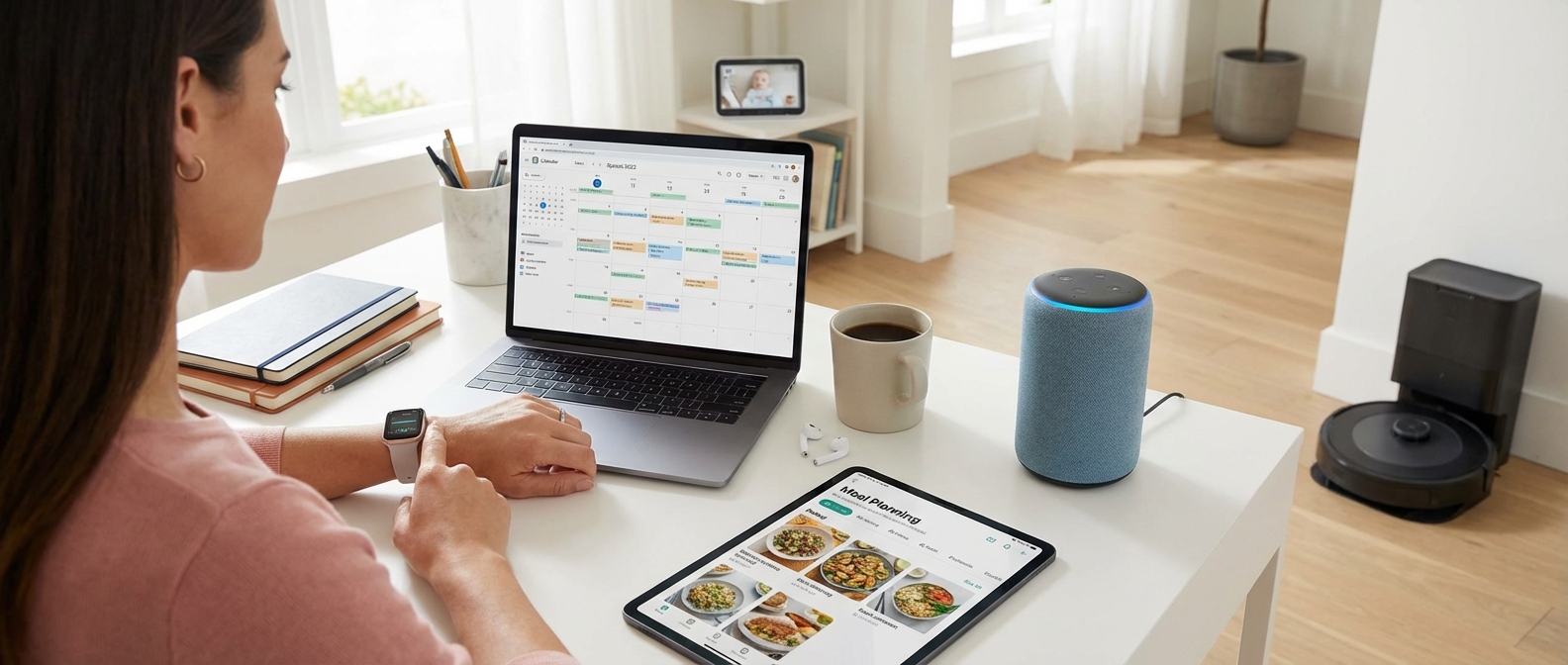
A comprehensive tech strategy is the most effective tool to combat parenting burnout by actively outsourcing the heavy weight of the mental load. In 2026, building a digital village isn't about acquiring gadgets; it is about delegating executive function tasks—from schedule management to safety monitoring—to intelligent systems that act proactively, allowing mothers to reclaim their cognitive bandwidth and focus on connection rather than logistics.
The Invisible Labor Crisis
The mental load is not the act of buying diapers; it is the constant, low-level anxiety of remembering that the diapers are running low. It is the invisible labor of tracking vaccination schedules, meal planning, and ensuring the front door is locked. For too long, technology exacerbated this issue. Early smart devices required constant input, turning mothers into IT managers rather than relieving their burden.
That era is over. The technology landscape of 2026 has shifted from "connected" to "autonomous." We no longer use apps to turn on lights; the house knows when we are awake. This shift allows you to externalize executive function. When your home operating system handles the mundane, your brain gets a break.
For a deeper dive into how assistants alleviate this pressure, read about The Invisible Village: 9 Life-Changing Benefits of a Smart Assistant for Moms.
From Gadgets to Strategy: The 2026 Shift
To survive modern motherhood, you must stop buying isolated toys and start building an ecosystem. A random Wi-Fi kettle is a gimmick; a morning routine that adjusts the thermostat, wakes the kids, and briefs you on the weather is a strategy.
The difference lies in integration. See the comparison below to understand how the approach to family tech has evolved.
| Feature | The "Gadget" Approach (2020-2024) | The "Digital Village" Strategy (2026) |
|---|---|---|
| Primary Goal | Remote control via smartphone. | Automation and cognitive offloading. |
| Interaction | Reactive: You open an app to check status. | Proactive: The system notifies you only if there's an issue. |
| Maintenance | High: Constant updates and connection errors. | Low: Matter protocol ensures seamless interoperability. |
| Mental Load | Increases: "Did I check the camera app?" | Decreases: "The house will alert me if the baby wakes." |
| Security | Fragmented: Separate alarms and cameras. | Unified: 9 Smart Home Security Benefits for Mothers. |
Outsourcing Executive Function
Your tech strategy should target three specific areas of cognitive drain: Safety, Routine, and Resource Management. By automating these, you reduce decision fatigue.
- Automated Safety Layers: You cannot watch everything at once. Modern systems act as a second set of eyes. Whether it is ensuring the garage is closed or monitoring a toddler's sleep patterns, these tools provide vigilance without participation. For families with young children, integrating 17 Best Smart Home Devices for Toddlers in 2026 creates a physical safety net that requires zero daily input.
- Algorithmic Routines: Mornings are often the flashpoint for parenting burnout. A strategic tech setup initiates wake-up lighting, announces schedule reminders, and adjusts the temperature automatically. These aren't just conveniences; they are guardrails that keep the family moving when you are too exhausted to drive the ship. You can find specific examples in our guide to 21 Best Smart Home Routines for Moms in 2026.
- Energy and Cost Control: Managing a household budget is a massive stressor. Intelligent thermostats and energy monitors now handle this in the background, slashing bills without you needing to police the light switches. This is passive resource management at its finest.
Embracing the digital village means accepting that you do not have to do it all. If a sensor can remember to lock the door, let it. If an algorithm can optimize your heating bill, authorize it. Your brain is needed for raising humans, not managing the HVAC.
AI Personal Assistants: Your New Second Brain
AI Personal Assistants: Your New Second Brain
AI personal assistants in 2026 have evolved from simple voice triggers into proactive cognitive partners that manage household logistics, anticipate scheduling conflicts, and execute complex administrative tasks autonomously. This technology acts as a digital "second brain," offloading the invisible mental load of motherhood by processing information and taking action without requiring constant step-by-step oversight.
From Chatbots to Agentic AI
Forget the basic "set a timer" commands of the early 2020s. The defining shift this year is the rise of Agentic AI. While generative AI creates text, agentic AI performs tasks. A personal AI agent now has the authority (granted by you) to interact with other apps. It doesn't just tell you the doctor's office is open; it calls them, navigates the phone tree, negotiates an appointment time based on your family’s shared calendar, and adds the entry only after confirming it doesn't clash with soccer practice.
For a deeper dive into how these systems support parental mental health, read about The Invisible Village: 9 Life-Changing Benefits of a Smart Assistant for Moms (2026 Guide).
The Three Pillars of 2026 AI Assistance
1. Automated Scheduling and Logistics
The most immediate relief comes from automated scheduling. Modern agents scan school emails for PDF attachments, extract dates from "Field Trip" permission slips, and populate the family calendar automatically. If a conflict arises—like a dentist appointment overlapping with a parent-teacher conference—the AI flags it and suggests three alternative rescheduling options.
2. The Context-Aware Gatekeeper
Your AI now understands context. If you are in "Deep Work" mode, it intercepts calls and summarizes urgent messages. If the baby monitor detects waking, the AI adjusts the lighting and alerts you softly. This integration is vital for maintaining sanity. For specific setups on how to automate these flows, see our guide on 21 Best Smart Home Routines for Moms in 2026.
3. Proactive Household Management
Instead of waiting for you to notice the pantry is empty, connected fridges and pantries utilizing vision AI ping your agent to add specific items to a grocery delivery order, which the agent places for you based on your meal plan. This is AI for moms at its finest: eliminating the "remembering" phase of household chores.
Legacy Assistants vs. 2026 Agentic AI
To understand why an upgrade is essential, compare the capabilities of the standard voice assistants of the past decade against the agentic models available today.
| Feature | Legacy Assistants (2015-2024) | Agentic AI (2026 Standard) |
|---|---|---|
| Command Style | Rigid, specific phrases required ("Turn on lights"). | Natural, conversational language ("Get the house ready for bed"). |
| Context | Single-turn memory; forgot previous context immediately. | Long-term memory; recalls preferences, allergies, and past conversations. |
| Action Capability | Could only control simple smart switches or play music. | Can draft emails, book services, pay bills, and manage complex itineraries. |
| Proactivity | Reactive only (waited for a command). | Proactive (suggests actions based on patterns and incoming data). |
| Integration | Limited to "Skills" or specific app partners. | Universal API access; acts as a layer across all your apps. |
Privacy in the Age of Agents
Delegating tasks requires trust. In 2026, the leading AI models for families operate on a "Local-First" principle, processing sensitive data (like children's schedules and security feeds) on a secure home hub rather than the cloud. This ensures that while your personal AI agent is helpful, it remains private. For a comprehensive look at protecting your home ecosystem, review The Smart Mom’s Guide to Family Home Security: Best Systems & Tips for 2026.
By adopting these advanced tools, you are not replacing your role as a mother; you are automating the administrative friction that prevents you from enjoying it.
Automating Meal Planning and Grocery Shopping
Automating Meal Planning and Grocery Shopping
Smart meal planning in 2026 has evolved beyond static PDF calendars into a dynamic, AI-driven logistics operation that integrates inventory management with fulfillment. By leveraging generative AI that learns family dietary preferences and syncing directly with delivery APIs like Instacart, Amazon Fresh, or Walmart+, mothers can reclaim approximately 4 to 6 hours weekly. This ecosystem eliminates the mental load of "what's for dinner" by turning it into a fully automated background process.
The Evolution of the Digital Pantry
The days of manually cross-referencing cookbooks with pantry staples are over. Modern applications now utilize image recognition and barcode scanning to maintain a real-time digital inventory of your kitchen.
When you pair this software with hardware—specifically the latest generation of smart refrigerators—the automation becomes seamless. Cameras inside units like the Samsung Family Hub AI Vision or LG InstaView scan shelves, identify expiring produce, and suggest recipes to minimize waste. If you are debating which ecosystem supports these features best, see our comparison on Alexa vs. Google Home for Families to determine which voice assistant handles grocery lists most effectively.
Top Grocery Automation Platforms (2026 Comparison)
To maximize efficiency, you need tools that bridge the gap between recipe generation and checkout. Here is how the leading platforms stack up this year.
| Platform | Best For | AI Capabilities | Integration | Monthly Cost |
|---|---|---|---|---|
| Samsung Food+ | Smart Fridge Owners | Vision AI scans fridge contents to suggest recipes instantly. | Native integration with Amazon Fresh & Kroger. | Free (Premium $4.99) |
| Paprika 5 (AI) | Power Planners | Scrapes recipes from any site; AI adjusts serving sizes and nutrition. | Exports cart to Instacart & Walmart+. | $4.99 (One-time) |
| Mealime Pro | Dietary Restrictions | Generates strict diet-compliant plans (Keto, Vegan, Allergy-free). | Direct checkout via Amazon & Instacart. | $5.99 |
| Gousto AI | Meal Kit Hybrids | Predicts cravings based on weather and past ratings. | Proprietary delivery network. | Varies by Box |
The "Zero-Touch" Workflow
True grocery automation occurs when you stop treating shopping as a chore and treat it as a recurring utility. Setting up a "Zero-Touch" workflow reduces decision fatigue significantly.
- Predictive Cart Population: Apps now track consumption rates. If you buy milk every Tuesday, the AI adds it to your cart automatically on Monday night.
- Dynamic Recipe Generation: Instead of browsing for hours, you input a prompt: "Plan 5 dinners under 30 minutes, high protein, using the chicken currently in the freezer." The AI generates the plan and populates the shopping list only with missing ingredients.
- Voice-Activated Additions: As part of the Invisible Village of support technology, you can simply shout requests to your smart speaker while cooking, ensuring you never forget an item again.
- Auto-Checkout Thresholds: Advanced users can set budget caps. If a weekly staple order is under $150, the system can be set to auto-order for a specific delivery window without requiring manual approval.
By handing off the logistics of feeding the family to intelligent algorithms, you aren't just saving time on driving and aisle-browsing; you are deleting a massive folder of mental data, allowing you to focus on the actual family time that matters.
Managing Schedules with AI
Managing Schedules with AI
Managing schedules with AI in 2026 means deploying intelligent agents that automate family calendar sync and logistical negotiation across disparate platforms. These systems actively cross-reference school portals, professional Outlook calendars, and extracurricular apps to identify conflicts, auto-negotiate meeting times, and block out travel buffers without requiring manual parental input.
The mental load of "calendar Tetris" is officially obsolete. Smart scheduling technology now acts as an executive assistant for the entire household. Rather than simply notifying you of an event, 2026-era AI agents understand the context of that event. If a soccer practice is rescheduled via a team app, the AI instantly updates the central family hub, checks your work deadlines, and creates a "conflict alert" if you cannot make the drive, suggesting your partner or a carpool arrangement instead.
For households already utilizing voice assistants, this is the next level of integration. While choosing between Alexa vs. Google Home for Families provides the hardware interface, specialized AI scheduling software provides the brain that orchestrates your day.
The Power of Auto-Negotiation
The most significant breakthrough this year is automated negotiation. When a work meeting requests a slot during your child’s dentist appointment, your AI agent can decline the invite and propose three specific alternative times based on your pre-set preferences. It handles the back-and-forth emails so you don't have to.
Simultaneously, these tools scrape data from non-traditional sources. They ingest PDF school calendars and team newsletters, extracting dates and populating the family calendar sync automatically. This ensures no "Crazy Hair Day" or early dismissal is ever missed.
Top AI Scheduling Tools for Mothers (2026)
| Tool Name | Best For | Key Feature | Pricing Model |
|---|---|---|---|
| Reclaim.ai Family | Working Moms | Defends "family time" blocks against work calendar intrusion. | Freemium / $12/mo |
| Cozi AI+ | Large Households | Scans emails/PDFs to auto-populate the shared calendar. | $29.99/year |
| Motion Home | ADHD & Focus | Prioritizes tasks and auto-schedules to-do lists into free slots. | $34/mo |
| SkedPal 3.0 | Flexible Schedules | "Fuzzy planning" that adjusts the agenda if a kid gets sick. | $15/mo |
Implementing Your AI Strategy
To leverage these tools effectively, follow these setup protocols:
- Audit Your Inputs: Ensure your work, personal, and kid-related calendars (Google, iCloud, Outlook) are all connected to the central AI hub.
- Set Hard Boundaries: Configure the AI to automatically reject professional meetings before 8:30 AM or after 5:30 PM.
- Buffer Logic: Enable "travel time" features. The AI calculates traffic data to ensure you leave on time, functioning as part of the invisible village that keeps modern mothers organized.
- Routine Stacking: Link your calendar to smart home triggers. When the calendar says "Bedtime Story," the lights should dim automatically. For help setting this up, review our guide on 21 Best Smart Home Routines for Moms in 2026.
Smart Home Automation: The Hands-Free Household
Smart Home Automation: The Hands-Free Household
Smart home automation transforms the relentless cycle of household chores into invisible, automated workflows. By deploying autonomous hardware like self-emptying vacuums and AI-driven appliances, you can offload repetitive physical tasks entirely. This ecosystem operates independently, allowing you to reclaim valuable hours every week while maintaining a pristine environment without lifting a finger.
The philosophy for 2026 is simple: if you have to open an app to trigger a device, it isn't truly automated. A genuine smart home for parents functions proactively. It recognizes when the house is empty to run loud appliances and detects high-traffic messes before you even see them. This "set it and forget it" approach shifts the dynamic from managing devices to letting devices manage your home.
The Big Three: Hardware That Does the Heavy Lifting
To achieve a hands-free reality, focus on hardware that physically removes labor from your plate.
- Autonomous Floor Care: The latest robot vacuums and mops no longer require "pre-cleaning." With advanced LiDAR and AI object recognition, they navigate around discarded toys and socks without getting stuck. They empty their own dustbins, refill water tanks, and wash their own mop pads.
- Intelligent Laundry Systems: Modern washer-dryer combos now dispense detergent automatically based on load weight and fabric type. Some units even initiate a tumble cycle periodically after washing to prevent mildew if you can't move clothes immediately.
- Automated Kitchen Assistants: From fridges that track expiration dates to dishwashers that auto-dose detergent, the kitchen is a prime target for automation.
For a comprehensive layout of how to arrange these devices, read our tutorial on How to Build the Ultimate Smart Home for Moms: The 2026 Setup Guide.
ROI Analysis: Time Saved by Automation
When investing in hardware, look at the Return on Investment (ROI) in terms of hours saved. Below is a breakdown of how 2026 hardware compares to manual labor.
| Chore Category | Manual Effort (Weekly) | Smart Automation Solution (2026) | Weekly Time Reclaimed |
|---|---|---|---|
| Floor Cleaning | 3.5 Hours | Self-Emptying Robot Vacuum/Mop Combo | 3.25 Hours |
| Lawn Care | 1.5 Hours | GPS-Guided Robot Mower | 1.5 Hours |
| Grocery Mgmt | 2.0 Hours | Smart Fridge Inventory & Auto-Order | 1.5 Hours |
| Dishwashing | 2.5 Hours | Auto-Dosing Smart Dishwasher | 1.0 Hour |
| Window Cleaning | 0.5 Hours | Suction-Based Robot Window Cleaner | 0.5 Hours |
Advanced Home Automation Ideas for 2026
Once the hardware is in place, the magic lies in the triggers. You need your devices to communicate with one another to form a cohesive safety net. Here are high-impact home automation ideas to implement immediately:
- The "After-Dinner" Protocol: Program your robot mop to deploy specifically around the high chair and dining table 20 minutes after dinner ends. This targets the messiest area of the house automatically.
- Laundry Termination Alerts: Instead of a faint beep from the basement, have your smart lights pulse blue in the living room when the washing machine finishes. This visual cue prevents the dreaded "forgotten wet laundry" smell.
- Air Quality Response: Connect your air purifier to your smart stove. If the stove detects burnt food or high particulate matter, the purifier in the living room should automatically kick into "High" mode to clear the air.
Implementing these systems requires careful planning, especially regarding safety. Ensure your automated devices don't become hazards by consulting our article on Smart Home Safety for Kids: The Ultimate Protection Guide (2026).
By strategically layering this hardware, you stop managing the house and start living in it. The technology exists to handle the grunt work; your job is simply to let it.
Next-Gen Cleaning Robots
Next-Gen Cleaning Robots
Automated cleaning in 2026 has finally evolved from a novelty into a genuine household utility. The best robot vacuum 2026 models no longer require you to "pre-clean" the floor; they utilize advanced AI to identify and avoid hazards like charging cables, stray LEGOs, and pet waste, while fully managing their own dust emptying, water refilling, and mop washing capabilities for up to 90 days.
The Evolution of "Zero Maintenance"
For busy mothers, the hardware is secondary to the outcome: time reclaimed. The market has bifurcated into two distinct categories this year. Premium flagship models now offer plumbing kits that connect directly to your home's water lines, eliminating the need to fill tanks entirely. Meanwhile, budget models have inherited the self-emptying technology that was considered a luxury just three years ago.
Integrating these devices into your schedule is essential. For optimal results, sync your vacuum's operation with school drop-offs or nap times, a strategy we highlight in our guide to the 21 Best Smart Home Routines for Moms in 2026.
Comparison: Budget vs. Premium Tiers
Understanding the trade-offs is vital before investing. Use this breakdown to decide which tier fits your household needs.
| Feature | Premium Tier ($1,000+) | Value Tier ($400 - $600) |
|---|---|---|
| Maintenance Cycle | 60-90 Days (Full autonomy) | 30-45 Days (Dust only) |
| Mop System | Dual spinning mops with hot water washing & heat drying. | Static pad or basic vibration; requires manual washing. |
| Obstacle Avoidance | AI Camera + Lidar: Identifies socks, toys, and pet accidents. | Lidar/IR: Avoids walls but may eat cables or shoelaces. |
| Suction Power | 10,000+ Pa (Deep carpet cleaning). | 5,000 - 6,000 Pa (Surface maintenance). |
| Base Station | Refills water, adds detergent, empties dust, cleans dock. | Empties dust bin only. |
Critical Features for Families
If you are upgrading your smart home this year, prioritize these three specifications to ensure the device actually reduces your mental load rather than adding to it:
- Reactive AI Obstacle Avoidance: Standard Lidar is not enough for homes with toddlers. You need a camera-based system that recognizes objects. This prevents the "robot ate a shoelace" emergency notification while you are at work.
- Mop Lifting Technology: Ensure the robot vacuum 2026 model you choose can lift its mop pads at least 12mm when it detects carpet. This allows for a single cleaning run that handles both hardwood and rugs without wetting your carpets.
- Voice Assistant Compatibility: Hands-free control is non-negotiable. You should be able to command the unit to "clean under the kitchen table" immediately after a meal spill. (See how this fits into the broader ecosystem in our Alexa vs. Google Home for Families comparison).
For mothers seeking absolute silence during nap times, look for models utilizing dToF (Direct Time of Flight) navigation, which allows the robot to navigate efficiently in pitch-black rooms without bumping into the crib.
Smart Security and Baby Monitoring
Smart Security and Baby Monitoring
Modern peace of mind requires systems that predict needs rather than just recording events. By integrating predictive sleep tracking and keyless entry, you reclaim hours of rest and eliminate the logistical nightmare of household management.
The Evolution of the AI Baby Monitor
In 2026, passive video feeds are obsolete. The modern nursery relies on the AI baby monitor, a device that acts less like a camera and more like a sleep scientist. Using non-invasive radar technology and computer vision, these monitors track respiratory rates and sleep cycles without requiring your infant to wear uncomfortable sensors.
The real value lies in predictive analytics. These systems analyze historical sleep data to predict wake windows and suggest the optimal bedtime to prevent overtiredness. False alarms are largely a thing of the past; advanced audio processing distinguishes between background noise, self-soothing fussing, and a distress cry requiring immediate attention. If you are currently setting up a room for a new arrival or upgrading for an older child, these principles are essential. For a deeper dive into gear for the next stage, review our guide on the 17 Best Smart Home Devices for Toddlers in 2026.
Comparison: Standard Video vs. AI Sleep Systems
To understand the efficiency gains, compare the functionality of a traditional Wi-Fi camera against current 2026 AI standards.
| Feature | Standard Wi-Fi Video Monitor | 2026 AI Sleep System |
|---|---|---|
| Data Analysis | Live video feed only | Sleep quality scoring & wake predictions |
| Breathing Tracking | None or requires wearables | Contactless Radar/Lidar detection |
| Alerts | Motion/Sound based (High false positives) | Cry-differentiation & Danger zone alerts |
| Integration | Standalone app | Links with smart lights & thermostats |
| Security | Basic password protection | End-to-end encryption & local processing |
Frictionless Access with Smart Locks
Security in 2026 is about controlled access, not just barriers. Smart locks are the linchpin of a managed household, specifically for mothers juggling service workers, nannies, and grocery deliveries. The days of hiding a key under the mat or rushing home to let the cleaner in are over.
Modern smart locks allow you to issue "digital keys"—temporary access codes or biometric permissions—that are valid only during specific windows. If the dog walker is scheduled for 2:00 PM, their code will not work at 2:15 PM. You receive real-time logs on your phone, confirming exactly who entered your home and when.
This technology integrates seamlessly with video doorbells. When a visitor arrives, you can verify their identity visually and unlock the door remotely from your office or the nursery nursing chair. For a broader look at protecting your perimeter, read The Smart Mom’s Guide to Family Home Security.
Key Benefits of Remote Access Systems:
- Audit Trails: View a complete history of who accessed your home.
- Emergency Access: Grant instant entry to neighbors or emergency services if you are away.
- Service Integration: Securely allow delivery drivers to place packages inside your vestibule, preventing theft.
Family Command Center Apps: Getting Everyone on the Same Page
Family Command Center Apps: Getting Everyone on the Same Page
Managing a modern household requires the logistical precision of a small corporation. Family organizer apps have evolved significantly in 2026, shifting from simple datebooks to AI-driven command centers that centralize your mental load. By implementing a robust digital ecosystem, you move from nagging to notifying, ensuring every member of the household has access to the same information instantly.
Top Family Management Platforms Compared
Choosing the right software depends on your family's specific friction points. Whether you need rigorous financial tracking for teens or visual schedules for toddlers, the market offers specialized solutions.
| App Name | Best For | Key Features | 2026 Pricing Model |
|---|---|---|---|
| Maple | Total Household Management | AI meal planning, shared folders, task delegation, topic-based chat threads. | Freemium / $9.99/mo |
| Cozi | The Shared Family Calendar | Color-coded schedules, simple grocery lists, recipe box, email reminders. | Free / Gold $29.99/yr |
| Greenlight | Financial Literacy & Chores | Debit cards for kids, automated allowance, strict spending controls, savings goals. | Plans start at $4.99/mo |
| Skylight | Visual Organization | Syncs with wall displays, chore gamification, meal visualization. | App Free / Hardware separate |
| Hearth | The "Invisible" Admin | Hardware-software integration that manages routines and to-dos without distraction. | Subscription w/ Device |
The Shared Brain: Calendars and Lists
The cornerstone of any organized home is the shared family calendar. In 2026, manual entry is obsolete. The best platforms sync automatically with school portals and work calendars (Outlook/Google), merging them into a single, color-coded view.
To truly reclaim your time, integrate this software with voice assistants. When you run out of milk, you shouldn't have to unlock a phone. You should be able to shout a command to the air. For a deeper dive on which ecosystem handles these voice commands best, read our analysis of Alexa vs. Google Home for Families (2026).
Essential Calendar Features:
- Conflict Detection: AI alerts you immediately if a soccer game overlaps with a dentist appointment.
- Role-Based Access: Grandparents see the kids' events; the nanny sees the pickup schedule; you see everything.
- Location Awareness: Notifications trigger when a family member leaves work or school.
Gamifying Responsibility with Chore Tracking
Stop asking if the dishwasher has been unloaded. Chore tracking apps have pivoted to gamification, utilizing the same psychological hooks as video games to drive household productivity.
Modern apps allow you to assign point values to tasks. A made bed might be worth 10 points; mowing the lawn might be 500. These points can be redeemed for screen time, allowance, or custom rewards. This transparency removes the emotional friction from household labor. If the app says the chore isn't done, the WiFi password doesn't unlock. It is simple, automated accountability.
For families with younger children, these digital routines work best when paired with physical cues. You can learn more about structuring these habits in our guide to 21 Best Smart Home Routines for Moms in 2026.
The Digital Locker
Beyond schedules and chores, the "mental load" often consists of data retrieval. Where is the insurance card? What is the pediatrician’s number? What size shoe does the toddler wear now?
Top-tier family organizers now include encrypted "Digital Lockers." These are shared, secure folders accessible to both parents (and trusted caregivers) containing:
- Medical Records: Vaccination history and allergy lists.
- Identification: High-res scans of birth certificates and passports.
- Household Specs: WiFi passwords, alarm codes, and warranty info.
Centralizing this data ensures that in an emergency, or just a chaotic Tuesday morning, the information is retrievable in seconds, not hours.
Top Rated Family Apps for 2026
Top Rated Family Apps for 2026
The most effective technology solutions for busy mothers in 2026 streamline household logistics through centralized calendars, AI-driven chore delegation, and real-time location tracking. Leading platforms like Maple, FamilyWall, and Cozi have evolved beyond simple schedulers into comprehensive operating systems for the home. These apps reduce cognitive load by ensuring every family member has access to the same information, moving the household from chaotic improvisation to synchronized execution.
Feature Comparison: The Big Three
To help you choose the right digital command center, we have compared the current market leaders based on pricing, core utility, and ideal user profiles.
| App Name | 2026 Pricing Model | Standout Feature | Best For |
|---|---|---|---|
| Maple | Freemium / $12.99/mo (Plus) | AI Assistant (Lara) | Tech-savvy moms needing delegation tools. |
| FamilyWall | Freemium / $5.99/mo (Premium) | Visual Shared Dashboard | Families who want a private social network feel. |
| Cozi | Ad-Supported / $29.99/yr (Gold) | Simple Color-Coding | Parents wanting a straightforward, no-frills calendar. |
1. Maple: The AI-Powered Manager
Maple has aggressively integrated artificial intelligence this year, making it one of the premier technology solutions for busy mothers who need to delegate. It treats the household like a company, allowing you to assign tasks to specific family members with deadlines. The 2026 update introduced "Lara," an in-app AI that scans your schedule and suggests meal plans or reminds you to book dentist appointments based on previous history.
- Pros:
- Excellent task delegation interface; allows "assigning" chores to partners or kids.
- Native integration with 21 Best Smart Home Routines for Moms in 2026 [The Ultimate Sanity Saver] for automated alerts.
- Browser and mobile app sync is instantaneous.
- Cons:
- The free tier is limited; the AI features require a subscription.
- Steeper learning curve due to the abundance of features.
2. FamilyWall: The Visual Command Center
FamilyWall remains a favorite for users who prefer a visual, dashboard-style layout. It combines a shared calendar with lists, meal planning, and a private family chat. Unlike specialized calendar apps, FamilyWall includes a locator feature, offering peace of mind regarding everyone's whereabouts. This consolidation of features makes it a strong contender for replacing multiple disjointed apps.
- Pros:
- Includes a built-in family locator (GPS) and safe zones.
- Visual meal planner links directly to automated grocery lists.
- Private photo and video gallery for secure memory sharing.
- Cons:
- Calendar sync with Outlook/Google is only available in the Premium version.
- The interface can feel cluttered on smaller smartphone screens.
3. Cozi: The Reliable Veteran
Cozi has been a staple for over a decade and remains relevant in 2026 by keeping things simple. It does not try to be a project manager; it is a dedicated family calendar and list keeper. Its color-coded system is intuitive, allowing you to see the entire family's schedule at a glance or filter by individual. For families who already rely heavily on voice assistants, Cozi is often the easiest to integrate.
- Pros:
- Incredibly simple "Agenda" view emailed to all members weekly.
- Seamless voice integration. (See our guide on Alexa vs. Google Home for Families (2026): The Ultimate Mom-Tested Battle to see which assistant pairs best).
- Recipe box feature keeps screen on while cooking (no dimming).
- Cons:
- The free version is heavy on advertisements.
- Lacks the advanced task dependency and AI features found in Maple.
Wearable Tech for Mom's Health and Wellness
Wearable Tech for Mom's Health and Wellness
Wearable technology in 2026 has evolved from simple step counting to sophisticated nervous system monitoring. For mothers, the most valuable devices now prioritize cortisol regulation and sleep quality over calorie burning. By analyzing Heart Rate Variability (HRV) and biometric trends, these tools act as proactive health guardians, alerting you to physiological burnout before it completely halts your day.
Beyond Fitness: The Rise of Stress Tracking
The "invisible load" of motherhood is no longer invisible to technology. Modern stress tracking wearables utilize Electrodermal Activity (EDA) sensors and continuous temperature monitoring to visualize your mental strain. Unlike early fitness trackers that pushed you to "move more," 2026 algorithms understand when a mother needs to rest.
When your biometric data indicates a spike in acute stress, leading devices now suggest real-time interventions—like a 60-second breathing exercise—rather than a workout. This shift is critical. It validates the physical toll of mental load, providing the data needed to justify taking a break without guilt.
The Form Factor Shift: Why Moms Choose Smart Rings
Bulky wrist straps are increasingly being replaced by smart rings. For mothers constantly washing hands, changing diapers, or rocking infants, a ring offers a "set it and forget it" form factor that minimizes skin irritation and distraction.
Smart rings excel in two specific areas vital for mothers:
- Battery Life: Lasting up to 7 days on a single charge, they remove the mental friction of daily charging.
- Nighttime Comfort: Their low profile makes them significantly more comfortable for tracking sleep metrics compared to large smartwatches.
Prioritizing Recovery and Sleep Quality
Mothers rarely get eight hours of uninterrupted rest. Therefore, the focus must shift to the efficiency of the sleep you do get. Advanced wearables now break down sleep quality into REM, Deep, and Light stages, offering actionable insights on how to maximize recovery during shorter windows.
If your device detects low "Readiness" or "Body Battery" scores upon waking, it signals a need to adjust your daily expectations. This is where your tech ecosystem collaborates. A low energy score can trigger your home automation to dim lights earlier or adjust the thermostat for optimal rest. For more on automating your environment for better rest, review our guide on 21 Best Smart Home Routines for Moms in 2026.
Top Recovery Wearables for Moms (2026 Comparison)
| Device | Best For | Key "Mom Feature" | Battery Life | Price Range |
|---|---|---|---|---|
| Oura Ring Gen 4 | Sleep Quality & Stealth | Illness detection features that alert you before symptoms start. | 5-7 Days | $300 - $450 |
| Whoop 5.0 | Stress Tracking | No screen to distract you; purely focuses on strain vs. recovery data. | 4-5 Days | Subscription ($30/mo) |
| Apple Watch Ultra 3 | Safety & Connectivity | Fall detection and direct cellular connection (leave the phone at home). | 36-60 Hours | $799+ |
| Garmin Venu 4 | Body Battery Energy | Visualizes your energy draining in real-time; validates fatigue. | 10 Days | $450 |
By leveraging these tools, you stop guessing about your health and start managing your energy with precision. Your wearable is no longer a gym coach; it is the guardian of your sanity.
Tracking Stress and Recovery
Tracking Stress and Recovery
Effective stress management relies on data, not just feeling. HRV monitoring (Heart Rate Variability) acts as the body's early warning system, measuring the time variation between heartbeats to quantify the physiological load on your autonomic nervous system. By tracking these metrics, mothers can visualize the invisible toll of parenting and prioritize cortisol management before reaching a state of burnout, shifting from reactive exhaustion to proactive recovery.
The Science of the "Invisible Load"
Parenting in 2026 involves a constant barrage of micro-stressors. A tantrum at breakfast or a missed nap time triggers a fight-or-flight response. While you may remain outwardly composed, your physiology reacts. High HRV indicates resilience and readiness; low HRV signals that your nervous system is dominated by stress and needs recovery.
Modern wearables have evolved beyond simple step counting. The best devices for mothers now feature "haptic nudges." When the device detects a sudden drop in HRV combined with an elevated resting heart rate—classic signs of an acute stress response—it gently vibrates. This is a cue to pause. It validates that your exhaustion is physical, not imaginary.
Integrating Health Data with Home Automation
The true power of 2026 technology lies in integration. Your health tracker should not exist in a vacuum. Advanced setups now allow your wearable to communicate with your smart home hub.
When your stress metrics hit a specific threshold, you can automate your environment to support recovery. Imagine your wrist device detecting a spike in tension and automatically softening the living room lighting or starting a calming playlist. This creates a seamless transition into one of the 21 Best Smart Home Routines for Moms in 2026, effectively automating your self-care when you are too overwhelmed to initiate it yourself.
Top Wearables for Maternal Stress Monitoring (2026)
Not all trackers are built equal. For mothers, battery life and "nudge" capabilities are paramount.
| Device Model | Best For | Stress Feature | Battery Life |
|---|---|---|---|
| Oura Ring Gen 5 | Sleep & Recovery | Readiness Score: Analyzes sleep and HRV to tell you exactly how much energy you have for the day. | 7 Days |
| Garmin Venu 4S | Active Moms | Body Battery: Visualizes energy drain in real-time and sends alerts when stress is abnormally high. | 10 Days |
| Whoop 5.0 | Data Geeks | Strain Coach: Provides strictly physiological data on recovery needs without screen distractions. | 5 Days |
| Apple Watch Series 11 | iPhone Users | Mindfulness Nudge: Detects physiological arousal and prompts immediate 1-minute breathing exercises. | 18-36 Hours |
Strategies for Cortisol Management
Owning the device is step one. Interpreting the data requires a strategic approach to ensure the numbers aid your mental health rather than adding to your to-do list.
- Respect the Morning Readout: Check your HRV status first thing in the morning. If your numbers are low, prioritize low-impact activities. This is not the day to tackle the messy garage or intense workouts.
- The "Pause" Protocol: When your device nudges you regarding high stress, force a 60-second reset. Physiological sighs (two inhales, one long exhale) can manually downregulate your nervous system.
- Track Trends, Not Days: One bad day of data is noise; a week of declining HRV is a signal. It indicates a need for structural changes, such as asking for help or adjusting sleep schedules.
- Nighttime Wind-Down: Use the data to gamify your sleep hygiene. Watch how avoiding screens one hour before bed positively impacts your recovery score the next morning.
By outsourcing the monitoring of your stress levels to technology, you gain the permission you often deny yourself: the permission to rest.
Digital Safety: Protecting Your Family in a Connected World
Digital Safety: Protecting Your Family in a Connected World
High-tech parenting often feels like a defensive battle against an infinite opponent. To effectively protect your family in 2026, you must move beyond basic app blocking and adopt a layered defense strategy involving router-level content filtering, robust device management, and aggressive data privacy settings. This approach secures the digital perimeter before harmful content ever reaches your child’s screen.
The First Line of Defense: Network-Level Filtering
Your Wi-Fi router is the front door of your digital home. Relying solely on individual device settings is inefficient because it leaves smart TVs, gaming consoles, and guest devices vulnerable. Modern mesh Wi-Fi systems now integrate AI-driven threat detection that blocks explicit content and malware at the source.
Configure your router to isolate devices used by children onto a separate network segment or "profile." This allows you to enforce a hard "internet off" time for bedtime without disrupting your own connectivity. For comprehensive hardware recommendations that secure physical and digital entry points, review our Smart Home Safety for Kids: The Ultimate Protection Guide (2026).
Parental Control Software: Beyond Simple Timers
Native tools like Apple’s Screen Time and Google’s Family Link are essential baselines, but they often lack the nuance required for older children navigating complex social platforms. Third-party parental control software has evolved in 2026 to analyze sentiment and context, alerting you to cyberbullying or predatory behavior rather than just logging hours.
Top Digital Safety Tools Comparison (2026)
| Platform | Best Application | Key Feature | Privacy Impact |
|---|---|---|---|
| Bark Home | Social Media Monitoring | AI-based sentiment analysis for bullying/depression. | Moderate (Scans content) |
| Qustodio | Cross-Platform Control | Granular app blocking and detailed activity logs. | High (Tracks all usage) |
| Circle | Network Management | Pauses internet across all devices instantly. | Low (Traffic shaping) |
| Gryphon | Hardware/Router | Built-in hardware firewall with parental controls. | Low (Network level) |
Digital Privacy for Kids: Locking Down Data
Children are prime targets for data harvesting. Every free game, smart toy, and educational app collects usage data that builds a digital profile of your child long before they turn 18. Digital privacy for kids requires active minimization of this footprint.
- Audit Smart Speakers: Voice assistants are incredibly useful, but they default to recording interactions. If you utilize these devices, ensure you have configured them correctly. See our insights in 7 Best Voice Assistants for Children in 2026: The Safe & Smart Guide to optimize privacy settings.
- Dummy Accounts: When signing up for apps that do not require legal identity verification, use a generic "family" email address and a pseudonym for your child.
- Location Services: Turn off GPS tracking for all apps except those critical for safety (like Life360 or Find My). A puzzle app does not need to know your child's physical coordinates.
Mastering Screen Time Management
Anxiety often stems from the lack of a verifiable plan. Screen time management in 2026 is less about demonizing screens and more about curating the input.
- Automate the Limits: Don't be the bad guy; let the system be the enforcer. Set devices to lock automatically 30 minutes before bed.
- Prioritize Utility: Whitelist educational and creative apps (coding tools, reading apps) so they do not count toward daily entertainment limits.
- Physical separation: Charge all tablets and phones in a communal area overnight.
If you are introducing technology to younger children, the hardware choices you make today set the precedent for future habits. Check our guide on 17 Best Smart Home Devices for Toddlers in 2026 (Safety & Sleep Guide) for age-appropriate technology that respects boundaries.
By automating safety protocols and treating your home network as a managed IT environment, you reclaim your mental bandwidth. You stop policing every click and start parenting with confidence.
Conclusion: Building Your Tech Stack One Step at a Time
Conclusion: Building Your Tech Stack One Step at a Time
Transforming your home into a supportive ecosystem doesn't happen overnight; it happens one download, one device, and one routine at a time. While the solutions outlined in this guide offer powerful ways to reclaim your time, attempting to implement them all simultaneously is a guaranteed recipe for burnout.
Beware of app fatigue. The goal of 2026 technology is to reduce your cognitive load, not add to it with endless notifications and learning curves. True tech minimalism isn't about rejecting technology; it is about stripping away the digital noise until only the tools that genuinely serve your family remain.
The "One Pain Point" Strategy
Instead of overhauling your entire life this weekend, identify the single area causing you the most stress. Is it the morning rush? The mental load of grocery shopping? Sleep safety? Pick one category and solve it completely before moving to the next.
For example, if your mornings are chaotic, focus exclusively on automation that smooths out that friction. You might start by establishing specific automated sequences—check our guide on 21 Best Smart Home Routines for Moms in 2026 for specific templates. Once that problem is solved, and only then, address the next friction point.
To help you prioritize, use this phased adoption roadmap:
| Phase | Focus Area | Goal | Recommended Action |
|---|---|---|---|
| 1. Foundation | The "Central Brain" | Establish a single point of control. | Set up a smart speaker or hub. See How to Build the Ultimate Smart Home for Moms. |
| 2. Safety | Peace of Mind | Automate monitoring so you can relax. | Install cameras or smart locks. Review Smart Home Safety for Kids. |
| 3. Routine | Daily Friction | Automate repetitive tasks. | Implement smart lighting or heating schedules to match family rhythms. |
| 4. Maintenance | Household Chores | Outsource cleaning/planning. | Integrate robot vacuums or digital meal planners. |
Reclaiming Space for Joy
Ultimately, the smartest home is one that allows you to disconnect from the management of life and reconnect with the living of it. Technology handles the logistics; you handle the love.
By adopting a philosophy of intentional living, you ensure that every device and app you invite into your home earns its keep by giving you back your most precious resource: time. Use these tools to automate the mundane, clear the mental clutter, and make space for the joy of motherhood.