
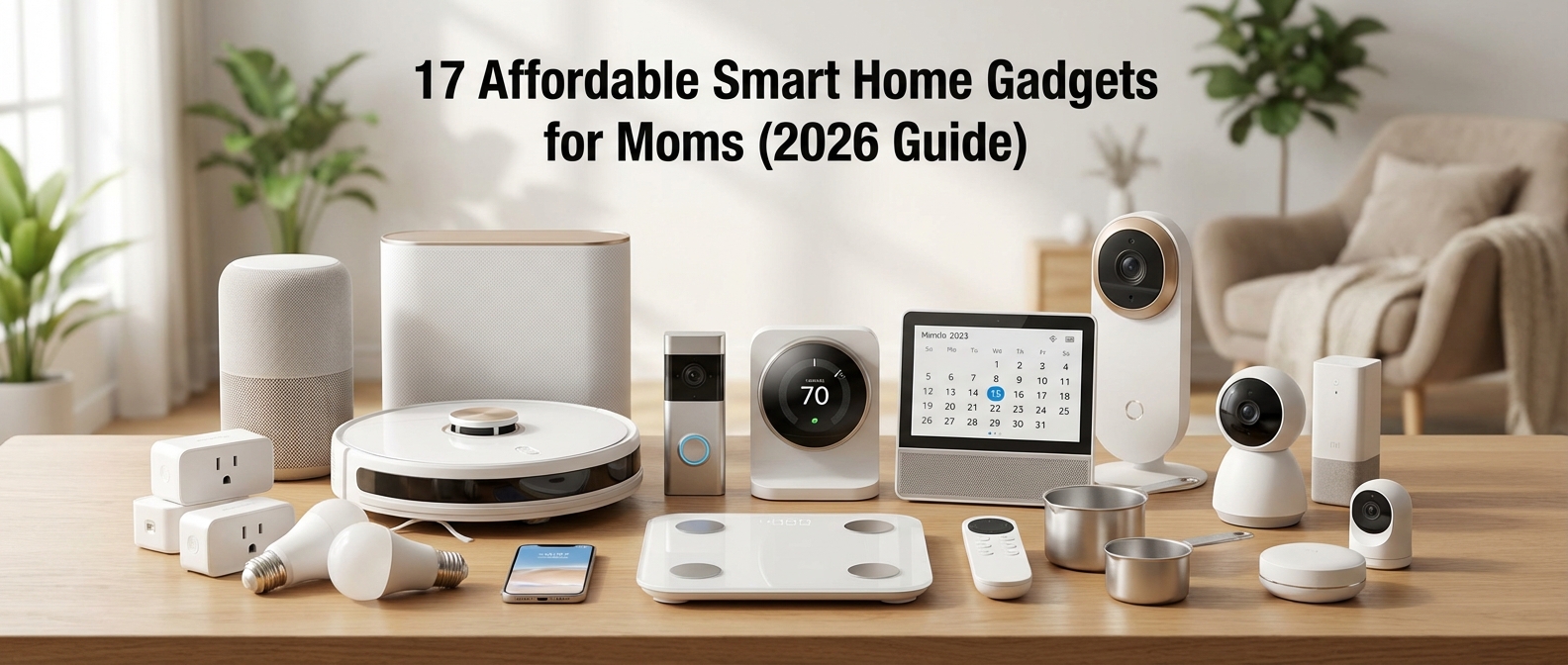
Why Smart Homes Are a Mom's Secret Weapon in 2026
Why Smart Homes Are a Mom's Secret Weapon in 2026
Smart home technology in 2026 serves as an external hard drive for the maternal brain, effectively reducing the mental load. By automating repetitive household logistics, these devices offer immediate smart home ROI measured in reclaimed time and reduced anxiety. It is no longer a luxury, but a strategic tool for family management.
Outsourcing the Invisible Workload
Motherhood involves a relentless, invisible checklist. Did you lock the back door? Is the nursery temperature safe? Did the toddler leave the lights on? This constant low-level surveillance drains cognitive resources. Time-saving tech isn't about laziness; it is about outsourcing executive function to a reliable system.
You are essentially building a digital support system. For a deeper dive into how voice AI specifically supports this, read about The Invisible Village: 9 Life-Changing Benefits of a Smart Assistant for Moms.
The New Definition of "Affordable"
Forget the misconception that automation requires a complete home rewire or a computer science degree. In 2026, the era of the budget smart home is fully established. Devices are plug-and-play, interoperable, and cost-effective.
For the purpose of this guide, we define "affordable" as gadgets falling between $50 and $150. However, the price tag is secondary to the return on investment. We measure ROI not just in dollars, but in sanity saved.
| Traditional Task | Smart Solution (2026) | Estimated ROI (Weekly) |
|---|---|---|
| Checking Locks | Auto-lock Smart Deadbolt | 30 mins + Zero anxiety |
| Adjusting Heat/AC | Learning Thermostat | $15 saved + Constant comfort |
| Vacuuming Floors | Budget Robot Vacuum | 3 hours of manual labor |
| Waking Kids Up | Smart Lighting Routine | 45 mins of reduced conflict |
Why This Tech Matters Now
The gadgets listed below prioritize high-impact results. A $60 smart plug that turns off the coffee maker automatically is infinitely more valuable than a $3,000 refrigerator that plays music.
- Automation over Control: The goal is not to control your home from a phone, but to have the home manage itself.
- Energy Efficiency: Beyond time, these devices slash utility bills. Learn how to optimize this in our guide to Smart Home Energy Saving for Families.
- Scalability: You can start with a single hub and expand only when necessary.
By integrating these affordable tools, you stop managing the house and start living in it.
The Command Centers: Voice Assistants Under $50
The Command Centers: Voice Assistants Under $50
Think of these compact devices not as speakers, but as your home’s operating system. At under $50, entry-level voice assistants provide the highest return on investment for any smart home gadget. They act as the central brain, bridging the gap between you and a smoother schedule. For a deeper dive into how these devices act as a second set of hands, read our guide on The Invisible Village: 9 Life-Changing Benefits of a Smart Assistant for Moms (2026 Guide).
In 2026, the market is dominated by two heavyweights that offer incredible power at a budget price point. Here is how they stack up for family management:
| Device | Ecosystem | Best "Mom Feature" | Ideal For |
|---|---|---|---|
| Amazon Echo Dot | Alexa | Drop In: Instant intercom to kids' rooms. | Families who order from Amazon and use Ring doorbells. |
| Google Nest Mini | Google Home | Family Bell: Scheduled announcements for routines. | Families heavily reliant on Google Calendar and Android phones. |
Real-World "Mom Scenarios"
Specs don't save you time; functionality does. These devices unlock hands-free parenting by handling the mental load while your hands are full with dinner, laundry, or a toddler.
- The Dinner Bell Broadcast: Stop shouting up the stairs. With an Echo Dot in the kitchen and one in the kids' rooms, simply say, "Alexa, announce dinner is ready." Your voice broadcasts to every room instantly.
- The Homework Enforcer: Set visual and auditory boundaries without being the bad guy. "Hey Google, set a homework timer for 30 minutes." When the alarm rings, the screen time can begin.
- The Nighttime Sentry: Both devices serve as excellent white noise machines. You can automate them to fade in sound as bedtime approaches. If you are struggling with bedtime routines, check out our comparison in Alexa vs. Google Home for Families (2026): The Ultimate Mom-Tested Battle.
- The Supply Manager: Notice you are out of diapers while changing the baby? Don't hope you remember later. Shout, "Alexa, add diapers to the shopping list," immediately.
Why They Are Essential
Smart speakers for families are the entry point to automation. They allow you to control other devices—like smart plugs or bulbs—without lifting a finger. If you are just starting to build out your ecosystem, these affordable pucks are the requisite foundation for a connected, efficient home.
Best for Amazon Households: Echo Dot (Latest Gen)
Best for Amazon Households: Echo Dot (Latest Gen)
The latest generation Echo Dot stands as the undisputed command center for Amazon-centric families, offering the highest return on investment for smart home beginners. By combining improved voice recognition with a built-in temperature sensor and mesh Wi-Fi extender capabilities, this device acts as a hands-free assistant that manages family schedules, controls connected appliances, and enhances home security without a high upfront cost.
Why It’s a Time-Saver Alexa for moms is more than a party trick; it is an operational necessity. The 2026 iteration features a significantly faster neural edge processor. This means when you ask Alexa to set a pasta timer or add diapers to the shopping list, the response is instantaneous. You don't have to wait or repeat yourself over the screaming of a toddler.
Beyond basic commands, the real power lies in automation. You can program the Dot to trigger "School Morning" routines—lights up, weather report read, and upbeat music playing—at 7:00 AM sharp. If you are looking for inspiration on how to automate your day, check out our list of 21 Best Smart Home Routines for Moms in 2026.
Critical Features: Safety and Kids Mode Two specific features make this device essential for parents in 2026:
- Alexa Guard: This feature turns your Echo Dot into a security sentry. When you leave the house and say, "Alexa, I'm leaving," the device listens for specific sounds like smoke alarms or breaking glass. If detected, it sends an immediate alert to your phone.
- Echo Dot Kids Features: The "Kids Mode" is robust. It automatically filters explicit songs, disables voice purchasing, and allows you to set time limits. It transforms the device from a generic assistant into a safe, educational tool that answers endless "why" questions so you don't have to.
For a comprehensive look at securing devices around children, refer to our guide on Smart Home Safety for Kids: The Ultimate Protection Guide (2026).
2026 Market Context & Specs As of January 2026, pricing has stabilized. While the MSRP remains consistent, Amazon frequently bundles these with smart bulbs or plugs.
| Feature | 2026 Specification | Mom Benefit |
|---|---|---|
| Current Price | ~$49.99 (Sales ~$29.99) | High affordability allows for multi-room setup. |
| Motion Detection | Ultrasound Detectors | Triggers lights when you walk into the laundry room with full hands. |
| Privacy | Physical Mic-Off Switch | guarantees privacy during sensitive family moments. |
| Audio Quality | 1.73” Front-firing speaker | Clearer vocals for audiobooks and podcasts while cleaning. |
| Connectivity | Matter & Thread Border Router | Future-proofs your home; connects easily to other smart gadgets. |
If you already rely on Prime shipping and Amazon Music, the friction to adopt this ecosystem is non-existent. It simply works, right out of the box.
Best for Google Users: Nest Mini
Best for Google Users: Nest Mini
The Nest Mini stands as the premier choice for Android-centric households in 2026 because it seamlessly aggregates your digital logistics. It offers the most robust family calendar sync available, allowing moms to manage appointments, school events, and reminders hands-free. With superior voice recognition, it distinguishes between family members to deliver personalized schedule updates instantly.
For families already relying on Gmail and Android phones, this device eliminates the friction of switching apps. While the debate over Alexa vs. Google Home for Families (2026) continues, the Nest Mini wins on contextual understanding. You don't need to speak like a robot. Simply say, "Hey Google, add a pediatrician appointment for Leo next Tuesday at 3 PM," and it populates the shared family calendar immediately.
Google Assistant for families shines through its integration with Family Link. This allows you to manage content filters and screen time limits directly through voice commands. You can schedule "Downtime" to disable the assistant during homework hours or bedtime, ensuring the technology serves your routine rather than disrupting it.
Why It’s a Mom Favorite
| Feature | Practical Benefit |
|---|---|
| Voice Match | Recognizes your voice to give your commute and calendar, not your partner's. |
| Family Bell | Broadcasts scheduled announcements like "Time to put shoes on" across the house. |
| Guest Mode | Allows visitors to cast music without accessing your personal calendar or data. |
| Intercom | "Hey Google, broadcast dinner is ready" saves you from shouting up the stairs. |
The fabric covering is made from 100% recycled plastic bottles, fitting discreetly into modern decor. More importantly, the hardware microphone switch provides tangible privacy control, a non-negotiable feature for safety-conscious parents.
Peace of Mind: Budget Security & Monitoring
Peace of Mind: Budget Security & Monitoring
Affordable home security in 2026 no longer requires expensive contracts or professional installation. By utilizing standalone Wi-Fi cameras and smart sensors, you can monitor latchkey kids, check on pets, or supervise a nursery directly from your smartphone. These systems provide instant alerts and live video feeds without the heavy monthly overhead of traditional alarm companies.
The landscape of home safety has shifted. Moms are increasingly moving away from dedicated, single-use devices toward versatile gadgets. High-definition indoor security cameras now serve as excellent baby monitoring alternatives, offering superior video quality and app connectivity at a fraction of the price of "smart" baby monitors. You own the hardware, and with local storage options, you own the data.
2026 Budget Monitoring Comparison
| Device Type | Best Application | Est. Cost | Key Feature |
|---|---|---|---|
| Mini Indoor Cam | Nursery / Playroom | $25 - $35 | Two-way audio & Night Vision |
| Entry Sensors | Doors / Windows | $15 - $20 (Pair) | Instant Open/Close Alerts |
| Pan/Tilt Camera | Pets / Large Areas | $35 - $45 | 360° Motion Tracking |
| Local Video Doorbell | Front Porch | $50 - $60 | No-Subscription Storage |
Integrating these devices gives you a digital set of eyes. Place a camera in the kitchen to verify the kids started homework, or use entry sensors to know exactly when a teenager leaves the house. This setup isn't about rigid surveillance; it is about extending your presence when you cannot physically be in the room.
For a deeper dive into securing your environment specifically for little ones, check our guide on Smart Home Safety for Kids: The Ultimate Protection Guide (2026).
When selecting budget security gadgets, prioritize these specifications to ensure they actually save you time:
- Local Storage (SD Card): Avoids cloud subscription fees and ensures recording continues even if the internet flickers.
- Two-Way Audio: Allows you to soothe a baby or tell the dog to get off the couch instantly.
- Customizable Activity Zones: Prevents your phone from buzzing every time the ceiling fan moves, focusing only on entryways or cribs.
- Smart Assistant Integration: Ensures you can view camera feeds on your kitchen smart display with a simple voice command.
The 'Did I Lock the Door?' Solver: Smart Locks & Keypads
The "Did I Lock the Door?" Solver: Smart Locks & Keypads
Retrofit smart locks instantly eliminate the panic of wondering if your home is secure by converting your existing deadbolt into a connected device. These gadgets allow you to perform a remote lock check directly from your smartphone and provide keyless entry for kids, ensuring they enter the house safely without managing physical keys.
Why Retrofit is the Mom-Approved Choice
In 2026, you do not need to replace your entire door handle to get smart features. Retrofit locks, like the latest budget-friendly options from Wyze or August, install over the thumb turn on the inside of your door. The exterior hardware remains unchanged. This is crucial for two reasons: installation takes less than 15 minutes, and you keep your original physical keys as a fail-safe backup.
No More Lost Keys
Handing a physical key to a distractible elementary schooler is a gamble. Smart keypads remove that risk entirely. You assign a unique 4-digit PIN to each child. When they type their code after school, two things happen: the door unlocks, and your phone receives a notification stating exactly who entered.
Benefits of Keyless Entry for Kids:
- Real-time Alerts: Know the moment they get home safe.
- Temporary Access: Create temporary codes for dog walkers or house cleaners that expire automatically.
- Auto-Lock: Set the door to lock itself after 5 minutes, so you never worry about an unlocked door behind a forgetful teenager.
For a deeper dive into securing your entry points, read our full analysis on Smart Home Safety for Kids: The Ultimate Protection Guide (2026).
Top Affordable Retrofit Locks (2026)
| Model | Avg. Price | Installation Type | Best Feature for Moms |
|---|---|---|---|
| Wyze Lock Bolt v2 | $79.99 | Replaces Deadbolt | Integrated keypad with anti-peep technology. |
| SwitchBot Lock Pro | $99.00 | Retrofit (Over existing lock) | Universal compatibility; works with almost any thumb turn. |
| August Wi-Fi (Lite) | $129.00 | Retrofit (Inside only) | DoorSense™ technology tells you if the door is physically left ajar. |
Note: Prices reflect average 2026 retail listings and may vary.
Once installed, integrate the lock into your evening workflow. You can program the system to secure all entry points automatically at bedtime. This simple automation is a cornerstone of maintaining sanity; learn more about setting this up in our article on 21 Best Smart Home Routines for Moms in 2026.
The Versatile Nanny Cam: Compact Indoor Cameras
The Versatile Nanny Cam: Compact Indoor Cameras
Compact indoor cameras provide high-definition monitoring and smart alerts at a fraction of the cost of traditional baby monitors. By utilizing a high-quality budget wifi camera, parents can secure nurseries and playrooms with features like color night vision, cry detection, and instant smartphone access for typically under $40 per unit.
Why You Should Ditch the Traditional Baby Monitor
Dedicated baby monitors are notoriously overpriced. In 2026, the smart move is repurposing general security cameras. Devices like the Wyze Cam v4 or the TP-Link Tapo C120 offer superior resolution (often 2.5K) compared to the grainy 720p screens found on expensive infant-specific hardware.
Because these cameras connect directly to your Wi-Fi, you aren't limited by the range of a handheld receiver. You can check on the baby while you are in the backyard, at the office, or running errands. For moms managing multiple children, this flexibility is non-negotiable.
The Power of Two-Way Audio
The standout feature for busy moms is the communication capability. A reliable two-way audio camera transforms passive observation into active parenting.
- Soothe remotely: Sing a lullaby or shush a stirring infant without entering the room and risking a full wake-up.
- Toddler management: Intervene verbally if your toddler tries to climb the bookshelf while you are swapping laundry loads.
- Elder kids: Quickly check in on homework progress without hovering.
If you are setting up a room specifically for younger children, proper camera placement is vital. For advice on securing the rest of the room, check our guide on 17 Best Smart Home Devices for Toddlers in 2026.
Top Budget Picks for 2026
We have analyzed the current market to find the best value for versatility and reliability.
| Camera Model | Resolution | Field of View | Audio Quality | Best Feature for Moms | Est. Price |
|---|---|---|---|---|---|
| Wyze Cam v4 | 2.5K QHD | 130° | Enhanced Two-Way | Color Night Vision (Great for low-light nurseries) | $35.98 |
| Tapo C120 | 2K QHD | 120° | Crisp Two-Way | AI Cry Detection (No subscription needed) | $39.99 |
| Blink Mini 2 | 1080p | 143° | Standard | Alexa Integration (View on Echo Show) | $34.99 |
Setup Tips for Maximum Efficiency
To get the most out of these devices, enable "Sound Detection" specifically for crying or glass breaking if the camera supports it. This filters out the noise of a passing car but alerts you immediately if the baby wakes up.
Furthermore, mounting is easier than ever. Most of these units, particularly the Wyze models, come with magnetic bases. You can snap them onto a metal lamp stand or curtain rod without drilling holes, preserving your walls while getting the perfect viewing angle.
Door & Window Sensors for Toddler Safety
Door & Window Sensors for Toddler Safety
A smart contact sensor consists of two small components—a magnet and a transmitter—that trigger an instant notification to your smartphone or smart speaker whenever a door, window, or cabinet is opened. For under $20, these devices provide real-time monitoring of "escape artist" toddlers, offering a proactive digital layer of protection that standard plastic latches cannot match.
Toddlers are notoriously quick. One minute they are playing with blocks; the next, they are reaching for the front door handle. Contact sensors bridge the gap between physical supervision and peace of mind. While physical locks stop access, smart sensors alert you to attempts at access. This distinction is vital when managing a busy household in 2026.
How It Works
The technology is simple yet effective. You adhere the sensor to the door frame and the magnet to the door itself. When the magnetic field breaks, the device sends a signal via Zigbee, Z-Wave, or Wi-Fi to your hub. You can configure your smart speaker to announce, "Front door opened," alerting you instantly even if your phone is in another room.
This is the evolution of childproofing with tech. It transforms passive safety into active monitoring.
Where to Install Sensors for Maximum Safety
Don't limit these devices to the front door. Moms get the most value by placing them in high-risk zones:
- Medicine Cabinets: Get an alert before a child unscrews a cap.
- Cleaning Supply Closets: Monitor access to hazardous chemicals.
- Pool Gates: Critical for immediate intervention.
- Freezers/Pantry: Prevent melted ice cream or unauthorized snack raids.
For a comprehensive look at securing your environment, check our deep dive on Smart Home Safety for Kids: The Ultimate Protection Guide (2026).
Smart Sensors vs. Traditional Latches
While physical latches are necessary, they often fail due to user error (forgetting to re-latch) or a toddler's growing dexterity. Here is how they compare:
| Feature | Traditional Plastic Latch | Smart Contact Sensor |
|---|---|---|
| Cost | $5 - $10 | $15 - $25 |
| Notification | None | Instant Phone/Speaker Alert |
| Reliability | Depends on user re-latching | Always armed (24/7) |
| Versatility | Cabinet/Drawer only | Doors, Windows, Safes, Gates |
| History Log | None | Tracks exact time of open/close |
By integrating these sensors, you aren't just locking doors; you are creating an intelligent perimeter. If you are already setting up a connected nursery, these sensors pair perfectly with other devices mentioned in our 17 Best Smart Home Devices for Toddlers in 2026 (Safety & Sleep Guide). You can even automate lights to turn on when a nursery door opens at night, preventing stumbles in the dark.
The Energy & Sanity Savers: Plugs and Lighting
The Energy & Sanity Savers: Plugs and Lighting
Automating your lights and appliances does more than just modernize your home; it drastically reduces decision fatigue and eliminates phantom energy costs. By handing over the mundane task of "switch management" to sensors and schedules, you reclaim mental bandwidth while simultaneously lowering your monthly utility bill.
Stop Burning Money: The Power of Smart Plugs
The humblest gadget in your arsenal is often the most powerful. Modern smart plugs energy monitoring features allow you to identify exactly which appliances are draining your wallet. In 2026, we aren't just turning things off remotely; we are analyzing consumption data to make smarter choices.
- Phantom Load Elimination: Connect entertainment centers or coffee makers to smart plugs. Schedule them to cut power completely at night, stopping standby power drain.
- Safety Checks: Never panic about a hair straightener again. Set a rule to automatically cut power to bathroom outlets when you leave the house. For more on protecting little ones from dangerous appliances, read our guide on Smart Home Safety for Kids.
- Visual Timers: Use plugs connected to lamps to signal transitions—like dinner time or bed time—without saying a word.
For a deeper dive into cutting costs, check out Smart Home Energy Saving for Families: How to Slash Bills in 2026.
Automated Lighting: Set It and Forget It
Forget pulling out your phone to change a color. True efficiency comes from automated lighting that reacts to your presence. Motion sensors in hallways prevent stumbling during midnight feedings, while circadian rhythm features in 2026 bulbs adjust color temperature automatically to help energetic toddlers wind down.
If you are setting up a room for a new arrival, specific lighting protocols are essential. See our recommendations for the Best Smart Lighting for Nursery.
The "Mom Mode" Feature Breakdown
Not all devices serve the same purpose. Here is how standard versus premium features impact your daily flow:
| Feature | Standard Capability | Premium "Mom Saver" Benefit |
|---|---|---|
| Control | App/Voice On & Off | Geofencing: Lights turn off automatically when your phone leaves the driveway. |
| Monitoring | None | Real-Time Energy Data: Alerts you if a space heater has been running for >2 hours. |
| Scheduling | Fixed Time (e.g., 7 PM) | Solar Sync: Lights adjust based on local sunset/sunrise times automatically. |
| Grouping | Single Room Control | Whole Home Scenes: "Goodnight" command shuts down everything at once. |
Mastering the Routine
The hardware is useless without the logic. Smart home routines tie these devices together to automate your day. Instead of visiting five rooms to turn off lights and check plugs, a single "Goodnight" trigger handles it all. This consistency is vital for maintaining order in a chaotic household.
Need inspiration for setting these up? We have compiled the 21 Best Smart Home Routines for Moms in 2026 to help you reclaim your time.
Smart Plugs: Turn Dumb Devices Smart
Smart Plugs: Turn Dumb Devices Smart
Smart plugs act as the bridge between vintage appliances and modern convenience. You do not need to replace your trusty curling iron or the kids' older gaming console to integrate them into a connected home. By placing a smart plug between the device and the wall outlet, you gain immediate remote appliance control through your smartphone or voice assistant.
The "Did I Leave It On?" Solution
Mornings are chaotic. You rush out the door, buckle the kids in, and halfway to school, the fear strikes: Is the hair straightener still burning on the bathroom counter? In 2026, you never have to turn the car around to check. You simply open your app and cut the power instantly.
This safety feature is one of the most essential smart plug uses for moms, preventing potential fires and saving your sanity. For more on protecting your household from electrical hazards, read our Smart Home Safety for Kids: The Ultimate Protection Guide (2026).
The "Screen Time Is Over" Enforcer
Stop arguing with your children about turning off the Xbox. Automate it. By plugging the TV or gaming console into a smart plug, you set hard schedules. When homework time starts or bedtime arrives, the power cuts to the console automatically.
No negotiations. No "five more minutes." It creates a boundary enforced by the house, not by you, reducing friction in your daily schedule. This tactic is a staple in our guide to the 21 Best Smart Home Routines for Moms in 2026 [The Ultimate Sanity Saver].
| Feature | Why Moms Need It | Best Application |
|---|---|---|
| Remote Shut-off | Eliminates fire hazard anxiety instantly. | Hair straighteners, curling irons, space heaters. |
| Hard Scheduling | Enforces routines without verbal arguments. | Gaming consoles, TVs, Wi-Fi routers. |
| Energy Monitoring | Identifies "vampire" devices driving up bills. | Older refrigerators, dehumidifiers, AC units. |
| Away Mode | Simulates occupancy when the family is on vacation. | Floor lamps, radios. |
Quick Tips for Setup:
- Label Everything: In your app, name the plug specifically (e.g., "Bathroom Straightener" rather than "Smart Plug 4") for easy voice control.
- Check Amp Ratings: Ensure the smart plug can handle the high wattage of heat-generating devices like space heaters.
- Use Matter: Look for the Matter logo to ensure the plug works seamlessly regardless of whether you switch between Alexa or Google Home later.
Smart Bulbs: Bedtime Routines Made Easy
Smart Bulbs: Bedtime Routines Made Easy
Forget sticker charts and endless negotiations. Smart bulbs are the most underutilized parenting tool in 2026. By leveraging color-changing technology, you can create effective visual cues for kids that communicate boundaries without you saying a word. These bulbs transform abstract concepts of time into concrete signals: red means sleep, green means go.
Establishing a consistent smart lighting sleep routine automates the discipline of bedtime. Toddlers who cannot read clocks often wake up at 5:00 AM wondering if it is time to play. A smart bulb solves this by acting as a silent traffic light. You program the schedule once, and the lights do the heavy lifting every morning and night.
For a deeper dive into setting up a sleep-conducive environment, read our guide on the Best Smart Lighting for Nursery (2026): The Ultimate Sleep Guide.
Why Smart Bulbs Beat Traditional Nightlights
While a standard plug-in nightlight offers illumination, it lacks the programmability required for behavior modification. See the comparison below:
| Feature | Traditional Nightlight | Smart Color-Changing Bulb |
|---|---|---|
| Schedule Control | Manual On/Off | Fully Automated (App/Voice) |
| Color Spectrum | Fixed (usually one color) | 16 Million+ Colors |
| Brightness | Static | Dimmable (0-100%) |
| Sleep Science | Often emits blue light (wakes brain) | Red/Amber modes (protects melatonin) |
| Remote Access | None | Control from anywhere via phone |
How to Execute the "Traffic Light" Routine
To reclaim your mornings, follow this simple setup using any major smart bulb brand (Philips Hue, LIFX, or Nanoleaf):
- The Wind-Down (6:30 PM): Schedule lights to fade to a warm amber. This mimics the sunset and triggers melatonin production.
- The "Stay in Bed" Signal (7:30 PM - 7:00 AM): Set the bulb to a dim red at 1%. Red light is the least disruptive to sleep cycles. Teach your child: "If the light is red, stay in bed."
- The Green Light (7:00 AM): Program the light to switch to bright green at your desired wake-up time. This is the visual permission slip for your child to leave their room.
This method builds independence and prevents early morning intrusions. If you are struggling with a toddler who refuses to stay put, this strategy is a core recommendation in our article on the 17 Best Smart Home Devices for Toddlers in 2026 (Safety & Sleep Guide).
Cleaning & Organization Helpers Under $200
Cleaning & Organization Helpers Under $200
Delegating the vacuuming is no longer a luxury reserved for households buying $1,200 flagships. The budget robot vacuum market in 2026 has matured significantly, offering reliable cleaning automation without the four-figure price tag. While high-end models offer scrubbing docks and AI obstacle avoidance, the sub-$200 category now features strong suction, logical navigation, and reliable app connectivity that handles the daily crumb chaos effectively.
The 2026 Budget Kings: Robot Vacuums
You do not need a robot that acts as a security guard or makes coffee. You need a device that prevents Cheerios from becoming permanent flooring fixtures. In 2026, brands like Eufy, Wyze, and Yeedi have perfected the "bump-and-clean" efficiency. These devices lack expensive LiDAR towers but utilize advanced gyroscopes and floor tracking sensors to cover 95% of your floor plan.
Why they save time:
- Passive Maintenance: Run it daily while you are at work or doing school pickup.
- Under-Furniture Reach: Low profiles allow them to clean under sofas where dust bunnies breed.
- Sanity Preservation: It handles the visible mess, letting you focus on deep cleaning only when necessary.
To maximize efficiency, pair your new vacuum with a solid schedule. For inspiration on how to structure this, read our guide on the 21 Best Smart Home Routines for Moms in 2026.
Comparison: Budget vs. Premium Vacuums (2026 Standards)
| Feature | Budget Model (<$200) | Premium Model (>$800) | Mom Verdict |
|---|---|---|---|
| Navigation | Gyroscope/Pattern | LiDAR/Camera AI | Budget is fine for open spaces; Premium wins for clutter. |
| Suction Power | 2000-3000 Pa | 6000+ Pa | Budget handles hard floors & thin rugs perfectly. |
| Mopping | Static Pad (Optional) | Rotating/Sonic Scrub | Skip budget mopping; it's mostly just wiping water. |
| Self-Emptying | Rare/Small Dock | Standard | You empty the bin manually, saving $600. |
| App Control | Start/Stop/Schedule | No-Go Zones/Room Select | Scheduling is the only feature you really need. |
Smart Tracking: Never Lose a Shoe Again
Organization isn't just about tidy shelves; it is about retrieval time. The average mom spends countless hours annually finding lost items—keys, the toddler's favorite plushie, or the diaper bag.
Bluetooth trackers (like AirTags or Tile Pros) remain the most cost-effective smart organization tool under $30. In 2026, ultra-wideband (UWB) precision finding is standard, allowing you to locate an item within inches using your phone camera.
Top Uses for Smart Trackers:
- The "Runner" Items: Attach them to shoes or coats that frequently disappear before school.
- The Diaper Bag: Instant location awareness when rushing out the door.
- Remote Controls: Stick a slim tracker on the TV remote to end the sofa-cushion hunt.
If you have little ones prone to hiding things (or wandering off themselves), you might want to explore specific safety tech in our article on 17 Best Smart Home Devices for Toddlers in 2026.
By combining a no-frills robot vacuum with strategic tracker placement, you automate the physical cleanup and the mental load of remembering where things are. This creates a baseline of order for under $200.
Entry-Level Robot Vacuums
Entry-Level Robot Vacuums
Entry-level robot vacuums operate on a simple but effective premise: persistence beats intelligence. Unlike premium models that use LiDAR to map your home, these affordable units utilize random-bounce algorithms to crisscross a room until the floor is clean. This "dumb" logic is surprisingly efficient for daily maintenance, specifically targeting the high-traffic crumb zones created by toddlers and pets without the complexity or price tag of AI-driven navigation.
You do not need a $800 device to clean up dry cereal. For 2026, the Eufy RoboVac 11S MAX remains the gold standard for the best cheap robot vacuum. It features a slim 2.85-inch body that glides effortlessly under low-profile furniture where dust bunnies accumulate. Its operation is whisper-quiet, meaning you can run it during nap time without risking a wake-up call.
For households with shedding animals, the iRobot Roomba 694 is the superior choice. While slightly louder, its dual multi-surface brushes prevent tangles better than standard bristles, making it a highly effective pet hair vacuum for carpets. These devices effectively automate the "Cheerio test"—if it fits under the vacuum, it gets eaten.
Top Budget Picks Compared
| Model | Navigation Style | Best For | Suction Power |
|---|---|---|---|
| Eufy RoboVac 11S MAX | Random Bounce | Hard floors & low furniture | 2000Pa |
| iRobot Roomba 694 | Adaptive Response | Carpets & Pet Hair | Standard |
| ILIFE V3s Pro | Random Pattern | Pet hair on hardwood | Low (Suction port only) |
Why "Dumb" Vacuums Save Time
- Zero Mapping Issues: You never have to fix a broken digital map. Just press "Clean" and walk away.
- Simple Maintenance: Fewer sensors mean fewer things to break. Cleaning the dustbin takes thirty seconds.
- Durability: These machines are built to bump into baseboards and survive encounters with toys.
Integrating a basic robot vacuum into your daily schedule drastically reduces the mental load of cleaning. If you are constantly battling floor messes, these gadgets pair perfectly with other Smart Home Devices for Toddlers to keep the chaos manageable. Set the vacuum to run immediately after breakfast, and you start your day with a clean slate.
Bluetooth Trackers for Lost Shoes and Keys
Bluetooth Trackers for Lost Shoes and Keys
Bluetooth trackers are the ultimate antidote to the morning panic of finding lost keys or a missing left shoe five minutes before the school bus arrives. By attaching these coin-sized devices to high-traffic items, you utilize a vast network of smartphones to pinpoint locations with inches of accuracy. For iPhone users in 2026, Apple AirTags remain the gold standard due to their "Precision Finding" ultrawideband technology, while Tile offers the most versatile form factors for Android households.
The "Mom Angle": Reclaiming Your Mornings
The sheer mental load of remembering where every family member left their gear is exhausting. You aren't just buying a gadget; you are buying punctuality.
Imagine the scenario: It is 7:15 AM. The bus comes at 7:20 AM. The backpack is missing. Instead of tearing the living room apart, you open an app, hit "Play Sound," and hear a chirp emanating from beneath a pile of laundry. This small intervention prevents a meltdown and keeps your morning schedule intact. It is a vital component of efficient smart home routines for moms designed to lower cortisol levels before breakfast.
Apple AirTag vs. Tile: Which Fits Your Family?
In 2026, the market is dominated by two players. Here is how they stack up for family management:
| Feature | Apple AirTag (Gen 2) | Tile Pro & Sticker (2026 Series) |
|---|---|---|
| Ecosystem | Strictly iOS (iPhone/iPad). | Universal (iOS & Android). |
| Precision | Excellent. U3 Chip provides directional arrows (e.g., "3ft to your left"). | Good. Relies on signal strength bars; no directional arrows. |
| Form Factor | One shape (coin). Requires accessories to attach to bags/rings. | Varied. Includes stickers for remotes and slim cards for wallets. |
| Network Size | Massive. Pings off any passing iPhone. | Large, but relies on other Tile users or Amazon Sidewalk. |
| Battery Life | ~1.5 years (User replaceable CR2032). | ~1-3 years depending on model (Pro is replaceable). |
| Best For | Finding items hidden inside the house. | Items that get left outside the house or odd-shaped gear. |
Strategic Placement for Parents
To maximize efficiency, don't just tag your keys. Think about the high-friction items that cause delays. Tracker tags for kids items need to be placed strategically:
- The "Bus Ticket" Items: Attach a durable loop to backpacks and lunchboxes.
- The Seasonal Gear: Place a tracker in the pocket of heavy winter coats. When the season changes, you won't lose them in storage.
- Sports Equipment: tossing a Tile Mate into a hockey bag or attaching an AirTag holder to a cleat bag ensures you never leave expensive gear at the field.
- Strollers: A concealed tracker offers peace of mind if you have to park your stroller in a crowded theme park or designated area.
Expert Note: While highly effective for objects, exercise caution if considering these for tracking children directly. They are not real-time GPS devices. For true safety monitoring, refer to our guide on Smart Home Safety for Kids to understand the difference between Bluetooth tags and dedicated GPS wearables.
If you are an Apple household, the AirTag's precision finding is non-negotiable. The ability to see an arrow on your screen pointing directly to a stuffed animal wedged between sofa cushions saves invaluable minutes. For families with mixed devices (Android and iPhone), Tile remains the superior choice, allowing any parent to ring the lost item from their respective device.
Making It Work Together: Matter & Compatibility
Making It Work Together: Matter & Compatibility
Matter is a universal smart home standard that allows devices from different brands to communicate locally, securely, and reliably without relying on specific cloud servers. It eliminates compatibility headaches by ensuring that a Matter-certified gadget works seamlessly with Apple Home, Google Home, Amazon Alexa, and Samsung SmartThings simultaneously, regardless of the smartphone you use.
Why Matter Matters for Moms
In 2026, you do not have time to troubleshoot why a smart plug won't talk to your smart speaker. Historically, smart home compatibility forced families to pick a "team"—strictly buying devices that worked only with Siri or only with Alexa. This created friction, especially in households where parents use different phone operating systems.
Matter solves this by acting as a universal translator. When you buy future proof gadgets with the Matter logo, you are investing in hardware that is not locked into a single ecosystem. Your partner can control the thermostat from an Android phone while you adjust the lights via your iPhone, and neither of you needs to download five different manufacturer apps just to turn off a lamp.
If you are currently debating which ecosystem to anchor your home around, check out our breakdown of Alexa vs. Google Home for Families (2026) to see how Matter has leveled the playing field.
The Matter Advantage: A Quick Comparison
Understanding what is matter smart home technology really about requires looking at the operational differences. It shifts control from the slow cloud to your fast local network.
| Feature | Legacy Devices (Non-Matter) | Matter-Certified Devices |
|---|---|---|
| Setup Process | Often requires proprietary apps and specific accounts. | Scan a QR code using your preferred smart home app. |
| Responsiveness | Laggy; commands often travel to a cloud server and back. | Instant; commands run locally on your home network. |
| Internet Dependency | Devices often fail if the internet goes down. | Core functions work locally even without an internet connection. |
| Longevity | Risk of becoming "bricks" if the company shuts down servers. | Continues working locally regardless of manufacturer cloud status. |
Key Benefits for a Busy Household
Investing in Matter-compatible devices ensures your smart home remains an asset, not a liability.
- Unified Control: Manage everything from one hub. If you are setting up your central controller, review our Best Smart Home Hubs Compared (2026 Review).
- Enhanced Security: Matter uses blockchain-style security protocols, making it significantly harder for hackers to compromise your devices compared to older, cheap Wi-Fi gadgets.
- Simplicity: You buy the device, scan the code, and it works. No complex skills to enable or bridges to configure.
Final Thoughts: Building Your Smart Home Slowly
Final Thoughts: Building Your Smart Home Slowly
Building a connected home shouldn't feel like a second job. You do not need to purchase every device on this list simultaneously to see results. The most effective strategy involves curating a basic smart home starter kit that solves immediate pain points, allowing you to master one device before introducing another to your family ecosystem.
Rushing the process often leads to tech fatigue rather than convenience. Instead, follow a phased tech roadmap. This ensures you only spend money on gadgets that genuinely add value to your daily routine.
Here is the ideal deployment schedule for busy moms in 2026:
| Phase | Recommended Devices | Primary Goal | Setup Time |
|---|---|---|---|
| 1. The Foundation | Smart Speaker + 1 Smart Plug | Voice control & automating one daily task (e.g., coffee). | 15 Mins |
| 2. Peace of Mind | Video Doorbell | Screening visitors without abandoning the kids. | 30 Mins |
| 3. Comfort & Cost | Smart Thermostat | Automating temperature to lower utility bills. | 1 Hour |
| 4. The Time Saver | Robot Vacuum | Outsourcing daily floor cleaning. | 20 Mins |
Start with the foundation. Your voice assistant acts as the brain of the operation. If you remain undecided on which ecosystem suits your household best, consult our comparison of Alexa vs. Google Home for Families (2026): The Ultimate Mom-Tested Battle. Once that hub is active, simply add a smart plug. Use it for a lamp you constantly forget to turn off or the white noise machine in the nursery.
Expand only when you feel comfortable. This slow-growth approach spreads the financial cost and prevents the frustration of troubleshooting ten new devices at once. By the end of the year, you will have a fully functional smart home that serves you, not the other way around.