
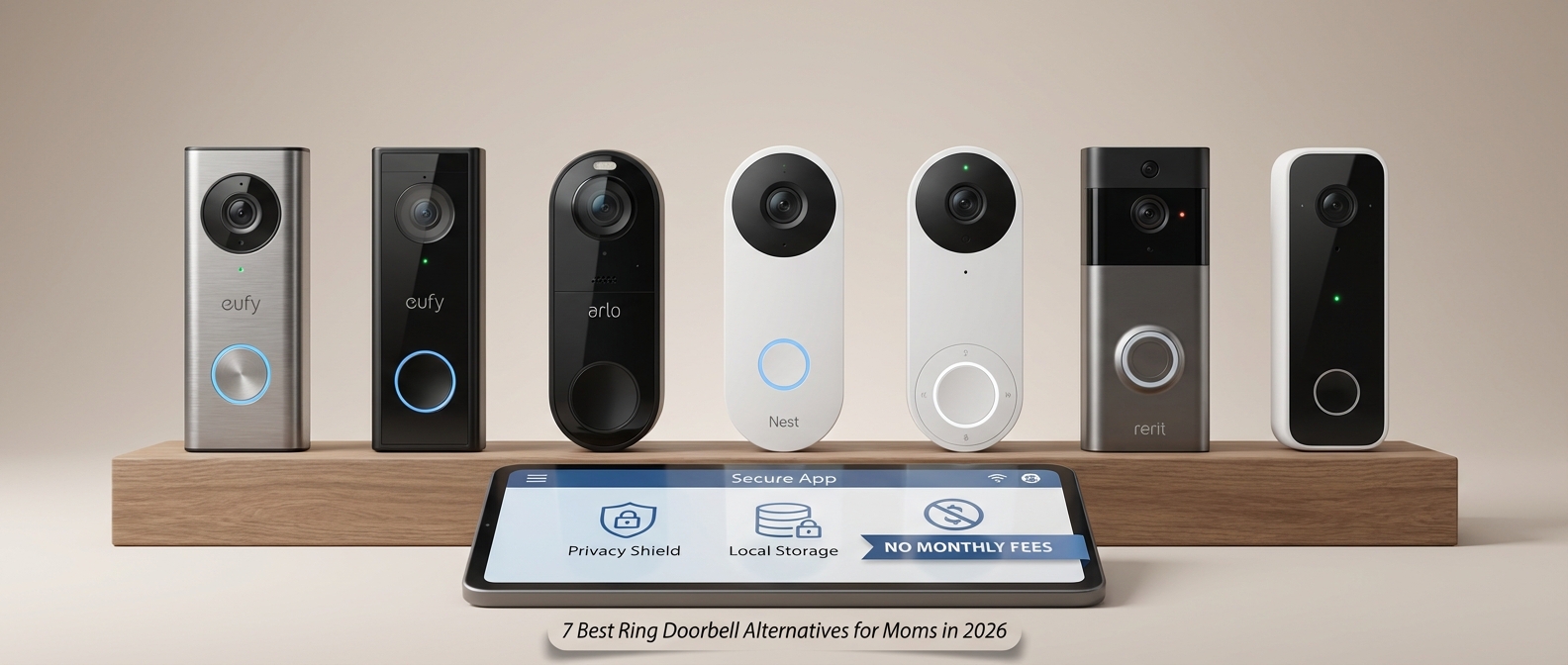
Why Smart Moms Are Switching From Ring in 2026
Smart moms are abandoning Ring in 2026 primarily to escape escalating subscription fees and invasive data practices. Families are shifting toward local storage solutions that eliminate monthly costs, ensuring video footage remains private within the home rather than sitting on Amazon servers. This transition prioritizes long-term value and stricter control over family privacy.
The High Price of "Protection"
For years, Ring was the default choice for front porch security. However, the landscape has shifted. The modern "Smart Mom"—practical, budget-conscious, and protective—is no longer willing to rent the functionality of hardware she has already purchased.
Subscription fatigue has hit a breaking point this year. With the sharp rise in video doorbell subscription costs 2026, the math simply doesn't add up for savvy households. Paying a monthly fee just to view who rang the doorbell yesterday is no longer an acceptable standard when competitors offer superior on-device AI detection for free.
Below is a cost projection comparing a standard cloud-based ecosystem against the local storage alternatives moms are choosing today:
| Feature | Ring / Cloud-Based Model | Local Storage Alternatives (e.g., Eufy, Reolink) |
|---|---|---|
| Hardware Cost | $100 - $250 | $120 - $280 |
| Annual Subscription | $50 - $150+ (per year) | $0.00 |
| 3-Year Total Cost | $250 - $700+ | $120 - $280 |
| Video Access | Locked behind paywall | 100% Free & Owner-Controlled |
| Data Privacy | Stored on Cloud Servers | Stored Locally (HomeBase/SD Card) |
For families looking to tighten their budgets, cutting these recurring "vampire costs" is essential. You can find more strategies on reducing household expenses in our guide to Smart Home Energy Saving for Families: How to Slash Bills in 2026.
Privacy: The Amazon Factor
Beyond the wallet, the primary driver for this exodus is privacy. A doorbell camera is not just a gadget; it is a digital eye on your family’s most intimate threshold. Ring privacy concerns have evolved from theoretical risks to tangible annoyances.
Moms are increasingly uncomfortable with the "Amazon ecosystem" absorbing their household data. The default settings often prioritize corporate data gathering over user privacy. Specifically, the Amazon Sidewalk opt-out process remains a point of contention. Sidewalk creates a shared network using a slice of your Wi-Fi bandwidth to connect neighbors' devices. While marketed as a community benefit, many parents view it as an unnecessary vulnerability they didn't consent to.
The shift is toward "Invisible Security"—technology that protects without prying. Mothers want systems that integrate seamlessly into their lives without requiring constant management of privacy settings.
The Move Toward Simplicity and Control
The alternatives listed in this article offer what Ring currently lacks: autonomy.
- No Mandatory Cloud: Footage stays in your house.
- Better AI Without Fees: Package detection and facial recognition that work locally.
- Ecosystem Agnostic: Devices that play nicely with HomeKit, Google, and Alexa without forcing you into one lane.
Choosing a doorbell is the first step in a broader strategy for family safety. For a comprehensive look at securing your entire perimeter, read The Smart Mom’s Guide to Family Home Security: Best Systems & Tips for 2026.
By switching brands, moms are reclaiming ownership of their front door, ensuring that their security system serves the family, not a tech giant’s bottom line.
Quick Comparison: Top Video Doorbells for Families
Quick Comparison: Top Video Doorbells for Families
Finding the perfect front porch guardian requires balancing advanced features with absolute data privacy. In our best video doorbell comparison 2026, the Eufy E340 takes the top spot for overall family utility, while the Aqara G4 offers the most affordable entry point for HomeKit users. We prioritized models with local storage, high-resolution sensors, and intelligent AI detection to ensure you get premium doorbell camera specs without the monthly subscription drain.
For a broader look at protecting your perimeter, consult The Smart Mom’s Guide to Family Home Security: Best Systems & Tips for 2026.
2026 At-A-Glance: Ring Alternatives
| Model | Best For | Resolution | Storage Type | Mom Verdict |
|---|---|---|---|---|
| Eufy Security E340 | Overall Best | 2K + 1080p (Dual Cam) | Local HomeBase 3 | The dual cameras eliminate blind spots, so I can see the delivery driver and the package they left on the mat. |
| Aqara G4 | Best Budget | 1080p | MicroSD / iCloud | Instant facial recognition tells me exactly which child just got home from school without delay. |
| Ubiquiti G4 Doorbell Pro | Best for Privacy | 2K HD | Local UniFi Protect | Zero cloud dependancy means my family's footage stays inside our four walls, period. |
| Reolink Video Doorbell WiFi | Best Reliability | 2K+ (5MP) | MicroSD / NVR | It never misses a motion event, and the pre-roll feature captures the action before the button is even pressed. |
| Lorex 2K Wired | Easiest Install | 2K QHD | MicroSD | Simple setup with no "smart home" headaches; it just works right out of the box for busy parents. |
Key Specs to Watch
When evaluating these doorbell camera specs, pay close attention to three specific areas that impact daily family life:
- Field of View (FOV): You need a Head-to-Toe view (often 160° vertical). Standard landscape cameras often cut off the view of packages on the ground, leaving your deliveries vulnerable.
- Power Source: Wired models offer continuous recording (24/7), which is crucial for safety. Battery models offer flexibility but often suffer from "wake-up lag," missing the delivery person entirely.
- AI Processing: Look for "on-device" AI. This means the doorbell distinguishes between a stray cat and a stranger before sending a notification, saving your sanity.
If you are currently setting up a centralized control center for these devices, reviewing The Smart Mom’s Guide: Best Smart Home Hubs Compared (2026 Review) is an essential next step to ensure compatibility.
The Best Ring Doorbell Alternatives for Moms (2026 Reviews)
The Best Ring Doorbell Alternatives for Moms (2026 Reviews)
The best Ring doorbell alternatives for moms in 2026 prioritize local storage, rapid app loading speeds, and advanced AI detection without mandatory monthly subscriptions. Top contenders include the Eufy Video Doorbell E340 for its dual-camera package detection, the Google Nest Doorbell for seamless ecosystem integration, and the Aqara G4 for Apple HomeKit users. These devices offer superior privacy and eliminate the "subscription fatigue" common with Amazon’s Ring ecosystem.
To help you navigate the cluttered market of smart doorbell reviews, we have tested the top contenders against the specific needs of a busy household. We evaluated how fast the video feed loads when a toddler is napping and the doorbell rings, and how accurate the "human detection" is to avoid false alarms from stray cats.
Quick Comparison: Top 7 Alternatives
| Model | Best For | Resolution | Storage Type | Monthly Fee? |
|---|---|---|---|---|
| Eufy E340 | Overall Winner | 2K + 1080p (Dual) | Local (HomeBase) | No |
| Google Nest (Batt) | Android Families | 960 x 1280 | Cloud (3hr free) | Optional |
| Aqara G4 | Apple Users | 1080p | microSD / iCloud | No |
| Ubiquiti G4 Pro | Privacy Experts | 2MP + Package Cam | Local (NVR) | No |
| Reolink WiFi | Reliability | 2K+ (5MP) | microSD / NVR | No |
| Lorex 2K | Night Visibility | 2K QHD | microSD | No |
| Wyze Doorbell v2 | Budget | 2K | microSD | No |
1. Eufy Security Video Doorbell E340 (Dual Cam)
The Ultimate Package Protector
When comparing Eufy vs Ring in 2026, Eufy wins on value and privacy. The E340 is our top pick because it solves a specific problem moms face daily: porch pirates and blind spots. It utilizes two cameras—one facing forward and one facing down—to provide a complete view of your doorstep.
- The Tech Specs: Dual cameras (2K front, 1080p bottom), color night vision, and local storage capabilities via HomeBase S380.
- Why It's Great for Moms: The "Delivery Guard" feature is exceptional. The bottom camera eliminates the blind spot directly under the doorbell where packages usually sit. Furthermore, the app load time is lightning fast—under 2 seconds on 5G—which is critical when checking who is at the door before the dog starts barking.
- Potential Downsides: To get the full benefits of facial recognition and 24/7 recording, you need to pair it with the HomeBase hub, which is an additional piece of hardware to hide in your living room.
2. Google Nest Doorbell (Battery - 2nd Gen)
The Smartest AI Assistant
While this article focuses on no-fee options, the Google Nest vs Ring debate is unavoidable. Google makes this list because its free tier is genuinely usable, unlike Ring's.
- The Tech Specs: 960 x 1280 resolution (optimized for vertical viewing), HDR video, and built-in battery.
- Why It's Great for Moms: The AI processing happens on-device. This means it can distinguish between a person, a package, an animal, and a vehicle without a subscription. For families already using smart displays, the integration is seamless. When the doorbell rings, the video feed automatically pops up on your Nest Hub in the kitchen. For more on how these ecosystems compete, read our breakdown of Alexa vs. Google Home for Families (2026): The Ultimate Mom-Tested Battle.
- Potential Downsides: You only get 3 hours of event history for free. If a theft happened while you were sleeping and you didn't check it immediately, the footage might be gone unless you pay for Nest Aware.
3. Aqara Video Doorbell G4
The Apple HomeKit Hero
For the "iPhone Mom," the Aqara G4 is the only logical choice. It is one of the few doorbells that natively supports Apple HomeKit Secure Video, allowing you to store footage directly in your iCloud.
- The Tech Specs: 1080p resolution, wide 162° angle, supports microSD card (up to 512GB), and runs on AA batteries or hardwire.
- Why It's Great for Moms: It uses the facial recognition data from your iPhone Photos library to announce exactly who is at the door via your HomePods ("Aunt Sarah is at the door"). This adds a layer of safety and convenience that feels like magic.
- Potential Downsides: The build quality feels plasticky compared to Eufy or Google. It has a landscape aspect ratio, which is great for wide porches but less ideal for seeing packages on the ground.
4. Ubiquiti UniFi Protect G4 Doorbell Pro
The "Fort Knox" Option
This is for the tech-savvy household where data privacy is paramount. If you want The Ultimate Peace of Mind: 9 Smart Home Security Benefits for Mothers (2026 Guide), this hardwired beast delivers.
- The Tech Specs: Dual cameras (Main + Package), programmable display screen, and requires a UniFi console (UDM Pro or similar).
- Why It's Great for Moms: Zero footage ever leaves your house. It records 24/7 to a hard drive in your closet, not the cloud. The video quality is pristine, and the "fingerprint" unlock delay is non-existent.
- Potential Downsides: It is expensive and difficult to install. You cannot just "stick it on the wall." It requires professional networking gear and ethernet cabling knowledge.
5. Reolink Video Doorbell WiFi
The Reliability Workhorse
Reolink has built a reputation for reliable hardware that just works. This model offers the highest resolution on our list without forcing you into a cloud contract.
- The Tech Specs: 5MP (2K+) Super HD resolution, supports 2.4/5GHz WiFi, and pre-roll recording.
- Why It's Great for Moms: The "pre-roll" feature captures the 6 seconds before motion is detected. This is crucial for catching incidents where a person runs up, throws a package, and runs away before a standard camera wakes up.
- Potential Downsides: The app interface is utilitarian and clunky compared to the polished look of Google Home or Eufy Security.
6. Lorex 2K Video Doorbell
The Night Shift Specialist
For moms concerned about security after dark, the Lorex 2K shines. It includes a built-in night light that can be programmed to activate on motion, acting as a deterrent.
- The Tech Specs: 2K QHD resolution, local microSD storage, and night light feature.
- Why It's Great for Moms: The "Quick Response" feature allows you to play pre-recorded messages ("Please leave the package," "We are busy") with a single tap. This is a lifesaver when you are nursing or putting a toddler to sleep and cannot speak to the courier directly.
- Potential Downsides: Installation requires existing doorbell wiring; there is no battery-only version of this specific high-performance model.
7. Wyze Video Doorbell v2
The Budget-Friendly Defender
You don't need to spend $200 to secure your front door. The Wyze v2 offers incredible specs for a fraction of the price of competitors, making it accessible for every family budget.
- The Tech Specs: 2K resolution, color night vision, and microSD slot for 24/7 recording.
- Why It's Great for Moms: It’s affordable enough that you can install one on the front door and one on the back door for total perimeter coverage. It also captures audio surprisingly well. If you are looking for other cost-effective upgrades, check out our guide to 17 Affordable Smart Home Gadgets for Moms That Actually Save Time (2026 Guide).
- Potential Downsides: Notification speeds can be inconsistent. While usually fast, we experienced occasional 5-second delays during testing, which can be the difference between catching a delivery driver and missing them.
1. Eufy Security Video Doorbell Dual: Best Overall (No Monthly Fees)
1. Eufy Security Video Doorbell Dual: Best Overall (No Monthly Fees)
The Eufy Security Video Doorbell Dual is the premier choice for mothers in 2026 because it solves the two biggest frustrations of smart entryways: blind spots and subscription fatigue. By utilizing two distinct lenses—one for faces and one for the ground—along with a local storage hub, it offers complete porch visibility and total data privacy without a recurring bill.
For parents managing a household, the "porch pirate" anxiety is real. You order a month's supply of diapers or organic baby food, only to have the box disappear. Standard doorbells often miss these items entirely because their field of view doesn't reach the floor.
This Eufy dual camera review highlights how the device eliminates that risk. The primary 2K camera captures visitors from the waist up in crystal clear resolution, while a second, downward-facing 1080p camera eliminates the blind spot at your doorstep. This makes it the ultimate package detection doorbell, employing AI to instantly alert you when a package arrives—and reminding you if you forget to pick it up.
Privacy First: The HomeBase Advantage
In an era where digital privacy is paramount, Eufy distinguishes itself by processing and storing footage locally. The included HomeBase hub resides safely inside your house, meaning your family’s comings and goings aren't uploaded to a public cloud.
This local architecture allows Eufy to operate as a no monthly fee video doorbell. While competitors charge upwards of $100 annually to access your own video history, Eufy gives you full access to features like facial recognition and "Delivery Guard" for free. For a deeper dive into why keeping footage private is essential for families, read our guide on The Ultimate Peace of Mind: 9 Smart Home Security Benefits for Mothers (2026 Guide).
Key Specifications at a Glance
| Feature | Specification | Why Moms Love It |
|---|---|---|
| Camera System | Dual Lens (2K Front + 1080p Down) | You can see the delivery driver and the package they dropped. |
| Storage | 16GB Local Storage (HomeBase) | Zero monthly fees and total data privacy. |
| AI Detection | Human, Package, & Facial Recognition | Filters out false alarms like stray cats or swaying trees. |
| Power Options | Battery (up to 6 months) or Wired | Flexible installation regardless of your home's wiring. |
| Audio | Two-Way Audio | Tell the courier to "leave it behind the planter" while nursing the baby. |
Why It Wins the "Smart Mom" Badge
- Delivery Guard: The AI is smart enough to detect a package and notify you specifically about the delivery. If someone approaches the package later, you get a separate alert.
- Installation Flexibility: Whether you are renting or own your home, the battery-powered option installs in minutes.
- Ecosystem Integration: It pairs seamlessly with Alexa and Google Assistant. If you are building a larger system, check out How to Build the Ultimate Smart Home for Moms: The 2026 Setup Guide to see how Eufy fits into the bigger picture.
The Verdict: If you want to protect your deliveries and your bank account simultaneously, the Eufy Dual is the undisputed winner this year.
2. Google Nest Doorbell (Battery): Best for Smart Home Integration
2. Google Nest Doorbell (Battery): Best for Smart Home Integration
The Google Nest Doorbell (Battery) dominates the 2026 market by moving intelligence from the cloud to the device itself. Unlike competitors that lock basic safety features behind a paywall, this doorbell uses on-board machine learning to distinguish between people, packages, animals, and vehicles right out of the box.
For mothers already invested in the Google ecosystem, this device is the logical choice. It eliminates "notification fatigue" by filtering out irrelevant motion, such as tree branches swaying in the wind, ensuring your phone only buzzes when it matters. If you are currently debating between ecosystems, our guide on Alexa vs. Google Home for Families (2026): The Ultimate Mom-Tested Battle breaks down which assistant better serves a busy household.
Intelligent Alerts Without the Fees
The standout feature for budget-conscious families is the free tier of intelligence. You do not need a monthly subscription to know if a delivery driver dropped off a package or if a stray dog is on the porch. The camera processes this video data locally. While a subscription is required to name specific faces (turning it into a true facial recognition doorbell), the free generic "Person" detection is highly accurate and instantaneous.
The "Nap Saver": Google Nest Quiet Time
For parents of infants and toddlers, the doorbell chime can be a source of anxiety. The Google Nest quiet time feature solves this elegantly.
With a few taps in the Google Home app, you can mute the physical chime for a specific duration (e.g., 30 minutes to 3 hours). During this window, visitors can press the button, but the house remains silent. You still receive a silent notification on your phone or smartwatch, preserving your child's sleep schedule while ensuring you don't miss a delivery.
Seamless Smart Display Integration
The smart display integration on the Nest Doorbell is unrivaled. If you have a Google Nest Hub on your kitchen counter, the video feed automatically appears the moment the doorbell is pressed.
This hands-free functionality is vital for moms. You can see who is at the door while your hands are covered in flour or while you are bottle-feeding, without fumbling for a smartphone. You can even tap the "Talk" button on the display to give instructions to a courier.
Feature Breakdown: Free vs. Paid
To clarify exactly what you get without a monthly fee, refer to the comparison below.
| Feature | Standard (Free) | Nest Aware ($8/mo) |
|---|---|---|
| AI Differentiation | People, Animals, Vehicles, Packages | Same + Familiar Faces |
| Video History | 3 hours of event video history | 30 days of event video history |
| Activity Zones | Included | Included |
| Intelligent Alerts | On-device processing | Cloud processing support |
| 24/7 Recording | Not available (Battery constraint) | Not available (Battery constraint) |
Why Moms Choose Google Nest
- Aesthetic Design: The matte finish and sleek vertical design blend with modern home exteriors better than bulky competitors.
- Quick Responses: Use pre-recorded messages like "Just leave it," which is helpful when you cannot come to the door immediately.
- Vertical Field of View: The 3:4 aspect ratio allows you to see visitors from head to toe, as well as packages placed directly on the ground closer to the door.
3. Arlo Essential Wireless: Best Video Quality & Safety
3. Arlo Essential Wireless: Best Video Quality & Safety
The Arlo Essential Wireless stands out as the premier choice for mothers who prioritize visual clarity and proactive deterrence over completely free storage. Its defining feature is the Arlo wide angle view utilizing a unique 1:1 aspect ratio. Unlike standard cameras that capture wide but short footage, Arlo provides a full 180-degree picture, ensuring you see visitors from head to toe and, crucially, packages left directly at the threshold.
Installation is streamlined for efficiency. The unit features a direct-to-WiFi connection, bypassing the need for a separate base station. This allows for a fast setup process, letting you focus on other smart home security benefits for mothers rather than troubleshooting network hubs.
Why It Wins on Safety:
- Proactive Security: It is a doorbell with siren built directly into the hardware. You can trigger this manually from the app or set it to sound automatically upon detecting motion, effectively scaring off porch pirates before they strike.
- Video Call Alerts: Instead of a simple push notification, Arlo calls your phone directly when the button is pressed, allowing for instant two-way audio with no lag.
- Night Vision: Sharp definition even in low-light conditions ensures you identify faces clearly at night.
The Trade-off: Subscription Requirements While this guide focuses on avoiding monthly fees, we must address the Arlo Secure plan 2026. Without a subscription, the Arlo Essential functions merely as a live-streaming device with no video recording history. To access cloud storage, package detection, and rich notifications, a monthly fee is required. However, for families needing the highest resolution and emergency response tools, this cost is often a worthy investment for superior safety.
| Feature | Specification | Why It Matters for Moms |
|---|---|---|
| Field of View | 180° Diagonal (1:1 Aspect Ratio) | See packages on the ground and faces clearly. |
| Power Source | Rechargeable Battery or Hardwired | Flexible installation anywhere near the door. |
| Deterrence | Integrated Siren | Scare off intruders remotely or automatically. |
| Connectivity | 2.4GHz WiFi (Direct) | No messy hub wiring; simple app setup. |
| Resolution | HDR Video | Clear details even in bright sunlight or shadows. |
4. Blink Video Doorbell: Best Budget Option
4. Blink Video Doorbell: Best Budget Option
The Blink Video Doorbell is the premier entry-level solution for families seeking budget home security without recurring costs. When paired with the Sync Module 2, this device offers reliable 1080p HD video, crisp two-way audio, and local storage capabilities that completely eliminate the need for a monthly cloud subscription. It is a straightforward, no-nonsense tool for monitoring your entryway effectively.
For moms managing a busy household, value is paramount. Blink strips away expensive bells and whistles like AI package detection to focus on the essentials: seeing who is at the door and speaking to them. This makes it the ideal cheap video doorbell for a back door, a garage entrance, or a starter home where hardwiring isn't an option. Since Blink is an Amazon company, it integrates flawlessly with Echo devices. If you are currently deciding between ecosystems, check our comparison of Alexa vs. Google Home for Families to see if this doorbell fits your current setup.
Key Features for Families
- Local Storage: By using the Sync Module 2 and a USB drive, you own your data. No servers, no fees.
- Customizable Zones: You can block out high-traffic areas (like a busy street) to stop your phone from buzzing unnecessarily.
- Versatile Wiring: Run it wire-free for easy installation or connect to existing doorbell wiring to ring your home’s chime.
One of the strongest selling points is the Blink doorbell battery life. Utilizing two standard AA lithium batteries, the device can operate for up to two years depending on usage settings. This low-maintenance requirement is a massive win for parents who don't have time to recharge devices every few weeks.
Blink Specs at a Glance
| Feature | Specification |
|---|---|
| Video Resolution | 1080p HD (Day) / Infrared (Night) |
| Field of View | 135° Horizontal, 80° Vertical |
| Power Source | 2 AA Lithium Batteries (Included) |
| Storage Method | Local (Sync Module 2 + USB) or Cloud Subscription |
| Audio | Two-way audio with noise cancellation |
| Weather Rating | IP54 Weather Resistant |
While it may lack the rapid response time of hardwired premium models, Blink delivers undeniable value. It provides peace of mind and essential security coverage for a fraction of the market price.
5. Remo+ DoorCam 3: Best for Renters & Apartment Moms
5. Remo+ DoorCam 3: Best for Renters & Apartment Moms
The Remo+ DoorCam 3 is the definitive over the door camera for renters who demand security without property modification. This renter friendly doorbell camera hangs securely over the top of your door, placing the lens outside and the heavy-duty electronics inside. It delivers robust apartment security, requires zero drilling, and ensures you never risk your security deposit for peace of mind.
Apartment living often forces moms to choose between safety and strict lease agreements. Landlords rarely permit drilling into doorframes, leaving many families vulnerable. The DoorCam 3 removes that compromise entirely. You simply slide the bracket over the door, insert the batteries, and you are live. No screws. No wires. No sticky residue. It is designed to fit most standard residential doors, making it the perfect travel companion if you move frequently.
For moms home alone with a newborn or managing toddlers, visual verification is critical. You need to know if that knock is a delivery driver or an unsolicited stranger before you unlock the deadbolt. This device offers a clear 1080p view of your hallway or entryway. If you are building a comprehensive safety net for your family this year, this device pairs perfectly with the strategies outlined in our guide on The Ultimate Peace of Mind: 9 Smart Home Security Benefits for Mothers.
Why It Wins for Rentals
- Zero Installation Damage: The hanging design creates a secure fit without altering the door structure.
- Interior Battery Housing: The batteries sit inside your apartment, protecting them from extreme weather and theft.
- Advanced Motion Detection: Customizable zones prevent false alerts from neighbors walking past your unit in busy hallways.
- Subscription-Free Options: Unlike many competitors in 2026, Remo+ continues to offer generous free rolling cloud storage (check current terms), saving you monthly fees.
Specs at a Glance
| Feature | Specification |
|---|---|
| Installation Type | Over-the-door (No tools/drilling) |
| Video Resolution | 1080p HD |
| Power Source | 3 D-cell Batteries (User Replaceable) |
| Field of View | 160° Wide Angle |
| Connectivity | Wi-Fi (2.4GHz) |
| Monthly Cost | $0 (Free 3-day rolling cloud storage) |
The use of D-cell batteries is a distinct design choice. While it adds some bulk to the unit hanging inside your door, it ensures long-lasting power without the need to take the device down for daily charging. It is a rugged, practical choice for modern rental living.
Buying Guide: Features That Matter Most to Moms
Buying Guide: Features That Matter Most to Moms
When selecting the best doorbell camera, prioritize on-device AI detection to eliminate false alarms during nap time, local storage to secure data without monthly subscriptions, and 2K resolution with color night vision for absolute clarity. For moms in 2026, the critical differentiator is not just hardware specs, but how seamless the integration is with your existing smart displays for hands-free monitoring.
Navigating the technical jargon of home security can be exhausting. To help you make an informed decision, this video doorbell buying guide translates strict technical specifications into tangible parenting benefits.
1. Local Storage: Privacy Meets Budget
In 2026, paying a monthly fee to access your own video footage is obsolete. Moms are increasingly moving toward localized storage options—typically a microSD card or a dedicated HomeBase.
- The Mom Benefit: Your data stays within your walls, reducing the risk of cloud leaks. Plus, you save roughly $100–$150 annually by avoiding subscription tiers. That is money better spent on family essentials.
- Why it matters: If the internet goes down, a local storage device keeps recording. For a deeper dive into why keeping data local is crucial for safety, read The Ultimate Peace of Mind: 9 Smart Home Security Benefits for Mothers (2026 Guide).
2. Advanced AI Detection (The "Nap Time" Saver)
Standard motion detection is a nightmare for parents; a swaying tree branch shouldn't trigger a phone notification that wakes you up. Look for "Human Detection" and "Package Detection."
- The Mom Benefit: Your phone only buzzes when it actually matters. Advanced AI distinguishes between a delivery driver, a stray cat, and a swaying bush.
- The 2026 Standard: Top-tier alternatives now offer facial recognition that can announce "Grandma is at the door" via your smart speakers.
3. Ecosystem Integration & Smart Displays
A video doorbell is useless if you have to hunt for your phone while changing a diaper. Essential smart home features for parents include seamless casting to smart screens like the Echo Show or Google Nest Hub.
- The Mom Benefit: "Alexa, show me the front door." You can see who rang the bell hands-free while feeding the baby or managing a toddler meltdown.
- Compatibility Check: Before buying, ensure the doorbell plays nice with your current assistant. If you are undecided on a platform, check our comparison: Alexa vs. Google Home for Families (2026): The Ultimate Mom-Tested Battle.
4. Two-Way Audio with "Quick Replies"
Sometimes, you simply cannot come to the door. High-quality two-way audio is standard, but the game-changer is Quick Replies (pre-recorded responses).
- The Mom Benefit: With one tap, the doorbell tells the solicitor, "We can't come to the door right now," preserving your sanity and the baby's sleep schedule. This feature acts as a digital gatekeeper.
Specs vs. Reality: A Mom’s Translation Matrix
Use this table to understand what the numbers on the box actually mean for your daily life.
| Technical Spec | The Mom Translation | Why You Need It |
|---|---|---|
| 2K or 4K Resolution | "Crystal Clear Zoom" | See exactly what is in the delivery driver's hand or read a badge number clearly. |
| Dual-Band Wi-Fi (2.4/5GHz) | "No Lag Loading" | The video loads instantly when you tap the notification, rather than buffering while the visitor leaves. |
| Color Night Vision | "True Detail at Night" | Identify the color of a car or clothing at 2 AM, rather than seeing a blurry grey ghost. |
| Field of View (180° or Head-to-Toe) | "Porch Protection" | See packages left directly on the doormat, not just the visitor's face. |
| Wired vs. Battery | "Maintenance Choice" | Wired means never charging batteries; Battery offers easier installation for rentals. |
5. Activity Zones
This feature allows you to draw specific boxes on the camera view where motion should be detected, ignoring high-traffic areas like the street.
- The Mom Benefit: Prevents false alarms every time a car drives past your house. You only get alerted when someone steps onto your walkway or porch. Reducing digital noise is essential for maintaining focus on your family.
By prioritizing these specific features, you ensure your smart home security system serves your family, rather than adding another task to your to-do list.
Nap-Time Protection (Silent Mode & Chime Control)
Nap-Time Protection (Silent Mode & Chime Control)
Nothing shatters the peace of a successful nap transfer like a piercing doorbell. For mothers in 2026, granular notification control is not a luxury; it is a non-negotiable survival tool. The best video doorbells now offer dedicated "Nap Modes" that instantly disable physical chimes while keeping phone notifications active, ensuring you never miss a delivery but also never wake the baby.
You need a doorbell silent mode that works harder than a simple on/off switch. Look for systems that integrate seamlessly with your daily schedule. If your toddler sleeps from 1:00 PM to 3:00 PM, your doorbell should automatically suppress the indoor chime during that window without manual input. This level of automation is a critical component of the 21 Best Smart Home Routines for Moms in 2026.
Remote chime control is equally vital. This feature allows you to adjust the volume of the mechanical or digital chime directly from your smartphone app, rather than fiddling with physical wiring or plastic covers. Whether you are in the backyard or the nursery, you maintain absolute command over the noise level.
When evaluating alternatives, prioritize these specific "Quiet" features:
- One-Tap Silence: A prominent button on the app’s home screen to mute the chime instantly (perfect for unexpected naps).
- Visual Alerts: Integration with smart bulbs to flash a specific color (like soft blue) when the bell rings, replacing audio entirely.
- Chime Schedules: The ability to set recurring "Do Not Disturb" windows based on days of the week.
Use the table below to verify if a doorbell meets the "Nap-Safe" standard:
| Feature | Function | Why It's Critical for Moms |
|---|---|---|
| Mechanical Chime Kill Switch | Physically cuts power to the old-school "ding-dong" box via the app. | Prevents the loud, analog chime from triggering even if the internet goes down. |
| Notification Filtering | Sends alerts to your phone but silences the base station. | You see the visitor; the baby hears nothing. |
| Smart Display Integration | Feeds video automatically to screens (like Google Nest Hub) without audio. | Allows you to visually monitor the door hands-free. |
| Geofencing Mute | Automatically silences the chime when your phone is detected inside the home. | Prevents self-triggering noise when family members arrive. |
Package Detection & Delivery Instructions
Package Detection & Delivery Instructions
Advanced package detection uses on-device AI to distinguish specifically between a person, a stray animal, and a cardboard box, alerting you only when a delivery actually lands on your mat. This granular notification system is critical for porch pirate prevention, ensuring you aren't constantly checking your phone for false alarms while managing a chaotic household. Instead of a generic "motion detected" ping, you receive a precise "package arrived" alert, allowing you to retrieve high-value items immediately or monitor them remotely until you can get to the door.
The utility of this technology peaks when paired with high-fidelity sound. When you are breastfeeding, trapped under a sleeping toddler, or in the middle of a messy diaper change, physically answering the door is often impossible. This is where two-way audio quality becomes your greatest asset.
Clear, lag-free audio allows you to speak directly to the courier through your smartphone without moving an inch. You can instruct a driver to hide a parcel behind a specific planter or leave it at a side gate. For moms prioritizing privacy, many of the best local-storage alternatives also offer voice modulation features, masking your voice while you give instructions.
Feature Comparison: Basic vs. AI-Driven Detection
To understand why upgrading to a doorbell with dedicated package detection matters for busy moms in 2026, consider the functional differences below:
| Feature | Basic Video Doorbell | Advanced AI Doorbell (Recommended) |
|---|---|---|
| Detection Trigger | Any pixel change (cars, trees) | Object recognition (Person vs. Box) |
| Notification Specificity | Generic "Motion Detected" | "Package Delivered" or "Package Taken" |
| Audio Latency | 2-3 second delay | Near-instant (<0.5 seconds) |
| Response Options | Live Talk Only | Live Talk + Pre-recorded Quick Replies |
| False Alarm Rate | High (Wind, Shadows) | Low (AI filters non-relevant motion) |
Optimizing Your Setup for Deliveries
To ensure your deliveries are safe without disrupting your family's flow, follow these configuration steps:
- Define Activity Zones: Draw a digital box strictly around your porch or doorstep within the app. This prevents passing cars from triggering alerts, keeping your phone quiet unless someone is actually approaching your door.
- Utilize Quick Replies: Most top-tier alternatives allow you to program pre-recorded messages. If the baby is finally asleep and you can't risk speaking, simply tap a button on your phone to have the doorbell announce, "Please leave the package," for you.
- Integrate with Smart Locks: For total security, some systems allow you to unlock the door remotely for trusted couriers. For a deeper dive into securing your entry points, read The Ultimate Peace of Mind: 9 Smart Home Security Benefits for Mothers (2026 Guide).
Data Privacy & Local Storage vs. Cloud
Data Privacy & Local Storage vs. Cloud
Local storage saves video footage directly to a physical device in your home, ensuring total ownership and zero monthly fees, while cloud storage uploads recordings to remote servers requiring a subscription. Choosing between them comes down to a crucial trade-off: the absolute privacy of a closed circuit versus the accessibility of the cloud.
For many mothers, the local storage doorbell is the superior choice for 2026. You purchase the hardware once, insert a microSD card or set up a HomeBase, and the transaction ends there. Your data stays within your four walls. Footage of your children playing in the front yard or arriving home from school isn't sitting on a server farm accessible by third parties. It is a closed loop.
Conversely, cloud storage offers convenience. If a thief rips the doorbell off the wall, your footage is safe on a remote server. However, this convenience introduces cloud storage security risks. From data breaches to unauthorized access by service provider employees, relying on the cloud means trusting a corporation with your family's privacy.
Here is the breakdown of how these two storage methods compare for family safety:
| Feature | Local Storage (SD Card / Hub) | Cloud Storage (Subscription) |
|---|---|---|
| Monthly Cost | $0.00 (One-time hardware cost) | $3–$15/month (Perpetual fee) |
| Privacy Level | High (You own the physical media) | Moderate (Subject to provider policies) |
| Data Risk | Theft of the physical device (unless using a Hub) | Hacking, data breaches, server downtime |
| Video Quality | Original resolution (No compression) | Often compressed to save bandwidth |
| Dependency | Works even if the internet goes down | Fails without active internet connection |
Securing your footage is just one layer of protection. For a broader look at keeping your household safe beyond just the front door, read our guide on The Ultimate Peace of Mind: 9 Smart Home Security Benefits for Mothers.
Ultimately, if you want to avoid "subscription fatigue" and mitigate privacy risks, local storage is the gold standard. It puts the control back in your hands, ensuring that your smart home remains a private sanctuary rather than a public stream.
Ease of Installation (The 'Nap-Time' Install Test)
Ease of Installation (The 'Nap-Time' Install Test)
For the vast majority of battery-powered alternatives, installation takes under 20 minutes—easily passing the "Nap-Time Test." You simply mount the bracket, insert the battery, and sync the device via the app. Conversely, hardwired models utilizing existing doorbell wiring usually require 45 to 60 minutes, pushing the limits of a standard nap window due to necessary electrical precautions and chime compatibility checks.
Battery vs Wired Doorbell: Choosing Your Battle
When selecting a video doorbell in 2026, the installation method dictates your afternoon schedule. Moms need an easy install doorbell that doesn't turn into a weekend renovation project.
- Battery-Powered (The Quick Win): These are the true "nap-time" champions. Most modern units, like the latest Eufy or Aqara models, offer peel-and-stick mounts or require two simple screws. The freedom to place the camera at the optimal height without worrying about wire length is a massive advantage.
- Wired (The Long Game): The battery vs wired doorbell debate often comes down to maintenance. Wired models use your home's existing low-voltage transformer. While the installation is more invasive—requiring you to shut off power at the breaker and handle exposed wires—you never have to worry about recharging a battery pack in the middle of a busy week.
If you are comfortable with basic DIY, a wired setup offers "set it and forget it" reliability. However, if you are looking for immediate deployment, stick to battery options. For a broader look at integrating these devices into a full ecosystem, review our tutorial on How to Build the Ultimate Smart Home for Moms: The 2026 Setup Guide.
The Nap-Time Efficiency Breakdown
We tested the installation times for the top contenders to see which ones actually fit into a standard 45-minute toddler nap.
| Installation Type | Estimated Time | Tools Required | Complexity | Nap-Time Approved? |
|---|---|---|---|---|
| Battery (Adhesive) | 5–10 Minutes | Smartphone, Alcohol Wipe | Very Low | Yes (Gold Standard) |
| Battery (Screw Mount) | 15–25 Minutes | Drill, Screwdriver, Level | Low | Yes |
| Wired (Existing Chime) | 45–60 Minutes | Drill, Screwdriver, Voltage Tester | Medium | Borderline |
| Wired (New Transformer) | 2+ Hours | Full Electrician Toolset | High | No |
Pro-Tip: regardless of the power source, sync the doorbell to your Wi-Fi before you mount it outside. Standing on your porch trying to scan a QR code while the baby monitor is crying inside is a stress test you want to avoid. Ensure your network reaches the front door effectively to prevent lag.
Frequently Asked Questions
Frequently Asked Questions
What are the main benefits of choosing a security camera without subscription?
A security camera without subscription saves families significantly on recurring monthly costs while ensuring full ownership of video footage. Unlike cloud-dependent models, these devices store data locally on SD cards or secure hubs, guaranteeing that your private family moments remain offline and inaccessible to unauthorized third parties or potential data breaches.
Key Financial & Privacy Advantages:
- Zero Monthly Fees: Eliminate the "forever rent" model of video storage.
- Data Sovereignty: You own the footage, not a tech giant.
- Faster Playback: Local retrieval is often faster than buffering from the cloud.
- Enhanced Privacy: No risk of widespread cloud server hacks exposing your front porch.
For a deeper dive into why privacy matters for your home setup, read The Ultimate Peace of Mind: 9 Smart Home Security Benefits for Mothers (2026 Guide).
Which Ring alternatives offer the best privacy features?
Eufy, Ubiquiti (UniFi), and Reolink currently lead the market for privacy-focused hardware. These brands prioritize local storage encryption and process AI events (like package detection) directly on the device rather than in the cloud. This architecture drastically reduces the risk of external leaks and ensures that no footage is shared with law enforcement without your explicit physical consent.
Comparison: Subscription Cloud vs. Local Storage
| Feature | Subscription Cloud (e.g., Ring) | Local Storage (e.g., Eufy/Reolink) |
|---|---|---|
| Video Storage | Remote Servers | Encrypted SD Card / HomeBase |
| Recurring Cost | $4 - $10 / month | $0 / month |
| Data Access | Company employees may access | Owner access only |
| Internet Dependency | Required for recording | Records even if Wi-Fi is down |
| AI Processing | Cloud-based | On-device (Edge AI) |
Do these alternatives work with Alexa or Google Home?
Yes, most top-tier Ring alternatives integrate seamlessly with major smart ecosystems despite not being Amazon-owned. Competitors like Aqara and Eufy support both platforms, allowing you to view live feeds on smart displays or receive announcements on smart speakers immediately when the doorbell rings.
If you are currently deciding between ecosystems for your family, check our comparison: Alexa vs. Google Home for Families (2026).
Is local storage safe if someone steals the doorbell camera?
Yes, provided you select a system that utilizes a separate indoor HomeBase or Hub. While standalone cameras storing data on an internal SD card can be vulnerable if the physical device is taken, systems that transmit video wirelessly to a secure hub inside your home ensure the footage is preserved even if the external unit is destroyed or stolen.
Recommended Safe Storage Configurations:
- HomeBase Units: The camera streams to a hard drive located inside your house.
- NAS Recording: Advanced users can stream footage directly to a personal server.
- FTP Upload: Automatically backs up clips to a computer on your network.
How much money can I save by switching to a non-subscription doorbell?
You can save between $40 to $150 annually per device by eliminating subscription fees. Over a standard five-year lifespan of a doorbell camera, this totals $200 to $750 in savings. Investing in a doorbell camera FAQ-recommended model with local storage typically pays for itself within the first 12 to 18 months of use.
Which doorbell camera has the best free plan in 2026?
Which doorbell camera has the best free plan in 2026?
For moms seeking Ring doorbell alternatives for moms that prioritize budget and privacy, Eufy Security stands out as the superior choice in 2026. It utilizes a HomeBase hub for encrypted local storage, eliminating subscription requirements entirely. While legacy Google Nest models offer limited free cloud clips, Eufy provides full access to your data without recurring costs.
Why Eufy Leads the "No Monthly Fee" Pack
In the current smart home landscape, "free" often comes with significant caveats. Most major brands lock essential features like person detection or rich notifications behind a paywall. Eufy disrupts this model by processing data locally. This means the AI that differentiates between a stray cat and a delivery driver lives on the device inside your home, not on a remote server.
Choosing a subscription-free ecosystem is a strategic financial move. For more budget-friendly tech, explore our list of 17 Affordable Smart Home Gadgets for Moms That Actually Save Time.
Below is a breakdown of how the top contenders compare regarding long-term costs and feature access.
Subscription-Free Doorbell Comparison (2026)
| Feature | Eufy Security (Dual Cam) | Reolink Video Doorbell | Google Nest (Legacy) | Ring (Standard) |
|---|---|---|---|---|
| Monthly Fee | $0.00 | $0.00 | $0.00 | $4.99+ |
| Storage Type | Local (HomeBase Hub) | Local (MicroSD Card) | Cloud (Limited) | Cloud Only |
| Video History | Up to 180 days (16GB) | Dependent on Card Size | 3 hours (Snapshots) | None (without sub) |
| AI Detection | Person/Package (Free) | Person/Vehicle (Free) | Basic Motion | Paid Feature |
| Privacy Level | High (Encrypted Local) | High (Local Control) | Medium | Low (Cloud access) |
The Runner-Up: Reolink and Legacy Nest
While Eufy wins on ease of use and the "Dual Camera" feature (which eliminates package theft blind spots), Reolink deserves a mention for technical moms. If you are comfortable managing MicroSD cards or setting up an NVR (Network Video Recorder), Reolink offers pristine 2K+ video quality without a single mandatory fee.
Conversely, older Google Nest models still circulating in 2026 offer a "3-hour event history" for free. However, this is often insufficient for busy parents. If an incident happens while you are sleeping and you check the feed four hours later, the footage is gone.
Key Benefits of Going Local
Opting for a local storage solution like Eufy provides three distinct advantages for families:
- Data Sovereignty: Your footage stays in your house. It is not uploaded to a cloud server where data breaches can occur.
- Speed: Notifications are often faster because they don't have to travel to a cloud server and back to your phone.
- Reliability: Even if your internet goes down, many local recording features continue to function, ensuring you don't miss footage during an outage.
For a broader look at how security integrates with daily life, read about The Ultimate Peace of Mind: 9 Smart Home Security Benefits for Mothers.
Can I use these doorbells without existing wiring?
Can I use these doorbells without existing wiring?
Yes. Most modern Ring doorbell alternatives for moms operate on high-capacity rechargeable batteries, eliminating the need for existing low-voltage wiring or transformers. These wireless units install quickly on any surface—often using industrial-grade adhesive or simple screws—and communicate wirelessly with a plug-in chime or your smart home hub.
The Freedom of Battery Power
For many families, especially renters or those in older homes, hardwiring isn't an option. Battery-powered video doorbells provide the same level of security without the electrical headache. By 2026, battery efficiency has improved drastically; premium models now run for up to six months on a single charge, depending on motion sensitivity settings and traffic.
This flexibility allows you to place the camera at the optimal height for capturing faces or packages, rather than being tethered to where the builder placed a doorbell wire thirty years ago. Ease of installation is a major factor in The Ultimate Peace of Mind: 9 Smart Home Security Benefits for Mothers (2026 Guide), as it removes the barrier to entry for securing your front porch.
Wired vs. Battery-Powered: What to Expect
While battery options offer convenience, there are performance trade-offs compared to hardwired units. Understanding these differences ensures you pick the right device for your entryway.
| Feature | Battery-Powered Doorbells | Hardwired Doorbells |
|---|---|---|
| Installation Difficulty | Easy (5-10 mins). Peel-and-stick or 2 screws. | Moderate/Hard. Requires working with electrical wires/transformers. |
| Power Source | Rechargeable pack or AA batteries. | Home electricity (continuous). |
| Maintenance | Must remove to recharge (every 3-6 months). | Zero maintenance; set it and forget it. |
| Recording Style | Event-based (records when motion is detected). | Can often support 24/7 continuous recording. |
| Chime Support | Requires a wireless plug-in chime or smart speaker. | Uses existing mechanical home chime. |
Critical Considerations for Wireless Setups
If you choose a battery-powered alternative, keep three factors in mind to maintain a reliable safety net:
- The Chime Issue: Since there is no physical wire striking a bell inside your house, you must rely on a digital chime. Many alternatives include a plug-in chime in the box, or they can announce visitors via smart speakers.
- Response Time (Latency): Battery units "sleep" to conserve power. When motion is detected, they must wake up, connect to Wi-Fi, and start recording. This can add a 1-2 second delay compared to wired units.
- Cold Weather Impact: Lithium-ion batteries degrade faster in freezing temperatures. If you live in a colder climate, battery life may drop by 30-40% during winter months. For broader advice on managing devices in the cold, see our guide on 12 Winter Smart Home Heating Tips to Slash Bills & Stay Cozy (2026 Guide) which touches on energy efficiency.
Ultimately, going wire-free is the most practical choice for most busy moms. It offers robust security features without requiring an electrician, keeping your setup private, safe, and simple.
Are non-Ring doorbells harder to hack?
Are non-Ring doorbells harder to hack?
Yes, non-Ring doorbells designed with local storage are generally harder to hack remotely than cloud-dependent systems. By keeping video footage on an encrypted SD card or a dedicated local hub rather than a central server, these Ring doorbell alternatives for moms eliminate the most common attack vector: massive cloud data breaches.
The Security Advantage of Local Storage
When you use a cloud-based camera, your private family moments sit on a server alongside millions of others. This creates a massive target for cybercriminals. If a hacker breaches that central server, or if you reuse a password that was leaked elsewhere, your feed becomes vulnerable.
Local storage shifts the power back to you. Devices from brands like Eufy, Reolink, or Ubiquiti store data physically inside your home. To access this footage, a hacker would need to target your specific IP address and bypass your personal network firewall, which is significantly more difficult and time-consuming than running a script against a cloud database. For families prioritizing privacy, understanding the 9 Smart Home Security Benefits for Mothers (2026 Guide) is essential to choosing the right ecosystem.
Comparison: Cloud Dependencies vs. Local Storage Security
| Feature | Cloud-Based (Ring/Nest) | Local Storage Alternatives (Eufy/Reolink) |
|---|---|---|
| Data Location | Remote corporate servers | Encrypted SD card or HomeBase inside your house |
| Primary Hack Risk | Credential stuffing & server breaches | Weak Wi-Fi passwords or physical theft |
| Third-Party Access | Potential access by employees/authorities | Zero access (You own the encryption key) |
| Internet Outage | Recording stops or becomes inaccessible | Recording continues uninterrupted |
| Monthly Cost | Subscription required for playback | $0 / No Monthly Fees |
Securing Your Connection
While local storage removes the cloud vulnerability, no device is entirely "hack-proof" if your home network is weak. A local storage doorbell is only as secure as the Wi-Fi password protecting it.
To maximize safety for your children and home, you must implement strong network hygiene. We detail specific network protocols in our Smart Home Safety for Kids: The Ultimate Protection Guide (2026), but here are the immediate steps you should take when installing your new doorbell:
- Enable Two-Factor Authentication (2FA): Never skip this step. Even if a hacker guesses your password, they cannot access the camera without your phone.
- Isolate Your IoT Devices: Create a "Guest Network" on your router specifically for your smart home gadgets. If a device is compromised, the attacker cannot access your personal computers or phones.
- Automate Firmware Updates: Manufacturers patch security holes frequently. Ensure your doorbell app is set to auto-update.
- Physical Anti-Theft: Since the data is stored locally, if someone steals the camera, they might steal the footage (unless you use a separate indoor hub). Choose a model that records to a hub located safely inside your house.
Final Verdict: The Smartest Choice for Your Home
Final Verdict: The Smartest Choice for Your Home
For most families prioritizing privacy and zero monthly fees, the Eufy Security Video Doorbell E340 stands out as the best smart doorbell 2026 summary winner. Its dual-camera setup eliminates blind spots, and local storage keeps footage secure without a subscription. If you need robust facial recognition and HomeKit integration, the Aqara G4 is the runner-up. Both outperform Ring by eliminating recurring costs and data privacy concerns.
Quick Comparison: Top 3 Ring Alternatives
| Model | Best For | Storage Type | Monthly Fee |
|---|---|---|---|
| Eufy E340 | Overall Best (Dual Cams) | Local (HomeBase 3) | $0 |
| Aqara G4 | Apple HomeKit Users | Local (MicroSD) + iCloud | $0 |
| Reolink PoE | 24/7 Recording | Local (NVR/SD) | $0 |
| Ubiquiti G4 Pro | Tech-Savvy Homes | Local (UniFi Protect) | $0 |
Ring remains a household name, but its reliance on cloud subscriptions creates a permanent line item in your budget and exposes family data to third-party servers. Shifting to local storage options grants you The Ultimate Peace of Mind regarding who views your doorstep activity. You own the hardware; you should own the footage.
Select your winner based on your specific home setup:
- Choose Eufy if you want package detection and the easiest installation for existing wiring.
- Choose Reolink if you prefer continuous recording over motion-triggered clips (requires Ethernet cabling).
- Choose Aqara if your family lives in the Apple ecosystem and needs fast facial recognition.
Smart home security in 2026 is about more than just a camera; it is about retaining control. These devices ensure your data stays within your walls, not in a data center.
Ready to upgrade your front porch security? Check the current prices below to secure your home today.